


 4.8


Two ways to price your team's time
Choose the method that matches how you charge your clients.
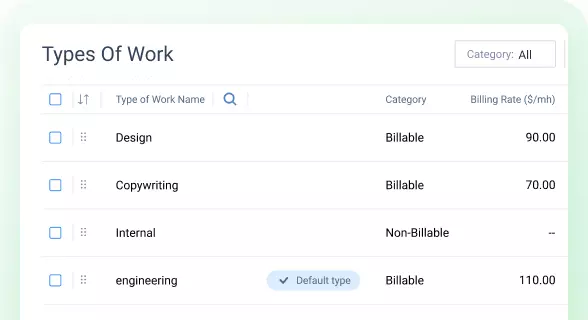
By type of work
Each type of work you bill for has its own rate, whatever services you offer
Best for: teams that price by the kind of service, where the same work costs the same whoever does it
- One rate per type of work, easy to keep up to date
- Invoice lines grouped by type of work
- Billable
- Non-Billable
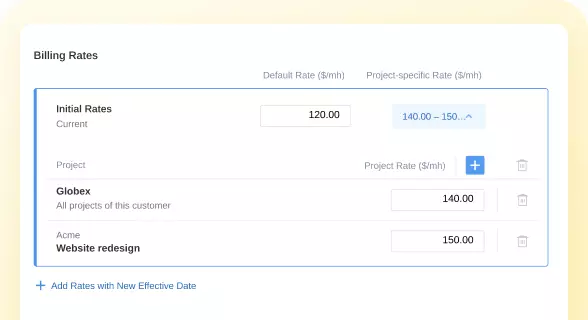
By who does the work
Each person has a default rate, with a different rate for specific clients or projects where needed
Best for: teams with mixed seniority, contractors on the same projects, or rates agreed separately with each client
- The default applies everywhere, unless a client or project has its own rate
- Invoice lines show each person, their hours, and their rate
- Default rate
- Client rate
- Project rate
From billing rate to finished invoice
No more underbilling. Every client billed as agreed.
- No credit card required
- Unlimited users
- Human support & onboarding
Start your free trial
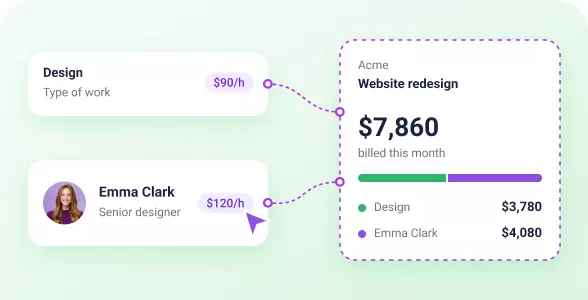
For owners and managers
Set rates for each service and each person, and see exactly how much each client and project brings in.
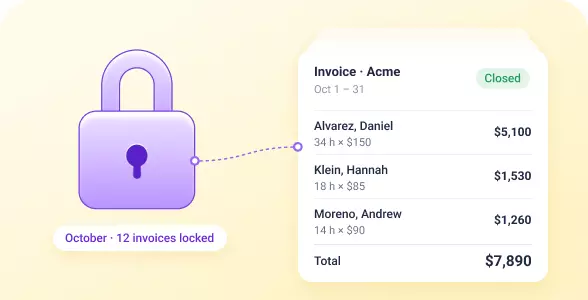
For finance and billing teams
Close each billing period with invoices that match what was agreed with every client, without checking rates line by line.
Built to keep every rate right
- Problem
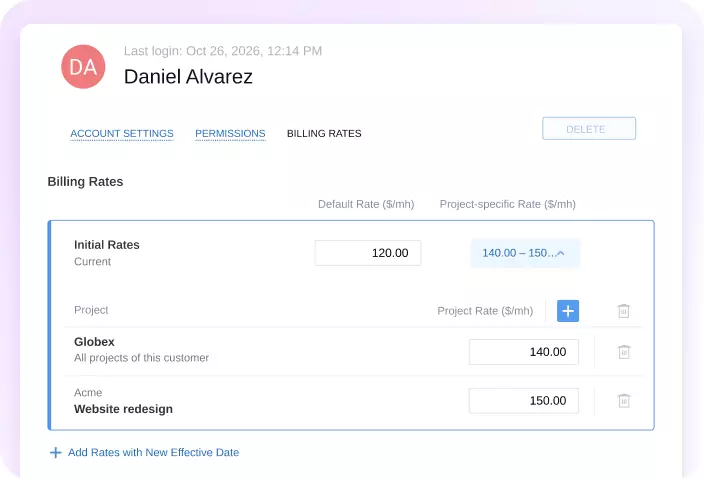
A rate change throws past invoices off
New rates without rewriting history
- A team member's new billing rate applies only from the date you pick
- Upcoming rate changes can be set in advance and apply on their start date
- Past rates can be added later to recalculate an earlier period
- Problem
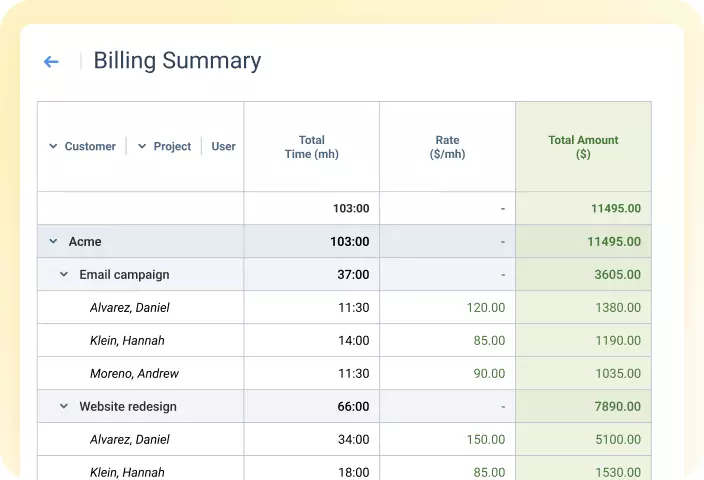
Someone always ends up billed at the wrong rate
The right rate on every billable hour
- Each person's rate sits next to their hours in billing reports, so mistakes stand out
- Billable and non-billable work stays separate through types of work
- A missing rate shows up in the report before it turns into an underbilled invoice
- Problem
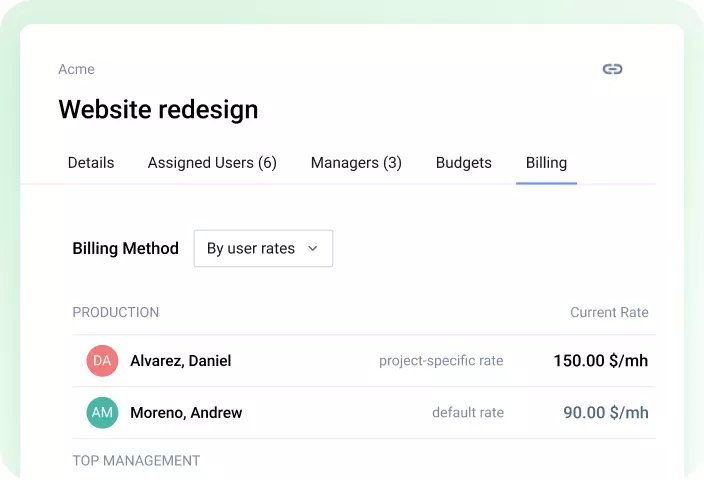
Nobody knows who's billed at what on a project
Every project's rates in one view
- See the current rate of everyone on a project without opening each profile
- Each rate shows whether it comes from the project or the person's default
- Rate history for each team member is one click away
- Problem
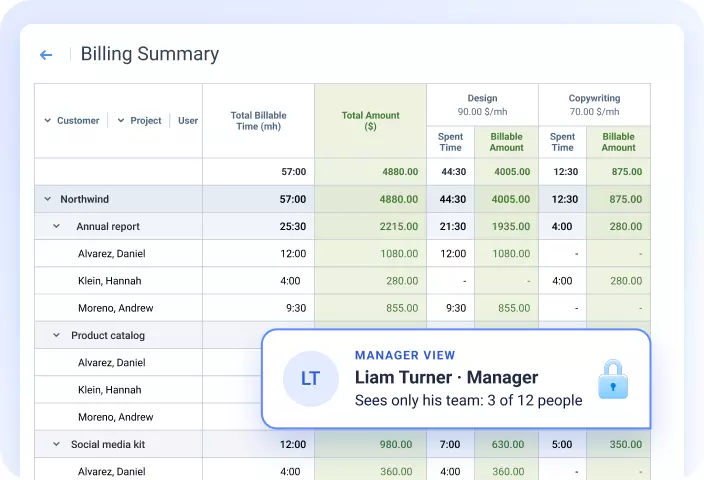
Rates aren't for everyone's eyes
Rates visible only to the people who manage them
- Managers see and edit rates only for their own team and projects
- Team members track their time without seeing anyone's rate, their own included
- Billing reports and invoices stay closed to anyone without access
Where your rates show up
Every rate you set flows into everything that turns hours into money.

Billing summary report
Billable hours and amounts by client, project, task, or person, with average rates and a separate line for each rate period.
Learn more
Invoices
PDF invoices with a line for each service or team member, so clients see exactly what they pay for.
Learn more
Project budgets
Billing budgets track billable amounts against what you've agreed with the client.
Learn more
Cost of work
Pay rates sit alongside billing rates, so you can see what each hour costs and what it earns.
Learn more
Project costs and client billing
The full picture, from a logged hour to a client invoice.
Learn more
Frequently asked questions
-
A billing rate is the price per hour you charge a client for work. It's different from a cost rate, which is what that hour costs your business in pay. In actiTIME, billing rates can be set for a type of work or for a team member, and they turn tracked hours into billable amounts automatically.
-
Billing rates are what clients pay for an hour of work. Cost rates are what you pay your team for it, including overtime and leave. actiTIME keeps both, so the same hours show what a project earns and what it costs, and the difference between them is your margin.
-
Yes. Each person has their own rate, so contractors and employees working on the same project can be billed differently, and the invoice shows each of them as a separate line with their own hours and rate.
-
Yes. actiTIME is built around hourly billing: every billable hour your team tracks is priced by the rate that applies to it and rolls into billing reports and invoices. Projects with a fixed fee can be tracked against a budget, but invoices are always calculated from hours and rates.
-
Yes. Rates are set in each team member's profile, and if you have a lot of them, our team can import your data as an additional service. You can also add past rates with their start dates to keep billing history accurate.
