




NEW

Time tracking software for ecommerce teams

Whether you lead an ecommerce team, manage multiple projects and campaigns, or support ecommerce clients, actiTIME helps you organize time across projects and channels, keep work on track, and understand where your team's capacity actually goes.

  • Free 30-day trial
  • No credit card required
  • GDPR compliant
4.8 ( 1000+ reviews )
Time tracking software for ecommerce teams

Trusted by e-commerce teams worldwide

  • Thalia
  • Shop Duty Free
  • Emmy
  • Peapod
  • B2X
  • InteractOne

Where ecommerce projects go off track

Project effort spread across teams

Everyone contributes, but no one sees the total

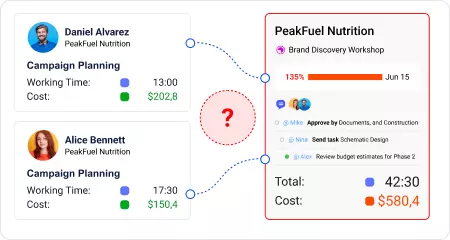
A product launch, store migrations, or seasonal campaigns brings together people from different teams. Everyone focuses on their own work, but no one sees how much time the project requires overall. Future projects end up planned using the same rough assumptions.
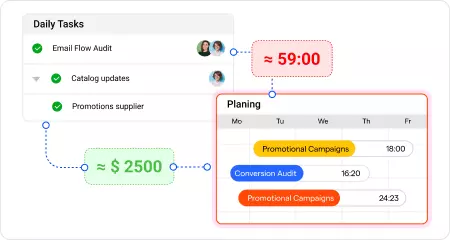
Everyone contributes, but no one sees the total
Routine work that fills the calendar

Daily operations quietly consume capacity

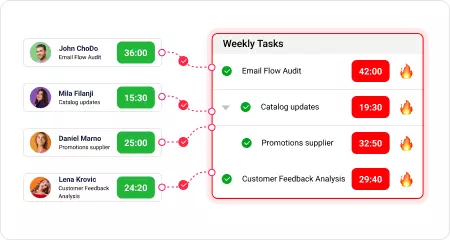
Catalog updates, promotions, supplier coordination, and platform maintenance rarely look like major projects, yet together they take up a significant share of the team's time. Without tracking those hours, new initiatives are planned around capacity that no longer exists.

Daily operations quietly consume capacity
Projects that never stay on schedule

The team is busy, but projects keep falling behind

Projects rarely fall behind all at once. The gap between estimated and actual hours grows gradually until key milestones start slipping. Without comparing planned time with actual hours, teams often realize they're behind when deadlines are already at risk.

The team is busy, but projects keep falling behind
Planning based on assumptions

Every new project starts with another guess

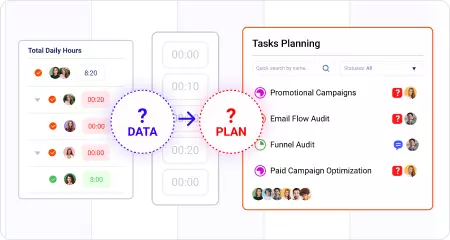
Without historical time data across projects, it is difficult to estimate future work, balance team capacity, or decide where additional resources are needed. Planning becomes a series of educated guesses instead of decisions backed by real data.

Every new project starts with another guess

Different roles, different ways to use time data

From daily time tracking to planning capacity and reviewing project performance, each role uses the same data differently.

Ecommerce Director

Ecommerce Director

Reviews time and costs across projects and teams to understand where capacity is going and which initiatives are staying on track.

Project Manager

Project Manager

Coordinates product launches and cross-functional projects. Compares planned and actual time to keep delivery on schedule and spot capacity issues early.

Marketing Manager

Marketing Manager

Monitors team hours by campaign, channel, and project to see which activities take the most effort and whether delivery matches the original plan.

Operations Manager

Operations Manager

Tracks operational work such as platform maintenance, supplier coordination, and store support to understand how much capacity remains for new initiatives.

Try all features free for 30 days

No credit card required Unlimited users Human support & onboarding

Time tracking features for ecommerce teams that keep projects on track

Keep every ecommerce project in one place

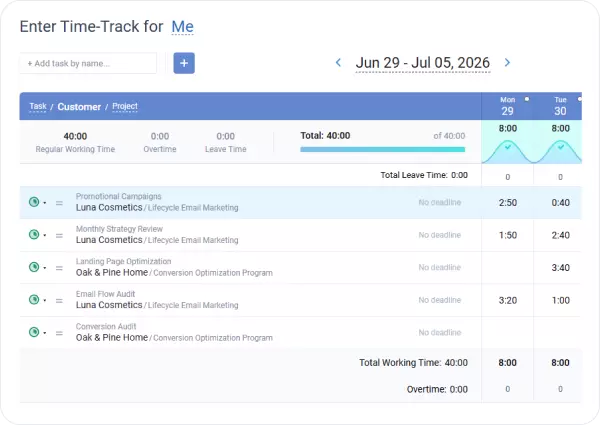
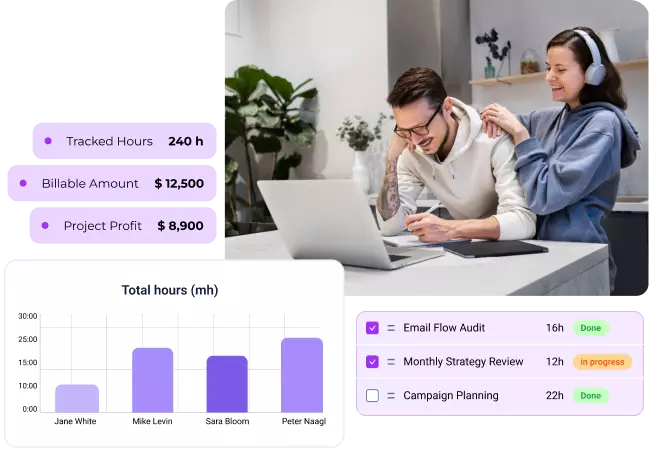
Organize time by store, brand, campaign, or project using a structure that matches the way your business works.

Everyone logs hours in one place, giving you a complete view of the time invested in every project.

Keep every ecommerce project in one place

Separate project work from day-to-day operations

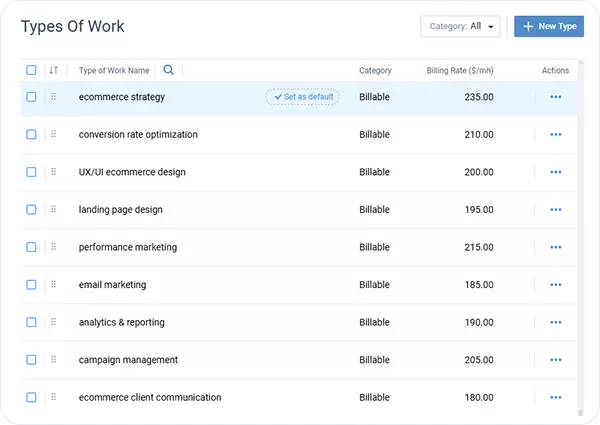
Categorize time using work type, such as campaigns, platform maintenance, catalog updates, or internal meetings.

With project work and day-to-day operations tracked separately, it is easy to see where your team's capacity actually goes.

Separate project work from day-to-day operations

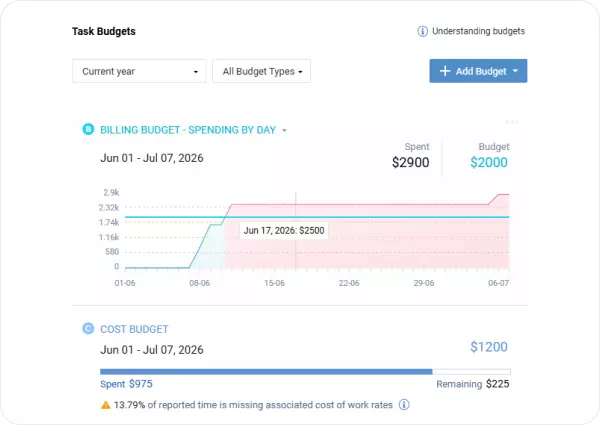
Compare planned and actual time as work progresses

Set estimates before work begins and compare them with actual hours as the project progresses.

As soon as the gap starts growing, you'll know which projects need attention before delays affect launches or key milestones.

Compare planned and actual time as work progresses

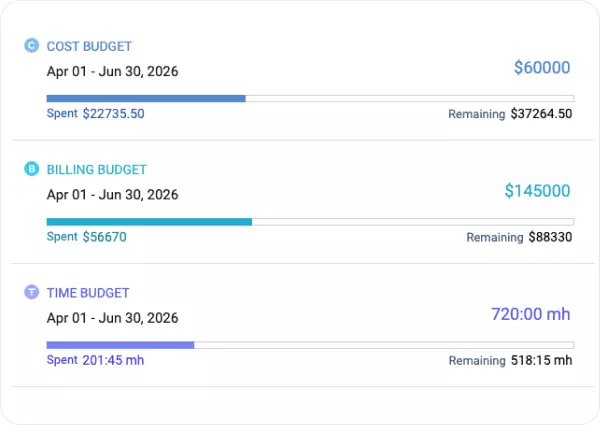
Understand the true cost of every project

Set hourly cost rates for your team, and actiTIME automatically calculates labor costs as hours are logged.

Every project builds a reliable history of time and costs that helps you estimate similar work more accurately.

Understand the true cost of every project

Time tracking reports for ecommerce teams

Logged hours become useful when you can analyze them. actiTIME turns time data into reports that help ecommerce teams compare projects, balance team capacity, understand project costs, and plan future work with confidence.

Time-track report

A breakdown of hours by team member, project, channel, or work type across any period. See how your team's time was distributed across projects and routine work.

Time-track report

Cost of work report

Total labor costs per project, department, or team member, calculated from logged hours and employee pay rates. See what each project actually cost to complete, not just how long it took.

Cost of work report

Profit and loss report

Compare billable revenue with labor costs by client or project. See which accounts are profitable and where additional work is reducing margins.

Profit and loss report

Estimated vs. actual time report

Compare planned hours with actual time logged by project or task. Use historical data to improve future estimates and keep similar projects on schedule.

Estimated vs. actual time report

Calculate the revenue lost to untracked hours

($)

Your team could recover up to

$ 252 720

in annual labor costs that currently go untracked.

* Pre-filled based on typical estimates for cross-functional teams: hours on short tasks, internal coordination, and reactive work are most likely to go unrecorded. Adjust to match your team's experience.

Ready to make every team hour count?

30-day free trial No credit card Human support & onboarding

What ecommerce teams say about actiTIME

Powerful reporting

What I like most about actiTime is its phone version, since it comes more complete and brings more specifications, and believe it or not, it is much faster and more feasible than the web version. I also really like that this program is so easy to understand statistically, because when the work hour or work day ends, it shows graphs to improve my understanding of my employees, these graphs are quite diverse and increase the probabilities to calculate the figures to be paid to each employee and not present any future inconvenience.

Monica B.

Accurate time tracking

What I like most about actiTime are the following functions: accurate time taking, taking extra time, really good statistics, and a very good session start.

All these mentioned characteristics are what give life to the program and make it the best time-to-market.

Nani N.

Easy for new employees

actiTIME is a program that over the course of time has shown that it can offer all companies stability when it comes to staying active.

The thing that I like most about this software is that it is so simple to use. Thanks to the interface that it has managed to maintain, we have obtained an excellent understanding when it comes to integrating new employees into the software.

Katherine F.

Quick team adoption

What I like most about actiTime is that it is very simple software to use. Since I implemented this program within my company, I have been in charge of teaching each of my employees and adding this system to each computer, with its respective user to take the time of each one and also measure the extra time they work, either for guards and for another purpose, the explanation that I give to each worker is done in a matter of hours so that the person is totally convinced and is with the right knowledge to handle every detail of the software.

Leslie B.

Frequently asked questions

  • Yes. actiTIME can be organized around brands, stores, clients, or campaigns, making it easy to track time across multiple accounts in one workspace. Managers can filter hours by brand, project, channel, or team member and always have a complete view of ongoing work.

  • Yes. actiTIME lets multiple teams work in the same workspace while tracking time against shared projects. Work assignments control which projects and tasks each person can access, while managers get a complete view of time across departments without combining data from multiple tools.

  • Set channels such as SEO, paid advertising, email, or social as projects or tasks, then log time as work happens. You can also use work types for additional categorization, making it easy to compare effort across channels without manual sorting.

  • Yes. actiTIME keeps a historical record of every campaign, including the hours spent by each team. After a seasonal launch is complete, you can use that data to estimate future campaigns more accurately instead of planning from guesswork.

  • Yes. Ecommerce agencies use actiTIME to track billable hours by client and service, apply billing rates, approve timesheets before billing, and generate invoice-ready totals. The flexible project structure also makes it easy to organize work across multiple client stores.

  • Yes. actiTIME integrates with QuickBooks Online and connects with 2,000+ business apps through Zapier, including project management, marketing, and HR tools commonly used by ecommerce teams. Time data can also be exported to CSV, and the open API supports custom integrations.

  • Yes. Remote and distributed teams can track time from the web app, mobile app, or Chrome extension, so project hours stay accurate wherever people work. Managers always have one up-to-date view of projects, even when teams are spread across different locations.

Turn team time into better ecommerce decisions

Start with a 30-day free trial or book a demo to see how actiTIME helps ecommerce teams keep projects on track, balance team capacity, and plan future work with confidence.

30-day free trial No credit card required 100% human support