





NEW

Time tracking software for designers and design studios

Whether you run a design studio, lead an in-house design team, or manage multiple client projects, actiTIME combines timesheets with project tracking to help you log creative hours, compare actual hours with estimates, keep projects on budget, and see which projects are most profitable.

  • Free 30-day trial
  • No credit card required
  • GDPR compliant
4.8 ( 1000+ reviews )
Time tracking software for designers and design studios

Trusted by design studios worldwide

  • SKY DESIGN
  • XOIO
  • Glassbox
  • Kroenerdesign
  • Landor
  • Level 3 Design Group

Where designers lose time and margin

Unrecorded creative hours

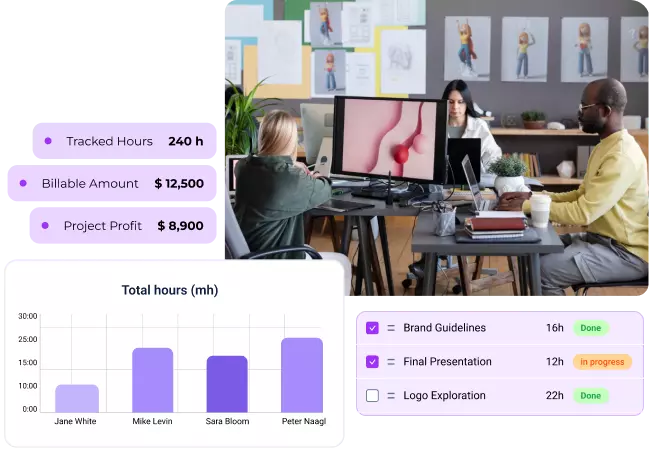
Billable creative work missing from the timesheet

Concept exploration, internal reviews, client feedback, and design research all add up. Yet those hours are often left off the timesheet. By invoice time, recorded hours no longer reflect the work that went into the project, quietly reducing project margins.
Billable creative work missing from the timesheet
Project scope that keeps growing

Client feedback that quietly expands the project

Presentation prep, feedback sessions, revision rounds, and small client requests quickly add up. Without tracking those hours, projects gradually grow beyond the original scope, making extra work harder to justify and even harder to bill.

Client feedback that quietly expands the project
Projects drifting beyond estimate

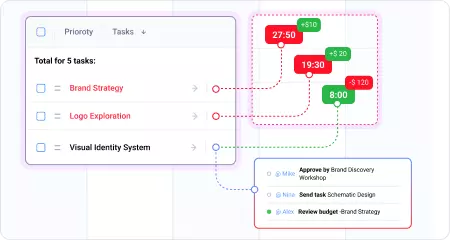
No warning when a project starts going over estimate

Untracked creative work and extra client requests make projects drift beyond their original estimates. Without comparing planned and actual hours, studios often discover overruns only after they have already affected the budget and project profitability.

No warning when a project starts going over estimate
No clear view of project profitability

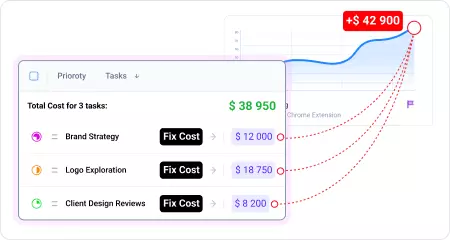
Fixed-fee projects where the real cost stays hidden

A fixed-fee project can look profitable on paper, but the real margin depends on the hours behind it. Without tracked time, studios often discover the true cost only after delivery, when the budget is gone and the invoice has already been sent.

Fixed-fee projects where the real cost stays hidden

Different roles, different ways to use time data

From daily project time tracking to revision scope and studio profitability, each role gets the visibility it actually needs.

Studio Owner

Studio Owner

Reviews profitability across client projects to understand which clients, project types, and services generate the strongest margins.

Creative Director

Creative Director

Monitors project estimates against actual hours, spots projects drifting beyond scope, and keeps creative work on budget.

Designer

Designer

Logs time by client and project across multiple active briefs, keeping concept work, revisions, and project admin clearly separated from the start.

Studio Manager

Studio Manager

Tracks delivery timelines and project budgets, coordinates timesheet approvals, and flags projects trending over estimate before they run over budget.

Try all features free for 30 days

No credit card required Unlimited users Human support & onboarding

Time tracking software features design studios actually need

Track creative work in a calendar, not a spreadsheet

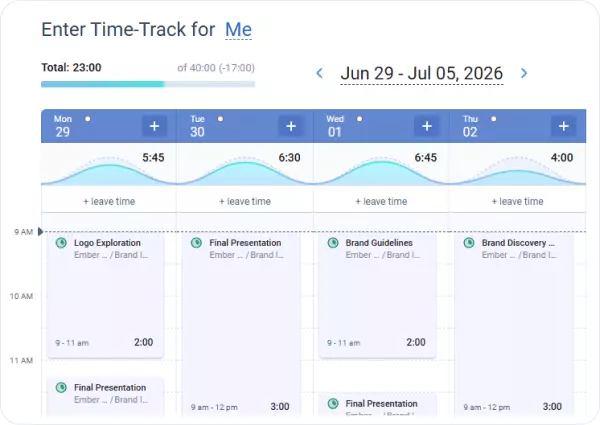
The calendar view lets designers record work as it happens by filling in their day instead of reconstructing it later.

Together with the mobile app and Chrome extension, it helps track creative time before it slips through the cracks.

Track creative work in a calendar, not a spreadsheet

Separate concepts, revisions, and internal work from the start

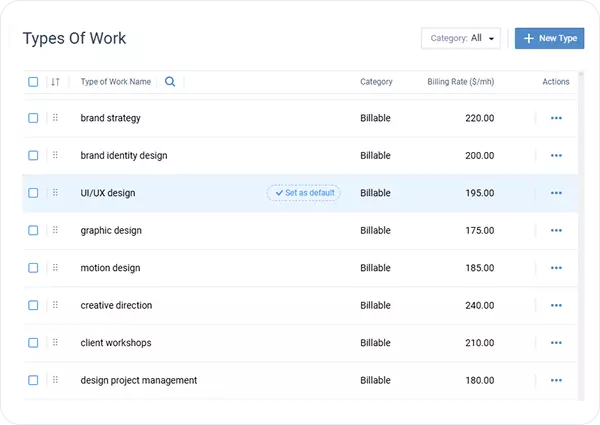
Use work types to separate concept work, revisions, client feedback, and internal tasks.

As time is logged, every hour stays categorized, making it easy to see where the effort went and when work started extending beyond the original scope.

Separate concepts, revisions, and internal work from the start

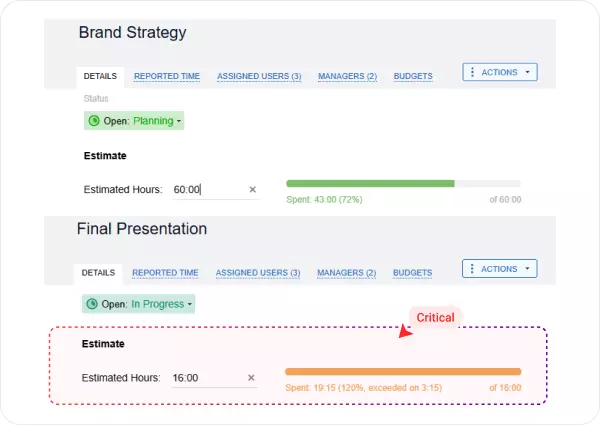
Set estimates for design projects and track actual hours as you go

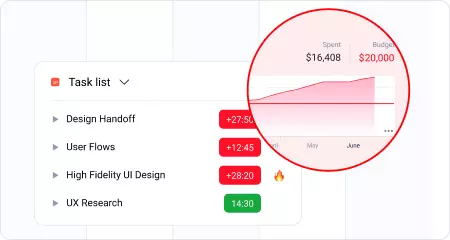
Set time estimates before work begins and compare them with actual hours throughout the project.

As designers log time, growing gaps become visible early, helping teams manage scope changes before they affect the budget or delivery.

Set estimates for design projects and track actual hours as you go

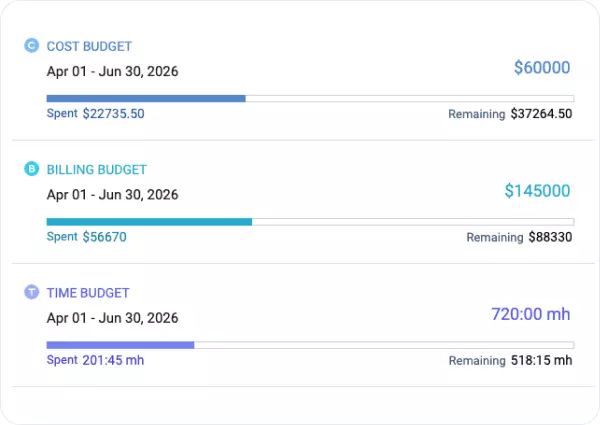
See project budgets update in real time as hours are logged

Set time or billing budgets for each design project and watch them update as hours are logged.

Early budget warnings help teams control delivery costs, protect project margins, and keep fixed-fee projects profitable.

See project budgets update in real time as hours are logged

Time tracking reports for designers

Logged hours tell you where the time went. actiTIME turns tracked time into reports that connect project costs, billing, and profitability, helping design teams manage budgets, invoice accurately, and improve project performance.

Time-track report

A breakdown of hours by team member, project, and work type across any period. See how time was split between concept work, revisions, client feedback, and internal tasks across the team.

Time-track report

Estimated vs. actual time report

Compare planned hours with actual time logged by project, task, or work type. See where design work diverged from the original estimate and use the data to scope and price future projects more accurately.

Estimated vs. actual time report

Profit and loss report

Compare billable revenue with labor costs by client and project. See which design projects delivered healthy margins and which ones cost more to complete than they returned.

Profit and loss report

Billing summary report

Total billable hours and amounts by client or billing period. Generate invoices from approved project time with billing rates already applied, without recalculating anything manually.

Billing summary report

Calculate the revenue lost to untracked hours

($)

Your studio could recover up to

$ 140 400

in annual billable revenue by capturing creative time more completely.

* Pre-filled based on design industry estimates: design studios typically lose time to unlogged concept work, feedback calls, and revision rounds that do not make it onto a timesheet. Adjust based on your experience.

Ready to make every creative hour count?

30-day free trial No credit card Human support & onboarding

What design studios say about actiTIME

Invaluable help for managers

We have been using actiTIME for 9 months now. Cut down our time keeping by 65%. Easily adopted by entire team. Invaluable to me, accurate and great customer support. Would highly recommend!.

Excellent time saver

actiTIME saves an immense amount of managers' time! Not to mention how effective it is for tracking employees' work. Now I spend hours less verifying and approving paid time off for each employee.

I would strongly recommend purchasing the product to a small and mid-size businesses or an autonomous group within a larger corporation.

Enhanced control over company goals

actiTIME is a great tool! Since it is web based it makes it easy to access the program. And since the interface is user friendly, it makes it simple for employees to learn it.

We use this software to track the billable and non-billable hours. And it helps us control and understand the company's track to achieve our goals.

Effortless experience

actiTIME was recommended to our company on one of 3-D Forums a few months ago. And since then everybody is happy working with actiTIME at Xoio.

It was pretty easy to set up the application and took just a few minutes to adjust the screen. We are using actiTIME for employees and project-based time-tracking. It's very helpful and fast!

Frequently asked questions

  • actiTIME is time tracking software for designers that helps teams record project time consistently across concepts, revisions, meetings, and production work. With accurate time data, design teams can manage budgets, bill clients more accurately, and understand which projects are truly profitable.

  • Yes. actiTIME supports design project tracking across multiple clients in one workspace. Designers can log time against the right client, project, task, or work type, while managers get a complete view of ongoing work without combining spreadsheets. Work assignments ensure each team member only sees the clients and projects relevant to them.

  • Yes. Designers can start a timer from the actiTIME Chrome extension while working in browser-based design tools, including Figma's web app. Tracked time is synchronized with actiTIME, so project hours are already waiting in the timesheet instead of being recreated later.

  • Yes. actiTIME offers permanent free time tracking software for freelance designers and teams of up to three users. If you need advanced features such as budgets, approvals, billing, or profitability reports, the 30 day free trial lets you explore the full product before deciding whether to upgrade.

  • Yes. actiTIME lets you personalize invoices with your studio's logo and business name, so client invoices reflect your brand. The invoice layout and color scheme remain the same and cannot be customized.

  • Yes. actiTIME integrates with QuickBooks Online and connects with 2,000+ business apps through Zapier. Time data can also be exported to CSV for use in other accounting systems, while the open API makes it possible to build custom integrations when needed.

  • Yes. The actiTIME mobile app is a time tracking app for designers who need to log work hours away from their desk. Designers can record time, add notes, review their time log, and submit leave requests from iOS or Android, so project time stays up to date wherever work happens

Turn creative time into profitable projects

Start with a 30 day free trial or book a demo to see how actiTIME helps design teams track creative time, manage project budgets, and turn project hours into profitable client work.

30-day free trial No credit card required 100% human support