



NEW

Time tracking and online timesheet software for education

From schools and universities to training providers and education agencies, actiTIME replaces scattered spreadsheets and paper timesheets with one place to log staff hours online, track time and labor costs across programs, and keep budgets under control.

  • Free 30-day trial
  • No credit card required
  • GDPR compliant
4.8 ( 1000+ reviews )
Time tracking and online timesheet software for education

Trusted by schools, universities, and education providers worldwide

  • Arizona State University
  • Scheck Hillel Community School
  • LIUC
  • Muzician
  • Advantage Testing

Where education teams lose time and visibility

Time logging

Hours logged on paper, spreadsheets, or not at all

Staff across schools, programs, and departments often record hours on paper timesheets or in a shared spreadsheet, if they record them consistently at all. By the time those records are collected, they no longer show the current picture.
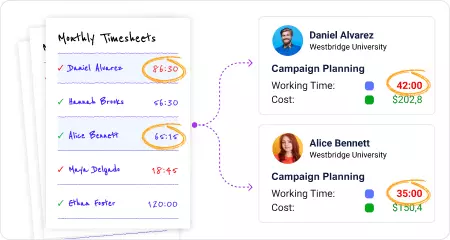
Hours logged on paper, spreadsheets, or not at all
Manual reporting

Reporting begins with chasing timesheets

Payroll, grant documentation, and budget reviews should not begin with a search for missing timesheets. Yet many education organizations still spend hours collecting and checking staff records before the actual work can begin.

Reporting begins with chasing timesheets
Financial visibility

Program costs hidden from view

Staff hours draw on grants, training contracts, and departmental budgets. Basic timesheet tools record the hours but do not show what the work costs, so overruns may stay hidden until the next reconciliation.

Program costs hidden from view
Workload visibility

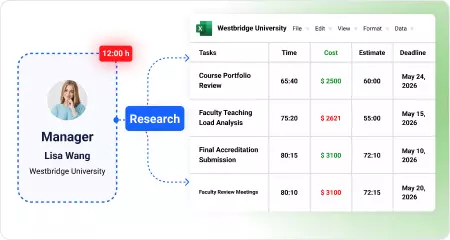
Staff workloads built on assumptions

Staff divide their time between preparation, meetings, administration, student support, and other duties. Without consistent records, managers cannot reliably compare how that time is distributed or review staffing needs.

Staff workloads built on assumptions

Different roles, different ways to use time data

From daily time tracking to program budgets and labor costs, each role sees the information that's most relevant to their work.

Department Head

Department Head

Reviews staff hours, labor costs, and budgets across programs or departments to understand where resources are going and keep spending within available funding.

Program Director

Program Director

Tracks staff hours and budget use for a specific program or grant, making it easier to spot cost overruns before the next budget review.

HR / Payroll Coordinator

HR / Payroll Coordinator

Reviews and approves timesheets before payroll, checks overtime and leave records, and prepares accurate payroll data for export.

Teacher / Tutor

Teacher / Tutor

Logs hours against the right program and task using the mobile app or a weekly online timesheet instead of keeping paper records.

Try all features free for 30 days

No credit card required Unlimited users Human support & onboarding

Time tracking features for education teams

Log hours the way your team actually works

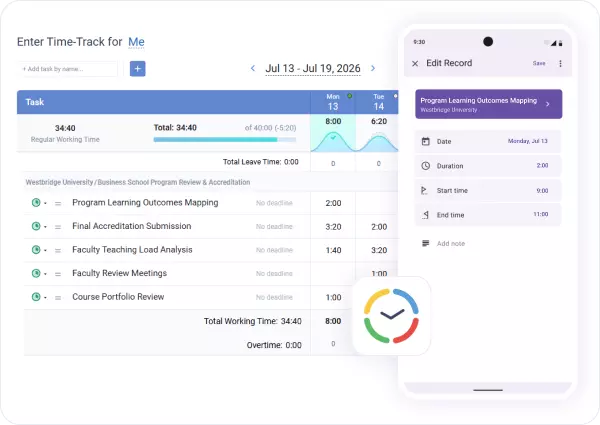
Staff can use the mobile app or a weekly online timesheet, depending on where and how they work.

Paper timesheets and scattered spreadsheets are replaced with digital timesheet software that keeps every entry tied to the right school, program, or department.

Log hours the way your team actually works

Review and approve time before it reaches payroll

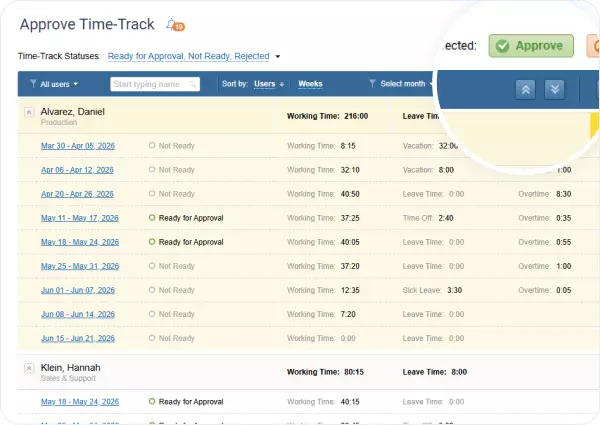
Staff submit timesheets for approval before records are exported to payroll or used in reports.

Managers can review entries, correct inconsistencies, and lock completed periods so payroll and reporting rely on the same verified time data.

Review and approve time before it reaches payroll

Track budgets for every program or department

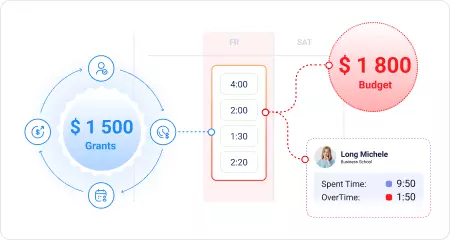
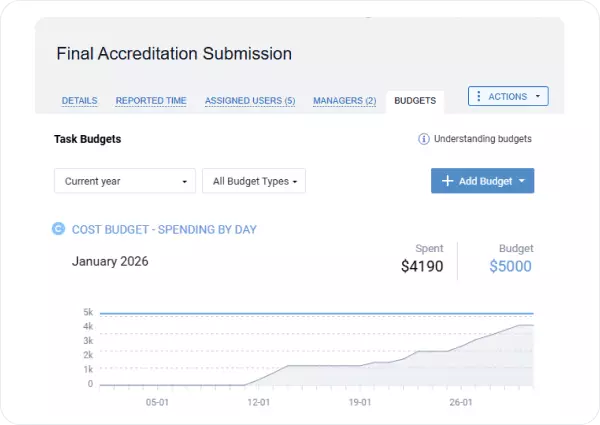
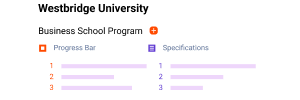
Set up your work structure around programs, grants, or departments, then add a time or cost budget at the relevant level.

The progress bar updates as hours are recorded, so managers can spot an approaching limit before the next budget review.

Track budgets for every program or department

See where staff time actually goes

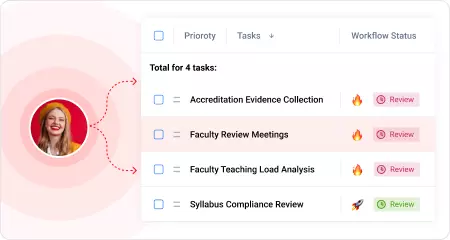
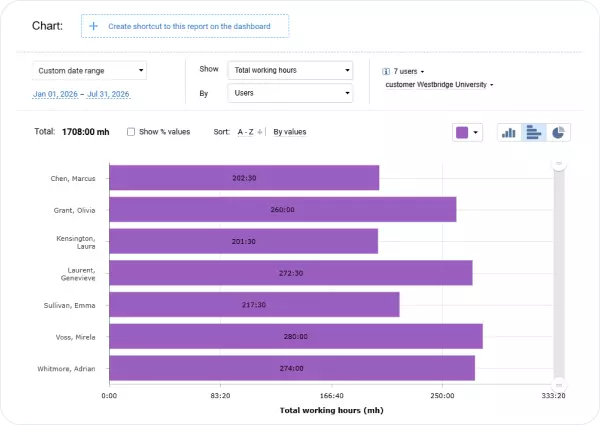
Track time by task, program, department, or activity, then compare recorded hours across staff and responsibilities.

Clear workload data helps education leaders balance responsibilities and make staffing decisions based on real data instead of assumptions.

See where staff time actually goes

How actiTIME works from timesheets to reporting

Set up your schools, programs, and team

Set up your schools, programs, and team

Name the work levels to match your schools, programs, or departments, then invite the team. Existing tasks can also be imported from a CSV file.

Your team starts logging time

Your team starts logging time

Staff log hours using the mobile app or a simple weekly online timesheet, whichever fits how they work.

Review, approve, and start reporting

Review, approve, and start reporting

Approve timesheets, then use the checked records for payroll exports, budget monitoring, and time tracking reports.

Time tracking reports for education providers

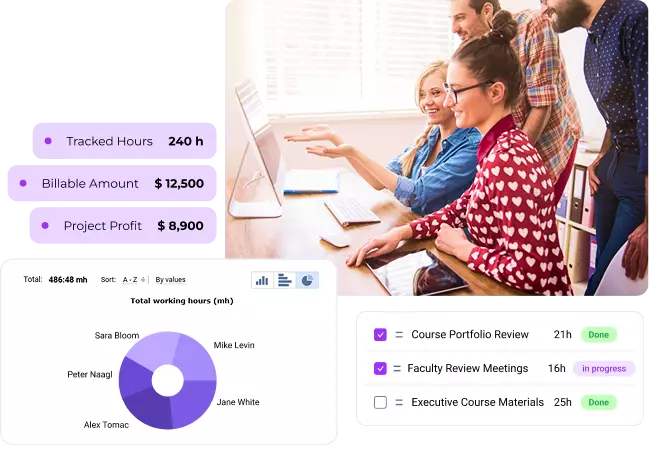
See how recorded time is divided across programs, departments, and types of work, and what those hours cost. Detailed time tracking reports help managers review budgets, prepare payroll data, and compare staff records without rebuilding the numbers in spreadsheets.

Time-track report

See work and leave time for any period, grouped by program, department, employee, or type of work. Compare where recorded hours are going without combining separate timesheets.

Time-track report

Staff performance report

Review each employee's time records and compare how hours are divided across programs, tasks, and types of work.

Staff performance report

Cost of work report

See how regular, overtime, and leave hours translate into staff costs. Filter the report by the programs or grants represented in your work structure.

Cost of work report

Time balance and overtime report

Compare recorded time with scheduled hours, review overtime for any period, and resolve discrepancies before exporting data to payroll.

Time balance and overtime report

Calculate the value of untracked hours

($)

Unrecorded or manually corrected staff time could cost your organization up to

$ 124 800

a year.

* Pre-filled based on published education case studies: organizations relying on paper timesheets and spreadsheets typically lose up to 10% of staff time to manual administration and incomplete time tracking. Adjust based on your team's experience.

Ready to stop chasing timesheets and see where staff time goes?

30-day free trial No credit card Human support & onboarding

What education organizations say about actiTIME

Time-saving efficiency

Overall very easy to use as a time tracking and reporting tool. actiTIME saves us days of work each month. We have been using it for years without any problem.

Every year actiTIME adds new features and gets even better for us.

Hassle-free problem-solving

I found in actiTIME all the requirements I was looking for. We are getting a lot of benefit – the tool enables us to better balance workload, have constant view of what people are doing.

I really recommend it, I evaluated a lot of tools, also had an in-house development before which demanded a lot of maintenance, and actiTIME solved all problems with no hassle.

Incomparable reliability

Super simple and very reliable tool. It allows you to enter time on the fly. It's very easy to use, reporting is simple and intuitive. I highly recommend using this software for both small and large teams, projects. Your employees will thank you.

Frequently asked questions

  • actiTIME works well for school district offices, universities and colleges, private school networks, education agencies, training providers, and tutoring or test prep companies that need education time tracking and clearer program costs. It is not a student information system or a classroom attendance tool. actiTIME tracks staff hours and labor costs, while student attendance and academic records remain in your existing SIS.

  • Yes. You can rename actiTIME's work levels to match schools, campuses, programs, or departments, then assign the relevant work to each team. Managers see the records they are responsible for, while central administrators retain a consolidated view. Time and cost budgets can be set separately for each level of the structure.

  • actiTIME can track staff hours and costs against the projects or programs represented in your work structure. This can help grant funded initiatives document how staff time was allocated by grant or funding source. actiTIME is not a certified effort reporting system for federal grant audits, so universities with strict compliance requirements should confirm that it meets their needs before using it for that purpose.

  • Yes. actiTIME sends approved time records to QuickBooks Online for payroll and invoicing, connects with more than 2,000 apps through Zapier, and provides an open API for custom integrations or data exports. Education organizations can keep their current payroll and HR systems and use actiTIME alongside them.

  • Yes. actiTIME has a permanent free version for up to three users, with no credit card required. It suits individual teachers who want to replace paper records with online timesheet software, as well as small training providers and tutoring businesses that need tutor time tracking software. Larger teams can move to the full paid version for approvals, budgets, integrations, and additional reporting options.

Turn staff time into clearer budgets and reports

Start with a 30-day free trial or book a demo to see how actiTIME connects staff hours with program budgets, labor costs, and payroll data, then brings the numbers together in reports your team can actually use.

30-day free trial No credit card required 100% human support