


Project and task management for teams
Organize the work your team tracks time on into projects and tasks with owners, estimates, and deadlines, so you can forecast costs and deliver every project on time and on budget.
- Free 30-day trial
- No credit card required
 4.8 ( 1000+ reviews )


Built to keep every project under control
- Problem
Tasks live in chats, spreadsheets, and someone's memory
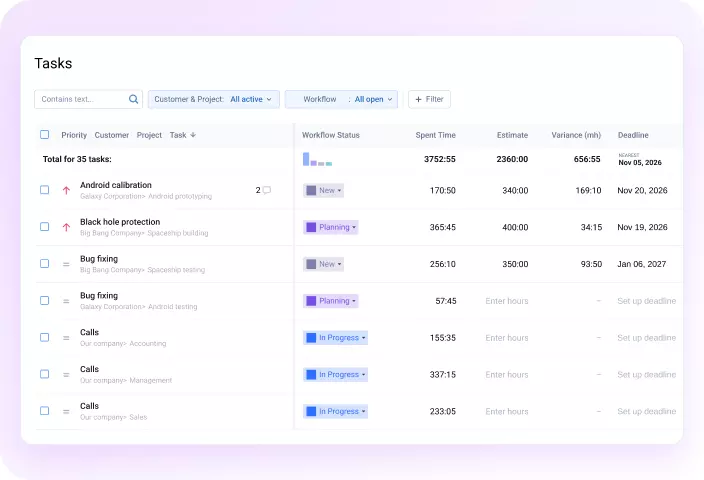
Every project broken into tasks with clear owners
- Customer, project, and task levels you can rename to match how your firm works
- Assign whole projects or single tasks to the right people, one by one or in bulk
- Import task lists from CSV and update dozens of tasks at once with bulk edits
- Problem
Nobody knows where a project stands until the deadline
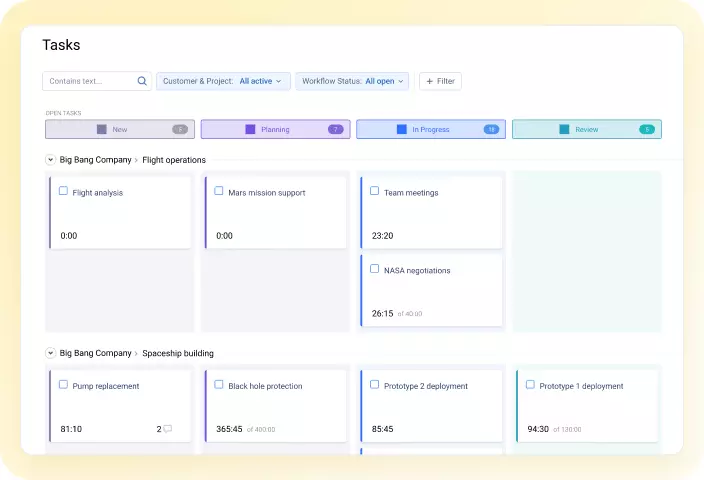
See where every project stands at any moment
- Kanban board shows each task's status and the hours logged so far
- Flexible filters surface the tasks that need attention right now
- Deadline reminders flag work that's about to slip before it's late
- Problem
Overruns surface when the budget is already gone
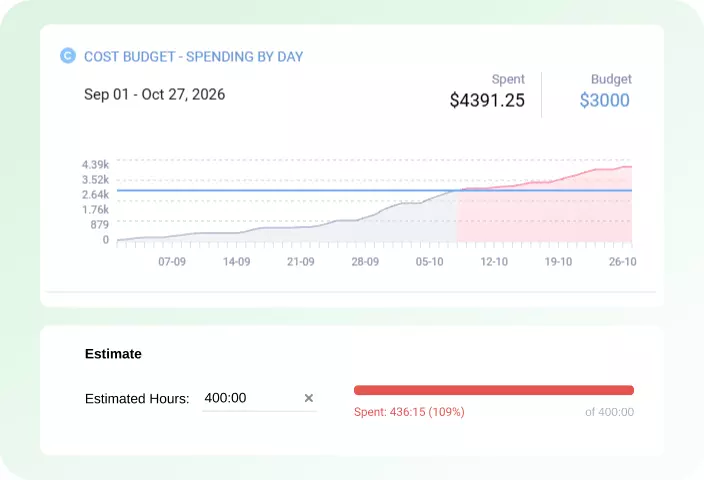
Estimates and budgets checked against real hours
- Task estimates compared with logged hours show which work is running long
- Budgets in hours or money at the task, project, or client level
- Budget bars fill up as hours come in, so you see overruns coming
- Problem
Every new quote starts
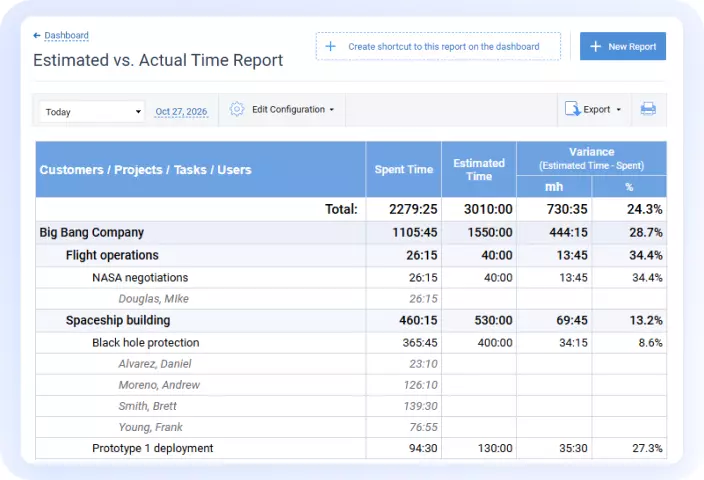
from a guessNew estimates based on past projects
- See how long similar tasks really took before you estimate the next project
- Custom fields group similar tasks, so you compare like with like
- Copy tasks from past projects so new ones start with a tested structure
From estimate to report in one workflow
No more scattered work. Every project, down to the last hour.
- No credit card required
- Unlimited users
- Human support & onboarding
Start your free trial
Use actiTIME on its own or next to your PM tool
Whether actiTIME runs your projects end to end or works alongside the tools your team already plans in, hours, costs, and budgets stay in one place.
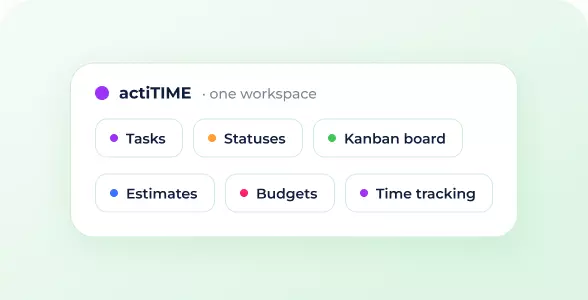
On its own
For teams that don't need a heavy project management suite. Tasks, statuses, a kanban board, estimates, and budgets live in the same place as time tracking, so there's one less tool to pay for and nothing to reconcile between systems.
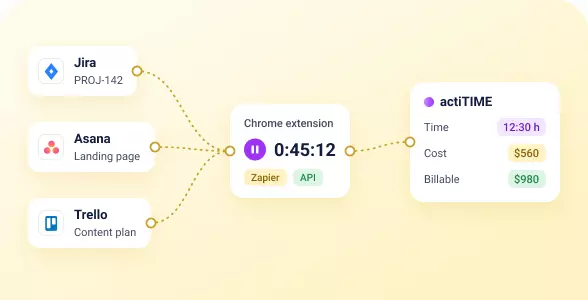
Alongside your PM tool
For teams that plan in Jira, Asana, or Trello. Keep planning there and track time, costs, and billing in actiTIME: the Chrome extension tracks time right inside web tools, and Zapier or the API connects the two.
Where your tasks lead next
The tasks you plan are the same ones your team logs time against and you invoice for, so estimates, costs, and billing all come from the same hours.

Time tracking
Assigned tasks are ready to pick in each person's timesheet, so every hour lands on the right task and project.
Learn more
Project budgets
Track every budget on a progress bar, in total or day by day, and open the matching report in one click.
Learn more
Cost of work
Logged hours combine with pay rates, including overtime and leave, to show what each task and project costs in staff time.
Learn more
Billing
Billable hours on each task are priced by type of work or by each person's rate, ready for invoicing.
Learn more
Reports
Estimated vs. actual and profit and loss reports show which projects ran over and which paid off.
Learn more
Frequently asked questions
-
When tasks live in one tool and hours in another, someone has to match them up before anyone can tell whether a project is on budget. A project management time tracker removes that step: estimates, deadlines, and logged hours sit on the same task, so progress and spending are visible as the work happens. That's why many teams choose project management software with time tracking built in over separate project and task management tools.
-
A project total shows that time ran over, but not where. Task time tracking points to the exact part of the work that took longer than planned, which makes it easier to fix the problem now and to estimate similar work more accurately next time.
-
An estimate sets how long a task should take. As your team logs hours, each task shows how much of its estimate is used, so a task running long stands out early, and budgets in hours or money show what that means for the whole project. Task management with time tracking turns estimates from a planning guess into a number you can check every day.
-
Yes. Export your task list from your current task management system and import it into actiTIME with a CSV template, then use bulk edits to set estimates, deadlines, statuses, and assignees across many tasks at once. For an ongoing connection with other tools, actiTIME works with Zapier and offers an API.
-
The free version for teams of up to 3 users includes the customer, project, and task structure, workflow statuses, deadlines, and the kanban board. Task estimates, priorities, custom fields, and budgets are part of the paid options, and you can try all of them in the full 30-day trial.
