




NEW

Time tracking software for manufacturing and production

Track labor hours across jobs, work orders, and cost centers with flexible timesheets. See what every production job costs, catch budget overruns early, and plan capacity with real data instead of guesswork.

  • Free 30-day trial
  • No credit card required
  • GDPR compliant
4.8 ( 1000+ reviews )
Time tracking software for manufacturing and production

Trusted by manufacturing companies worldwide

  • Landguard Systems
  • TBC Fabrication
  • Solgefi Air & Cooling
  • DANA
  • SASSE
  • KRONHE

Where manufacturers lose labor cost control

Time accuracy

Labor hours are recorded too late to be useful

Labor hours are often collected after the work is already complete. By the time managers review them, the data is out of date, making delays harder to spot, resources harder to adjust, and labor costs harder to control.
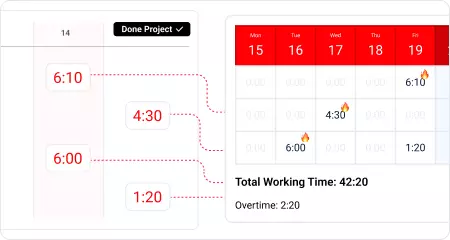
Labor hours are recorded too late to be useful
Job costing

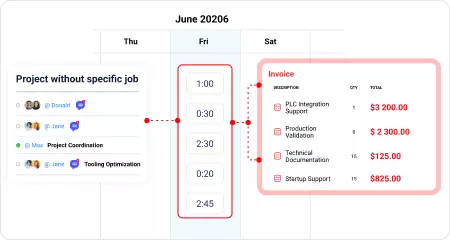
Labor hours aren't linked to the work they belong to

Hours get recorded, but without linking them to a specific job, work order, or cost center, nobody knows what the job actually cost in labor. By the time those numbers are available, the work is already complete and the next quote is already underway.

Labor hours aren't linked to the work they belong to
Budget control

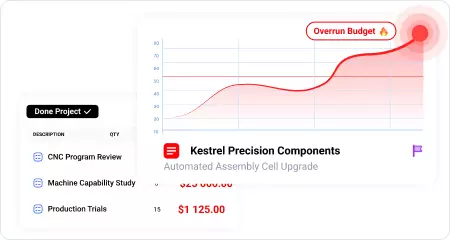
Overruns only show up after the job is finished

A job can look on budget while labor hours quietly drift away from the plan. By the time the overrun becomes visible, there's nothing left to do but absorb the extra cost—or pass it on to the next quote.

Overruns only show up after the job is finished
Future estimates rely on guesswork

Staffing the next job comes down to gut feel

Every completed job should make the next estimate more accurate. Instead, the same assumptions get reused because planned hours are never compared with how long similar jobs actually took.

Staffing the next job comes down to gut feel

Different roles, different ways to use time data

From production time tracking to labor cost and budget control, actiTIME gives every role the visibility needed to plan work and keep projects on budget.

Operations Manager

Operations Manager

Oversees labor costs, capacity, and work progress across the plant to keep production on schedule and within budget.

Project Engineer

Project Engineer

Tracks labor hours against projects and work orders, compares actual time with estimates, and keeps projects on budget.

Production Supervisor

Production Supervisor

Reviews labor hours by job, balances team workload, and plans future work using actual labor data.

Manufacturing Technician

Manufacturing Technician

Logs labor hours against the right job or work order using a weekly timesheet, mobile app, or browser with just a few clicks.

Try all features free for 30 days

No credit card required Unlimited users Human support & onboarding

Time tracking features manufacturing teams actually need

Capture labor hours as work happens

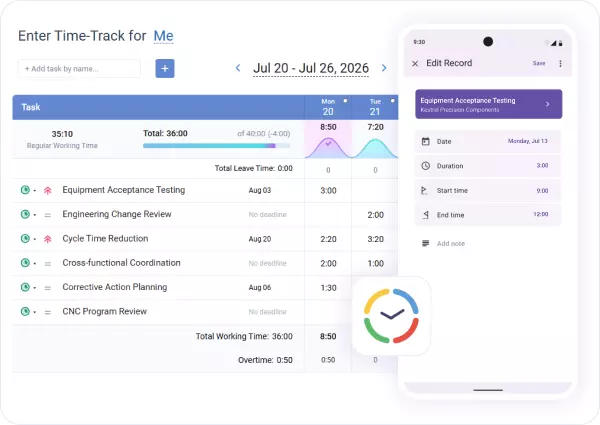
Workers can log hours from a weekly timesheet, the mobile app, or the browser, whichever works best for them.

Recorded hours are available in one place the same day, so managers can review labor costs, spot delays, and respond while work is still underway.

Capture labor hours as work happens

Know the labor cost of every job

Organize work around jobs, work orders, or cost centers, and assign a labor rate to every worker.

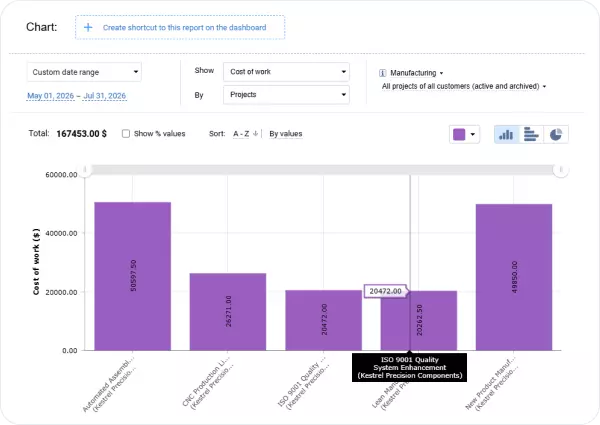
As hours are logged, labor costs are calculated automatically, so you always know what a job has cost long before it's time to prepare the next quote.

Know the labor cost of every job

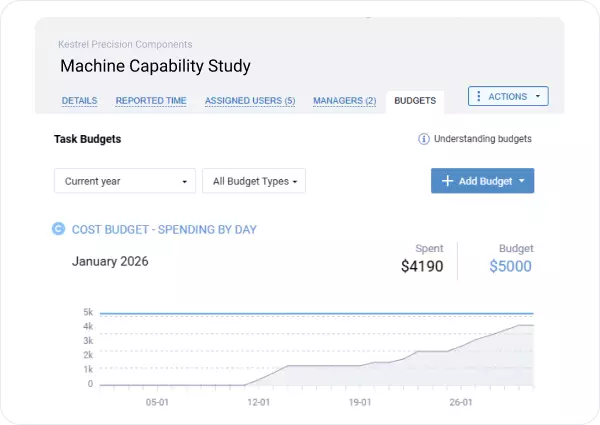
Set a labor budget for every job and watch it in real time

Set a time or cost budget for every job, work order, or cost center.

As hours are logged, you can see how much of the budget has been used, spot overruns early, and adjust plans before costs get out of control.

Set a labor budget for every job and watch it in real time

Improve estimates with actual labor data

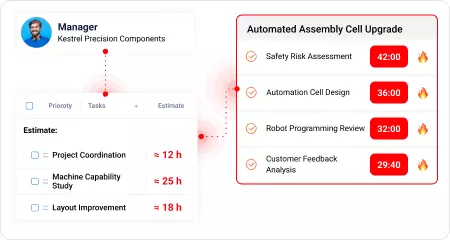
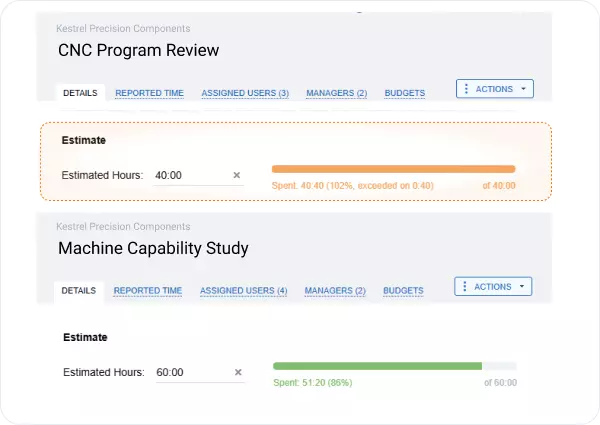
Compare estimated and actual labor hours for every job, work order, or task to see how long similar work actually took.

Use that history to improve future estimates, plan staffing, and quote similar jobs with greater confidence.

Improve estimates with actual labor data

How actiTIME works from timesheets to reporting

Set up your jobs, work orders, and team

Set up your jobs, work orders, and team

Create your jobs, work orders, or cost centers, assign them to the right team members, and import existing data from a CSV file if needed.

Your team starts logging time

Your team starts logging time

Team members log hours against the right jobs and work orders using the mobile app, browser, or weekly timesheet—whichever works best for them.

Review, approve, and report

Review, approve, and report

Review and approve submitted timesheets, then use the recorded hours for job costing, budget tracking, capacity planning, and reporting.

Time tracking reports for production operations

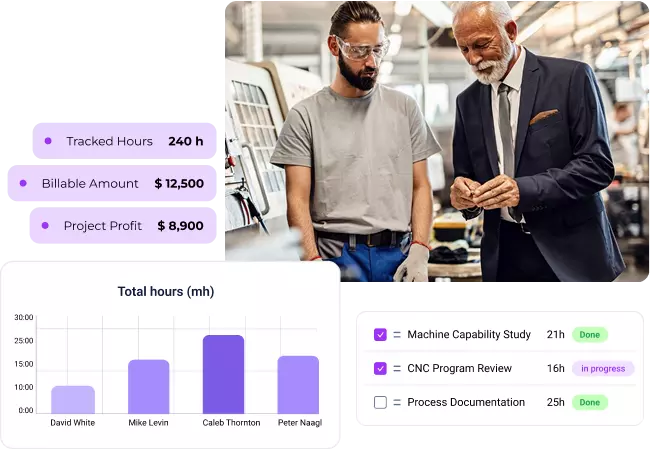
See labor hours, project costs, and profitability broken down by job, department, or plant location. Detailed time tracking reports help production managers and financial controllers monitor labor costs, improve estimates, and compare performance across teams, departments, and locations.

Time-track report

Work time for any period, grouped by job, work order, team member, or type of work. See exactly where labor hours are spent and how work is distributed across jobs and work orders.

Time-track report

Staff performance report

Review how team members spend their time across projects and tasks to balance workloads, improve planning, and allocate resources more effectively.

Staff performance report

Cost of work report

See labor costs by job, work order, or team as work progresses. Understand what each job has already cost and spot overruns before they affect your bottom line.

Cost of work report

Estimated vs actual time report

Compare estimated and actual labor hours for every job, then use the difference to improve future estimates and plan similar work with greater confidence.

Estimated vs actual time report

Calculate the value of untracked hours

($)

Your plant could recover up to

$ 682 500

a year by tying labor cost accurately to every job.

* Default value assumes around 10% of weekly working time is logged against the wrong job or work order, or can't be reliably attributed to production work.

Ready to keep every job on track and on budget?

30-day free trial No credit card Human support & onboarding

What manufacturers say about actiTIME

Easy to get started

It didn't take long for everyone to get used to logging their time. The interface is straightforward, and we were able to start using the reports almost immediately.

Useful for estimating

One thing we've found especially helpful is comparing estimated and actual hours. It's made planning similar jobs much easier than before.

Keeps everything organized

We have several projects running at the same time, and it's much easier to see where hours are being spent without putting everything into spreadsheets.

Reports are very helpful

We use the reports quite often to review completed projects and compare them with our original estimates. It's been useful for planning future work.

Frequently asked questions

  • As time tracking software for manufacturing companies, actiTIME is best suited for engineering, production, maintenance, quality, operations, and other teams whose work is organized around projects, jobs, work orders, or internal initiatives. Unlike a traditional factory staff time tracking system, actiTIME helps manufacturing companies understand labor hours and labor costs across projects, jobs, and work orders, giving managers better visibility for planning and decision-making.

  • Yes. actiTIME supports manufacturing labor tracking across multiple production sites within a single account. Employees can be organized by department or location, while each location can have its own work schedule. Managers get a single view of labor hours and costs across all sites.

  • Each employee can have their own labor rate, allowing actiTIME to calculate labor costs based on who performed the work. Separate rates are also available for overtime and different types of leave, so labor costs remain accurate across different pay rates and leave types.

  • Absolutely. Supervisors and managers can review, approve, or reject submitted timesheets before they're finalized. This helps catch missing or incorrect entries before labor hours are used for reporting, costing, or invoicing.

  • actiTIME Online runs on Amazon Web Services (AWS) infrastructure and protects customer data with SSL/TLS encryption, role-based access controls, separate databases for each customer, daily backups, and regular security updates. European customers can keep their data in AWS data centers in Germany. Organizations that prefer to keep all data on their own infrastructure can choose the self-hosted version of actiTIME.

  • As time tracking software for production companies, actiTIME focuses on labor hours, job costing, and workforce reporting, while an MES is designed to manage production processes and shop floor operations. It's often used alongside an MES to give managers better visibility into labor hours and costs.

  • actiTIME integrates with QuickBooks Online for payroll and invoicing, works with more than 2,000 apps through Zapier, and offers an open API for custom integrations and data exports. This makes it easy to share factory time tracking data with your accounting or ERP system.

  • Yes. actiTIME offers a permanent free version for teams of up to three users, with no credit card required. It's a practical way to test actiTIME with a small team before rolling it out across the organization. Teams that need more than three users can start with a 30-day free trial of the full product, including budgets, approvals, and reporting.

Turn labor hours into profitable production

Start your 30-day free trial or book a demo to see how actiTIME helps manufacturing teams track labor by job and cost center, spot budget overruns early, and understand what every job really costs.

30-day free trial No credit card required 100% human support