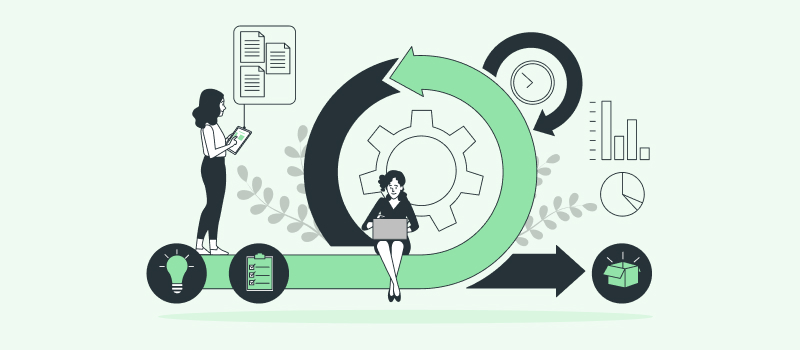
A project management system is the combination of a method, a set of agreed processes and the software a team uses to run projects from approval to closure. The method decides how work moves (in fixed phases, in short sprints or as a continuous flow), the processes decide who does what and when, and the software keeps the tasks, deadlines, hours and costs in one place where everyone can see them.
This guide explains what a project management system includes, how the four main types differ, and which tools fit each type. We looked at 12 examples on their vendors’ own pricing and feature pages, and one finding shaped the whole article: only 6 of the 12 document built-in time tracking, and only one turns tracked hours into client invoices. If your projects are paid for by the hour or judged against a budget, that gap matters more than any Gantt chart.
- What is a project management system?
- Main functions of a project management system
- 4 types of project management systems
- 12 project management systems compared
- Examples of agile project management systems
- Examples of lean project management systems
- Examples of traditional project management systems
- Examples of Six Sigma project management systems
- What a project management system really costs
- Where project management systems fail
- How to choose a project management system
- FAQ
- Conclusion
What is a project management system?
A project management system is a structured way of running projects. It has three parts, and a team needs all three for the system to work:
- A method: the rules for how work moves, such as fixed phases in the Waterfall model, sprints in Scrum or a continuous flow on a Kanban board. Our overview of project management methodologies compares the main options.
- Processes: the repeatable steps everyone follows, such as how a project gets approved, how tasks are estimated, how changes are requested, how status is reported and how work is accepted.
- Software: the tool, templates and techniques that hold the tasks, deadlines, time records and reports.
People often say “project management system” when they mean only the software, because the software is the part you can see and buy. The difference matters in practice. The same tool can run very different systems, and a tool installed without agreed processes usually turns into a shared to do list that nobody trusts.
Project management system vs. project management information system
A project management information system (PMIS) is the information side of the system: the tools and techniques used to gather, combine and share the outputs of project management processes. That is how the PMBOK Guide defines it, as summarized in this PMI paper on PMIS, and it can include manual records as well as software. In everyday use, a PMIS is the software layer (scheduling, task tracking, time and cost records, document storage, reporting), while the project management system also covers the method and the people who follow it.
How project management systems have changed
Older systems ran on paper plans, spreadsheets and weekly status meetings. The schedule was drawn once, emailed around and updated when someone found time, so problems showed up late. Modern systems run in the cloud or on a company server and update as people work: team members change task statuses, log hours and comment on the task itself. A manager can compare estimates with actual progress at any moment instead of waiting for the next report.
Main functions of a project management system
Whatever method you follow, a working project management system should cover these functions. Few tools do all of them equally well, which is why many teams combine two tools and connect them.
- Scope definition: what will be delivered, broken into tasks, and what is explicitly out of scope.
- Resource allocation: who works on what, so that nobody is overloaded and no task waits for an owner.
- Budgeting and cost tracking: a budget in hours or money, compared with actual spending while there is still time to react.
- Time and progress tracking: how long tasks really take, and how that compares with the estimate.
- Team collaboration: comments, files and decisions kept next to the task they belong to instead of scattered across email.
- Reporting: progress, variance and workload turned into reports a client or executive can read.
- Quality control: checking deliverables against agreed acceptance criteria before they reach the client.
- Risk management: a list of what could go wrong, how likely it is and what you will do about it, reviewed as the project changes.
If your team bills clients, add one more function to the list: turning tracked hours into billable amounts and invoices. Most project management software leaves this to a separate time tracker or accounting tool, and the handoff between the two is where hours get lost.
4 types of project management systems
Project management systems are usually grouped by the method they support. These are the four you will meet most often. In practice many teams run a hybrid, for example a phased schedule with milestones at the top and a Kanban board for day to day work.
1. Traditional (Waterfall)
A traditional system moves through fixed phases in order: initiation, planning, execution, monitoring and closure. Each phase is finished and signed off before the next one starts. It suits projects with a stable scope and formal approvals, such as construction, engineering, public sector work and regulated industries. PRINCE2 and the PMI PMBOK Guide belong to this family. Typical software features: Gantt charts, dependencies, baselines and critical path.
2. Agile
Agile breaks work into short cycles, usually one to four weeks, and schedules only a few weeks ahead. The team delivers something usable at the end of each cycle, collects feedback and reorders the backlog. Scrum and Kanban are the most common agile frameworks. Agile fits software development and any project where requirements are expected to change. Typical software features: backlogs, sprint boards, story points and burndown charts.
3. Lean
Lean comes from manufacturing and focuses on delivering value with as little waste as possible: less waiting, fewer handoffs and less unfinished work sitting in queues. Lean teams usually work on a Kanban board with limits on work in progress and measure cycle time, the time a task takes to move from start to done. Typical software features: WIP limits, swimlanes, cumulative flow and cycle time charts.
4. Six Sigma
Six Sigma is a data driven approach that improves processes by reducing defects and variation. Projects follow the DMAIC cycle (define, measure, analyze, improve, control). Many organizations combine it with lean as Lean Six Sigma and run it as a program of many small improvement projects rather than one large project. Typical software features: idea intake, DMAIC templates, root cause tools and savings dashboards.
12 project management systems compared
The first table shows the type each tool supports best, who it suits and what it costs. Prices are list prices from each vendor’s own pricing page, before tax, and can change.
| Tool | Type and best fit | Pricing |
|---|---|---|
| actiTIME | Works with any method; project teams that bill clients for their hours or run to a budget | Free for up to 3 users; from $5 per user per month; Self-Hosted $120 per user, one time |
| Taiga | Agile (Scrum and Kanban); teams that want open source | Free tier (1 public and 1 private project); €5, €20 or €60 per month per account, unlimited users |
| Jira | Agile; software and IT teams | Free for up to 10 users; Standard $8.48 and Premium $15.56 per user per month |
| Leantime | Lean; small teams, including neurodivergent users | Free open source edition to host yourself; Pro $8 per user per month billed yearly, $10 monthly |
| KanbanFlow | Lean; Kanban boards with flow metrics | Free version with no time limit; Premium $5 per user per month |
| Planforge | Lean, traditional and hybrid; project portfolios | Free for up to 4 users; from €45 per user per month for 5 or more users |
| Microsoft Project and Planner | Traditional; organizations on Microsoft 365 | Planner Plan 1 $10 and Planner and Project Plan 3 $30 per user per month, paid yearly; Project Standard 2024 $679.99 one time |
| ProjectManager | Traditional and hybrid; Gantt scheduling with resources | Team $15 and Business $28 per user per month, billed yearly; no free version |
| P2ware Project Manager 8 Pro | Traditional; PRINCE2 and PMBOK project managers | €195 per desktop license (net); free Viewer for the team |
| Minitab Engage | Six Sigma; improvement programs (DMAIC, DFSS) | Not published; quoted on request |
| Tallyfy | Six Sigma control phase; repeatable processes | Full seat $300 per year or $30 per month; light seat $100 per year or $10 per month |
| KaiNexus | Lean and Six Sigma across large organizations | Not published; custom quote |
The second table covers the dimension most comparisons skip: whether the system records hours and connects them to budgets and billing. “Not listed” means the vendor’s pricing or feature pages don’t mention it; integrations may fill the gap.
| Tool | Time tracking | Budgets, costs and billing |
|---|---|---|
| actiTIME | Weekly timesheet, calendar view, iOS and Android apps, Chrome extension; approval and locking | Time, cost and billing budgets; billing by type of work rates or user rates; PDF invoices |
| Taiga | Not built in (explained in Taiga’s FAQ) | Not listed |
| Jira | Log work against an original estimate; time tracking report | Not listed |
| Leantime | Time tracking, timesheets and timesheet export | Not listed |
| KanbanFlow | Stopwatch and Pomodoro timers, time spent report (free version) | Not listed |
| Planforge | Not listed on the pricing page | Capacity and resource allocation; budgets not listed |
| Microsoft Project and Planner | Timesheets in Project Professional 2024 only | Resource costs, budget and earned value against actuals (Project Standard and Professional 2024) |
| ProjectManager | Time tracking and timesheets (Business tier) | Expenses and budgeting (Business tier) |
| P2ware Project Manager 8 Pro | Not listed | Earned value |
| Minitab Engage | Not listed | ROI dashboards across improvement projects |
| Tallyfy | Not listed | Not listed |
| KaiNexus | Not listed | Advanced ROI add-on |
Examples of agile project management systems
Agile systems are built around a backlog and short delivery cycles. If you are comparing dedicated Scrum and Kanban software, our list of agile tools goes deeper; the three below show the main options.
1. actiTIME
Key features:
- Kanban board
- Task estimates
- Budgets
- Billing and invoices
actiTIME is project time tracking software built for billing. It fits agile teams, and teams that follow any other method, as the layer that most project management systems leave out: accurate hours on every task, compared with estimates and budgets, and turned into client bills.
Work is organized as customers, projects and tasks, and time is always tracked at the task level. Each task can carry an estimate, a deadline, a color coded priority, custom fields and a workflow status, and you can move tasks across a Kanban board or edit dozens of them in bulk. People log hours in a weekly timesheet, in a calendar view with start and stop times, in the iOS and Android apps, or with the Time Management Assistant Chrome extension, which adds a one click timer to web apps (here is how to track time in Jira with it). Managers approve timesheets and lock past periods so invoiced hours can’t change.
On the money side, you set time, cost or billing budgets for a customer, project or task, and the progress bar turns red when one is exceeded. Each project bills either by type of work rates or by individual user rates, and actiTIME produces Billing Summary reports and PDF invoices from the tracked hours. Estimated vs. Actual Time, Cost of Work and Profit/Loss reports show where a project stands.
The limitation: actiTIME has no Gantt chart, sprints or backlog, so schedule heavy and Scrum teams keep their board tool and use actiTIME for hours and billing.
Pricing: free for up to 3 users; online from $5 per user per month, or $1,500 per month for unlimited users. actiTIME Self-Hosted installs on your own server for $120 per user, paid once.
Best for: agencies, consultancies, engineering and other project teams that need billable hours and budgets in the same place as their tasks.

Now we can better predict future project requirements
Our company needed a simple way of tracking time used on multiple projects – and actiTIME fit the need. Its interface is simple and easy to maintain. We use the application for time management, task estimation and also to communicate deadline information to our team members. Now having actiTIME we can better predict future project requirements!
2. Taiga
Key features:
- Scrum and Kanban
- Issue tracking
- Wiki
- Open source
Taiga is an open source agile tool for cross functional teams, and one of the few that lets you switch a project between Scrum and Kanban without losing its history. The Scrum side has a backlog with epics and subtasks, sprint boards with swimlanes per user story, estimates that can be split by role and burndown charts at sprint and project level. The Kanban side has WIP limits and swimlanes. Bugs live in an integrated issue tracker, and an issue can be promoted to a user story when it turns out to be real work. A wiki holds project documentation.
The pricing model is unusual: hosted tiers are charged per account, not per user, so a 30 person team pays the same as a team of 3. The free hosted tier is small (1 public and 1 private project, 10 MB of storage), and teams that want full control can run the open source code on their own servers.
The limitation: Taiga has no built-in time tracking, and its own FAQ explains the decision. Integrations run partly through Zapier.
Pricing: free tier; Enthusiast €5, Basic €20 and Premium €60 per month per account, all with unlimited users; private cloud on request.
Best for: Scrum or Kanban teams that want an open source tool without per user fees.
3. Jira
Key features:
- Backlog and boards
- Timeline
- Automation
- Time logging
Jira by Atlassian is the default agile system for many software teams. Every tier, including the free one, has backlog, list, board, timeline, calendar and summary views, plus rule based automation (150 automation steps a month on the free tier). Team members can log work on a work item, and Jira subtracts it from the original estimate so the remaining time stays visible, according to Atlassian’s time tracking guide. Story points work the same way for teams that estimate in points.
The tiers differ in control more than in features. On the free tier every user is an admin and space permissions aren’t available; Standard adds user roles and 250 GB of storage; Premium adds cross team planning, dependency management across projects, capacity management and a sandbox.
The limitations: the time log stops at hours, with no rates, budgets or invoices on the vendor’s pages, and a work item with more than 100 children can’t roll them up into time tracking. Teams outside development often find the terminology and setup heavier than they need.
Pricing: free for up to 10 users; Standard $8.48 and Premium $15.56 per user per month; Enterprise is billed annually only.
Best for: software and IT teams running Scrum or Kanban that want the largest choice of integrations.
Examples of lean project management systems
Lean systems care about flow: how much work is in progress, how long tasks wait and how quickly they move to done. These three tools approach it from different sizes of organization.
4. Leantime
Key features:
- Kanban
- Timesheets
- Retrospectives
- Open source
Leantime is an open source project management system built on lean ideas and designed with neurodivergent users in mind. The interface tries to show each person only what they need next: a personal dashboard of tasks, a calendar view and a project dashboard with a progress chart. Under that sits a fuller toolkit than the calm look suggests, with Kanban and table views, task dependencies, sprints and backlogs, milestones on a timeline, idea and strategy boards and retrospectives for the lean improvement loop.
Time tracking is built in: you can start a timer on a task, manage timesheets and export them. The Pro version adds AI features, such as status updates collected from the team and compiled into reports, with 500 AI credits per month.
The limitation: there is no free hosted version. The free route is the Community Edition under the AGPLv3 license, which you install and maintain yourself, and advanced features there arrive as plugins. Budgets, rates and invoicing aren’t listed on the vendor’s pricing page.
Pricing: Community Edition free to host yourself; Pro $10 per user per month billed monthly or $8 billed yearly, with a 14-day free trial.
Best for: small teams that want a simple, focused interface and the option to self host.
5. KanbanFlow
Key features:
- WIP limits
- Pomodoro timer
- Cycle time charts
- Monte Carlo forecasts
KanbanFlow is a Kanban board built for lean flow, and its free version goes further than most. According to the vendor’s pricing table, free users get unlimited boards and tasks, WIP limits, subtasks, recurring tasks, a stopwatch and Pomodoro timer and a time spent report. That covers the core of a lean system for a small team at no cost.
The paid version is where the lean analytics live: cumulative flow, cycle and lead time, throughput, burndown, due date performance and Monte Carlo forecasting, which uses past throughput to estimate when the remaining work will finish. Premium also adds swimlanes, a timeline (Gantt) view, custom fields, file attachments, search, two factor authentication and integrations with Zapier, Google Drive, Dropbox, OneDrive and Box.
The limitation: KanbanFlow stays a board. It has no portfolio view, budgets or billing, so teams that need to report cost or bill clients will need a second tool.
Pricing: free version with no time limit; Premium $5 per user per month, with a 10% discount for yearly payment and a 14-day trial.
Best for: teams that want a straightforward Kanban board with real flow metrics at a low price.
6. Planforge
Key features:
- Project portfolios
- Capacity planning
- KPIs
- On premises option
Planforge is a project and portfolio management platform that supports lean, traditional and hybrid ways of working in one place. Every edition, including the free one, has a project cockpit, a project pipeline, project and portfolio dashboards, standards based KPIs, customizable reports and project work management with capacity planning and resource allocation. That makes it one of the few tools in this list that shows the whole portfolio and individual workloads at the same time.
The paid editions differ mainly in governance options. Professional and Enterprise can add status reporting, program management, enterprise agile, gate management, risk management, stakeholder analysis, idea management and strategic management, and Enterprise includes single sign on. A Teams connector is available as an option, and every paid edition can run in the cloud or on your own servers, with lower prices for on premises subscriptions.
The limitation: paid editions start at 5 users and the price per user is high compared with the rest of this list. Time tracking isn’t listed on the pricing page.
Pricing: free for up to 4 users; Lean €45, Professional €54 and Enterprise €88 per user per month for the cloud version, 5 users minimum. Planforge charges the same figures in US dollars in the USA and Canada.
Best for: mid sized organizations that need portfolio views and want to keep data on their own servers.
Examples of traditional project management systems
Traditional systems are built around the schedule: phases, dependencies, a baseline and the critical path. If your team works in fixed phases, our guide to the Waterfall model explains the method in detail.
7. Microsoft Project and Planner
Key features:
- Gantt charts
- Critical path
- Baselines
- Resource leveling
Microsoft Project has long been the standard tool for phased schedules, but the lineup has changed. Microsoft retired the Project Online cloud service in 2026, according to its lifecycle page, and the browser based scheduling tools now sit inside Microsoft Planner. That leaves three routes.
Planner Plan 1 covers timeline (Gantt), calendar and people views, backlogs and sprints, milestones, goals and finish to start dependencies. Planner and Project Plan 3 adds baselines, critical path, dependencies with lead and lag, portfolios, task history and the Project desktop app. The desktop editions are one time purchases for one user on one PC: Project Standard 2024 covers Gantt, network diagram, baselines, critical path, resource leveling and earned value against actual cost, and Project Professional 2024 adds Team Planner and timesheets for payroll, tracking and invoicing.
The limitation: the most complete scheduling engine is a single user desktop file, while collaboration happens in Planner, so the two halves need discipline to stay in sync. Many stakeholders also find a dense Gantt file hard to read.
Pricing: basic Planner is included in Microsoft 365; Planner Plan 1 $10 and Planner and Project Plan 3 $30 per user per month, paid yearly; Project Standard 2024 $679.99 and Project Professional 2024 $1,129.99, one time.
Best for: organizations already on Microsoft 365 that run phased projects with detailed dependencies.
8. ProjectManager
Key features:
- Gantt charts
- Workload planning
- Timesheets
- RAID log
ProjectManager is an online tool for phased projects that also offers board, list, sheet and calendar views for teams that mix methods. You build the schedule on a Gantt chart with task dependencies, then follow it on dashboards and reports. Compared with Microsoft’s desktop editions, everything lives in the browser and the whole team can update the same schedule.
The tier you choose decides whether it is a scheduling tool or a full system. Team covers up to 20 projects. Business raises that to 100 projects and adds the pieces traditional project managers ask for: resource management and workload planning, time tracking and timesheets, expenses and budgeting, a portfolio dashboard and roadmap, and a RAID log for risks, assumptions, issues and dependencies. Enterprise removes the project limit and adds custom permissions.
The limitations: there is no free version, only a 30-day trial, and hours and budgets sit in Business, which costs almost twice as much as Team. Client invoicing isn’t listed.
Pricing: Team $15 and Business $28 per user per month, billed yearly; Enterprise on quote.
Best for: project managers who schedule in Gantt charts and want resources, hours and budgets in one browser tool.
9. P2ware Project Manager 8 Pro
Key features:
- Product based planning
- Network diagram
- Registers and logs
- Earned value
P2ware Project Manager 8 Pro is a Windows desktop application built to follow PRINCE2 and the PMI PMBOK Guide closely. What sets it apart is product based planning, the PRINCE2 technique of describing what will be delivered before deciding how: you draw a product breakdown structure and a product flow diagram, then work out the Gantt chart and network diagram from them.
The formal paperwork that PRINCE2 expects is built in. There are risk, issue and quality registers, a daily log and a lessons log, so a project manager can keep the full project record in one file instead of a folder of spreadsheets. Earned value shows whether spending matches progress. Team members and stakeholders don’t need a paid license to follow along, because P2ware offers a free Project Manager 8 Viewer, and the vendor says the tool can be tailored to less formal in-house methods too.
The limitations: it is a single desktop license, not a shared online workspace, and time tracking isn’t listed. It rewards people who already know PRINCE2 and can feel heavy to everyone else.
Pricing: €195 per desktop license (net price before tax) in the vendor’s online store; a trial is available for download.
Best for: certified PRINCE2 or PMP project managers who want a formal, document heavy method supported out of the box.
Examples of Six Sigma project management systems
Six Sigma systems manage a program of improvement projects rather than one delivery schedule. For statistical analysis software and quality tools, see our separate list of Six Sigma tools.
10. Minitab Engage
Key features:
- Idea management
- DMAIC roadmaps
- FMEA and fishbone
- ROI dashboards
Minitab Engage comes from the maker of Minitab statistical software and manages improvement work from the first idea to the measured result. Anyone in the organization can submit an idea through a customizable form, whenever it comes up, so improvement work starts from a shared pipeline instead of a manager’s inbox.
Approved projects start from a methodology roadmap. Minitab lists DMAIC, DFSS, Plan Do Check Act and Kaizen events as starting points, plus a Concept Design Optimize Verify roadmap for design projects, and you can define your own. Inside each project, the team works with the problem solving tools a Six Sigma belt expects: project charter, SIPOC, Five Whys, fishbone diagrams, mind maps, affinity diagrams and failure mode and effects analysis (FMEA). Real time dashboards then roll up status and financial results across every initiative, which is what leadership asks a continuous improvement office to prove.
The limitations: pricing isn’t published, so you need a sales conversation before you can budget for it, and it is an improvement program tool rather than a delivery tool. Hours and task scheduling aren’t its focus.
Pricing: not published; Minitab provides pricing on request, and a free trial of select products is offered.
Best for: organizations running Lean Six Sigma programs that need to show the return on many improvement projects.
11. Tallyfy
Key features:
- Process templates
- Approvals
- Free guests
- SSO included
Tallyfy is a workflow and process management tool rather than a classic project planner. It belongs in a Six Sigma system at the last step of DMAIC, control: once a team has improved a process, the new version has to be followed the same way every time, or the gains fade. In Tallyfy you document the process as a template, launch it as a run, assign each step to a person and track, approve and complete steps with reminders along the way.
The seat model is the practical detail to know. Full seats can create and edit templates, light seats can only complete tasks, and guests (people outside your company who only see the tasks assigned to them) are free, subject to fair use. SSO and SCIM directory sync are included on every paid seat. An analytics data feed costs $20 per seat per year extra, on annual billing only.
The limitations: it isn’t built for one-off projects with schedules and dependencies, and annual plans are non-refundable for the full 12 months.
Pricing: full seat $300 per year or $30 per month; light seat $100 per year or $10 per month; 14-day trial.
Best for: operations teams that need to standardize recurring processes such as client onboarding, purchase orders or approvals.
12. KaiNexus
Key features:
- A3 and DMAIC
- X-Matrix
- Tiered huddles
- Idea tracking
KaiNexus is a continuous improvement platform for lean and Six Sigma organizations. Its pricing page lists the kinds of work it brings together: problem solving (ideas, quick “just do it” fixes, PDSA cycles), projects (A3s and DMAIC), strategy deployment (Hoshin planning and the X-Matrix), daily management through tiered huddles, and custom processes such as incident reports and corrective actions.
That breadth is the reason to choose it. An organization can connect a frontline idea to a DMAIC project, to the strategic goal it supports on the X-Matrix, and to the huddle board where the team reviews it each week. Add-ons cover advanced ROI tracking, capacity planning, milestones and escalation, wallboards and multiple languages, and services range from onboarding and training to a dedicated account manager.
The limitations: pricing is custom and depends on your use cases, template complexity, user levels (Manager, Pro and Basic) and add-ons, so the cost is unclear until you talk to sales. A preconfigured Fundamentals package for smaller teams and single sites has one fixed price, but the amount isn’t published.
Pricing: not published; custom quote.
Best for: large organizations running improvement programs across many sites.
What a project management system really costs
License prices are the easy part to compare, and they are rarely the biggest number. For a team that bills by the hour, the larger cost is the time that never gets recorded, because the system tracks tasks but not hours, or tracks hours in a place nobody looks at when the invoice goes out.
Here is an illustrative calculation for a 10 person consulting team. The inputs are assumptions chosen to show the arithmetic, not survey data: each person leaves 1.5 billable hours a week unrecorded (a forgotten call, an unlogged review, a quick fix done between tasks), the team bills $90 per hour, and people work 46 weeks a year.
Now move one input at a time. Every half hour per person per week is worth 230 hours and $20,700 a year at these inputs. Raise the rate to $120 and the same 1.5 hours becomes $82,800. Cut the leak to 30 minutes per person and you still lose more than 17 times the license cost. Your own numbers will differ, but the ratio between license fees and unrecorded time rarely flips.
The same logic applies to internal teams that don’t bill clients. There the leak shows up as budgets that look healthy until the end of a project, because hours were spent but never recorded against it. That is why the second comparison table above checks time tracking and budgets, not only boards and Gantt charts.
Where project management systems fail
Most project management systems don’t fail on the day you choose them. They fail a few months later, when the novelty wears off and the data starts to drift. Watch for these patterns.
- The tool came before the process. A tool amplifies the way a team already works. Bring it into a chaotic operation and you get faster chaos, with reports nobody believes. Write down how projects are approved, estimated and closed before you configure anything.
- The tool fights the method. A Scrum team forced into a Gantt scheduler spends its time maintaining dependencies that change every sprint, and a phased engineering project run on a sticky note board loses its critical path. Match the software to the type of system, or run a hybrid on purpose.
- Updates become a second job. If keeping the system current takes more time than doing the work, people stop updating it, and a stale system is worse than none because it looks authoritative. Count the clicks needed for a daily update before you buy.
- Half the company uses something else. Developers live in one tool, account managers in another, and finance in spreadsheets. Each group trusts its own numbers, and nobody can answer “how much has this client project cost so far?”
- Hours never meet money. Tasks are tracked in one place, time in another and invoices in a third. Every handoff is a chance to lose billable hours, as the calculation above shows.
- Seats multiply quietly. Per user pricing looks cheap for the five people who run projects, then doubles when everyone who needs to log time or view a report gets a license. Check what viewers, guests and occasional users cost.
- Nobody owns it. A system without an owner collects outdated templates, duplicate projects and abandoned boards. Name one person who maintains the structure and reviews data quality each month.

How to choose a project management system
Start with your method and your reporting needs, not with a feature list. These questions narrow the field quickly:
-
How stable is your scope?
Fixed scope with formal change approval points to a traditional tool. Requirements that shift every few weeks point to agile. A steady stream of similar requests is usually best served by a lean Kanban board.
-
Which report will you be asked for most often?
Clients who pay by the hour need accurate time and billing data. Executives want portfolio views and budget status. Quality programs need savings and defect metrics. Pick the system that produces your most frequent report without manual work.
-
Where must the data live?
Some industries require data on company servers or in a specific region. Taiga and Leantime can be self hosted, Planforge and actiTIME offer installations on your own servers, and P2ware and Microsoft Project 2024 run on the desktop.
-
What will it cost for your real team size?
Multiply the per user price by everyone who needs to log in, not just the managers, and check what the free option limits: users, projects or storage.
-
Will people actually use it?
Run a trial on one real project with the people who will update it every day. A system the team finds tedious will be out of date within weeks.
When two or three candidates survive these questions, score them. Keep the list of must have requirements short (a common rule of thumb is no more than 1 in 10 requirements), weight the rest and let the people who will use the tool score each candidate. A simple example with weights adding up to 100 and scores from 1 to 5:
Candidate A fits the method better, but B wins because it covers the data the team reports on every month. If the scores come out within 20 or 30 points of each other, let the trial decide.
Best pick by situation
- You bill clients for project hours: actiTIME, alone or next to your board tool.
- You build software in sprints: Jira, or Taiga if you want open source and flat pricing.
- You run a small team on a Kanban board: KanbanFlow’s free version, then Premium when you need flow analytics.
- You schedule phased projects on Microsoft 365: Planner and Project Plan 3.
- You follow PRINCE2 by the book: P2ware Project Manager 8 Pro.
- You manage a portfolio and want data on your own servers: Planforge.
- You run a Lean Six Sigma program: Minitab Engage or KaiNexus, with Tallyfy to lock in improved processes.
If you want a broader list organized by job rather than by method, see our guide to the best project management tools, or the roundup of free project management software if budget is the main constraint.
FAQ
Is Jira a project management system?
Jira is project management software, and it becomes a project management system once a team adds a method (usually Scrum or Kanban) and agreed processes around it. It started as an issue tracker for developers and now covers backlogs, boards, timelines and automation, free for up to 10 users. It suits software and IT teams best.
Is Google Workspace a project management system?
Not on its own. Google Workspace is a set of office apps: documents, spreadsheets, calendars and simple task lists. A small team can run a project in a shared spreadsheet, but statuses, hours and reports then have to be kept up to date by hand. Most teams outgrow that and add a dedicated tool, either from the Google Workspace Marketplace or as a separate project management system.
What is the best project management system for a small team?
For a small team that bills clients, start with actiTIME: it is free for up to 3 users and keeps tasks, hours, budgets and invoices together. For a small team that only needs to see work moving, KanbanFlow’s free version is the simplest choice. Both are cheaper to switch away from than a heavy scheduling tool.
Conclusion
There is no single best project management system, only the one that matches how your projects really behave. Decide on the method first, write down the few processes everyone must follow, and then choose software that supports both without creating extra work for the team.
Whichever method you choose, you will need to know where the hours and the money go. actiTIME tracks time on every task, compares it with estimates and budgets, and turns it into client billing and invoices. Start a free trial of actiTIME with full features for 30 days. After the trial, teams of up to 3 users can keep using it for free, and you can book a demo if you would like a guided walkthrough.