Basic Weekly Timesheet
The simplest way to record hours each week. Log daily hours and calculate weekly totals with no extra columns or complexity.

Choose the weekly timesheet that fits your workflow. Log hours by day, break time down by task, apply billing rates or track lunchbreaks.
Free forever · Instant download
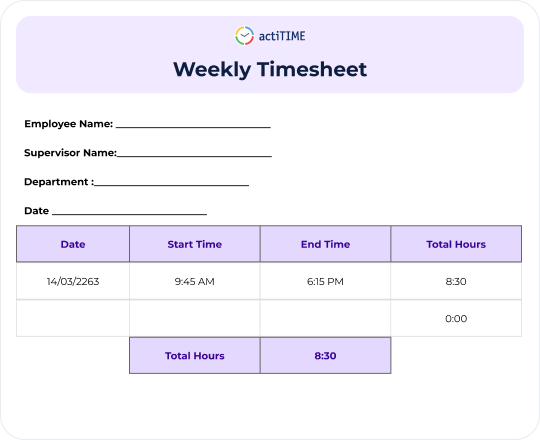
The simplest way to record hours each week. Log daily hours and calculate weekly totals with no extra columns or complexity.
Break total hours down by individual task. See exactly where time went and keep every team member focused on priorities.
Log hours and calculate pay in one place. Apply hourly rates and get accurate weekly pay totals automatically.
Get accurate net hours every week, breaks included. Log start times, break durations and end times so every pay figure reflects time actually worked.

Whether you're managing in-office staff, a remote team or a mix of both, a Weekly Timesheet gives you an accurate record of hours worked and keeps payroll straightforward.
 Record daily hours across the full work week in one sheet Calculate weekly totals automatically with no manual maths Choose the level of detail you need Identify overtime or attendance gaps before they become problems
 HR Leaders
 Finance Teams
 Team Leads
 Operations Leaders
 Project Managers
 Freelancers
 Consultants
 Product Owners
There are four variants: Basic (hours only), With Tasks (hours broken down by task), With Rates (hours plus automatic pay calculation) and With Lunchbreak (net hours after break deduction). Each is free to download in .xlsx format.
If you just need a simple hours log, use the Basic template. If you track billable tasks, use With Tasks. If you need pay calculations, use With Rates. If your team logs breaks, use With Lunchbreak.
Yes. Every weekly timesheet template is completely free to download and use.
Yes. All templates are fully editable in Microsoft Excel and Google Sheets. You can add columns, rename headers and adjust the layout to match your workflow.
All templates are provided in .xlsx format, compatible with Microsoft Excel and Google Sheets.
A weekly timesheet covers five working days in a single sheet, making it ideal for teams that review or process payroll weekly. A daily timesheet covers one day at a time for maximum detail, while a monthly timesheet consolidates the whole month into one document.