





NEW

Time tracking software for landscaping companies

Whether you design residential gardens, commercial landscapes, or public spaces, actiTIME tracks hours by project and phase, simplifies job costing and labor expense tracking, and gives you a clear view of profitability throughout the project.

  • Free 30-day trial
  • No credit card required
  • GDPR compliant
4.8 ( 1000+ reviews )
Time tracking software for landscaping companies

Trusted by landscaping firms worldwide

  • TL
  • Columbine Landscapes Co.
  • WILDER Landscape Architects
  • Sea Dreams Landscape Design LLC
  • MACE Landscape Group
  • Heritage Landscapes

Where landscaping businesses lose time and profitability

Time capture in the field

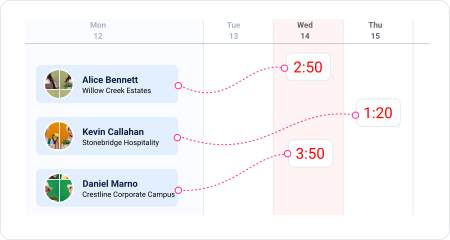
Site hours reconstructed days later

Site visits, client meetings, design revisions, and field work pull teams away from their desks, so time often gets logged days later instead of while the work is happening. Small gaps and forgotten details can quietly lead to inaccurate project data.
Site hours reconstructed days later
Estimate accuracy

Estimates that never get validated

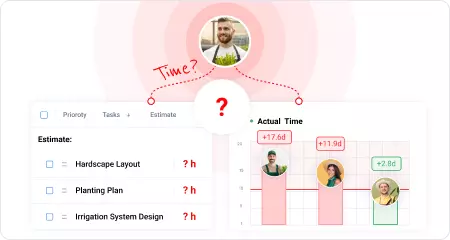
Without comparing estimated and actual hours by phase, there's no reliable way to see which phases of a landscape project consistently exceed their estimates. Future estimates continue to rely on experience instead of data from completed work.

Estimates that never get validated
Late overrun discovery

Budget overruns caught too late

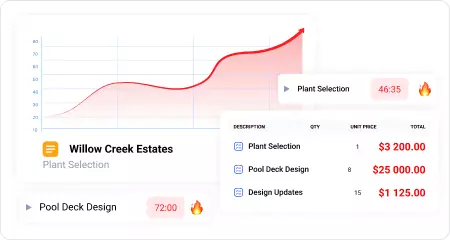
Without a running comparison between hours spent and project budgets, budget overruns often become visible only after it's too late to adjust. Often the first sign is a difficult conversation with the client instead of an early warning.

Budget overruns caught too late
Unreliable project cost data

Job costs based on incomplete time data

When tracked hours are incomplete, project costs are built on assumptions instead of actual labor data. Without complete time records, job costing becomes less reliable, making future budgets and project profitability harder to manage.

Job costs based on incomplete time data

Different roles, different ways to use time data

From logging daily work to managing project budgets and profitability, each role gets the visibility it actually needs.

Principal

Principal

Reviews profitability, labor costs, and budgets across active work to understand which projects perform best.

Project Manager

Project Manager

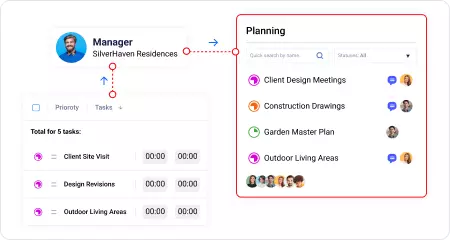
Tracks project budgets, phase progress, and deadlines while coordinating site visits, deliverables, and client milestones.

Landscape Designer

Landscape Designer

Logs hours by project and phase as work happens, from early design through design development and site visits.

Operations Manager

Operations Manager

Monitors team capacity and workload across active projects to keep design work balanced and on schedule.

Try all features free for 30 days

No credit card required Unlimited users Human support & onboarding

Time tracking features landscaping companies actually need

Log time wherever the work happens

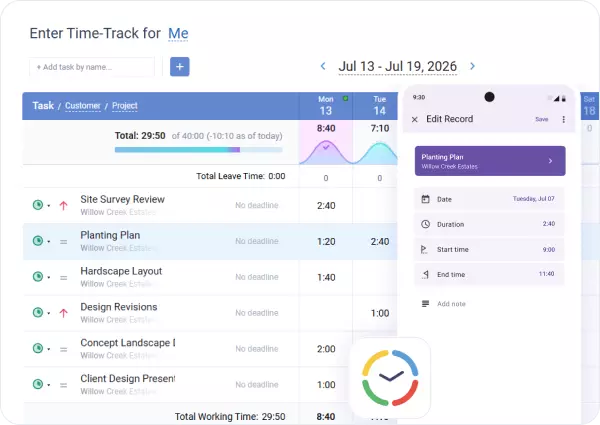
Fill in a weekly timesheet, log hours from the mobile app on site, or use whichever method fits the way your team works.

Every hour stays linked to the right project and phase, so nothing needs to be reconstructed later.

Log time wherever the work happens

Compare estimated and actual hours by phase

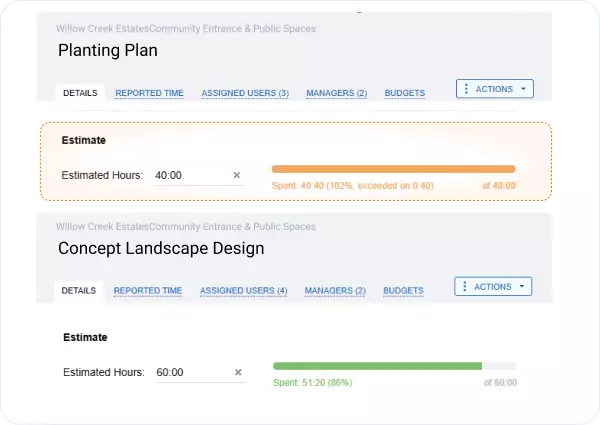
Set estimated hours for every project phase and compare them with actual time as work progresses.

It's easy to see which phases consistently take longer than planned, giving you real project data to improve future estimates.

Compare estimated and actual hours by phase

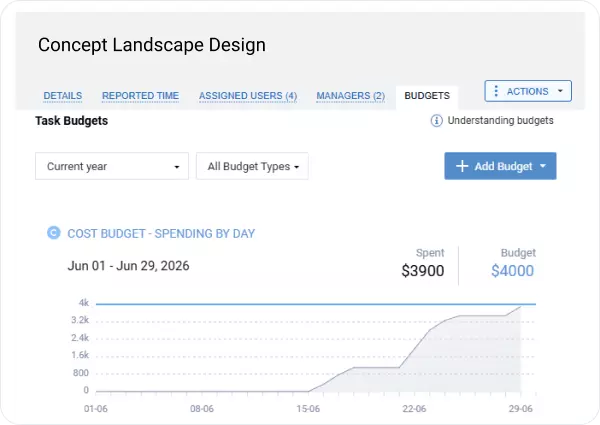
Track budgets as work progresses

Set separate time and cost budgets for every project phase and track progress automatically as hours are logged.

Budget overruns become visible while there's still time to adjust staffing, scope, or schedules.

Track budgets as work progresses

Keep labor costs up to date

Labor costs stay up to date based on the rates you've already defined.

This keeps labor expense tracking accurate throughout the project, helping you understand profitability before the work is complete.

Keep labor costs up to date

Time tracking reports for landscape design firms

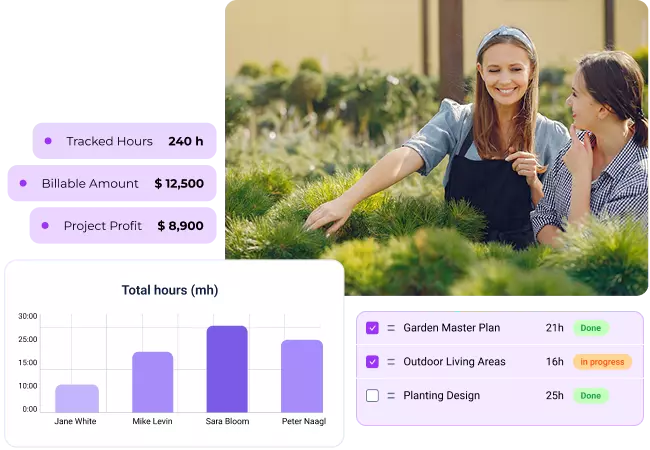
Every hour your team logs contributes to a complete picture of project costs, budgets, profitability, and team performance across every project.

Time-track report

Review logged hours by employee, project, task, or phase to see where time is spent across your landscape design work. Filter by date, project, or team to analyze workloads and site activities.

Time-track report

Estimated vs actual time report

Compare planned hours with actual time logged by phase and project. See which phases consistently exceed their estimates and improve future planning with real project data.

Estimated vs actual time report

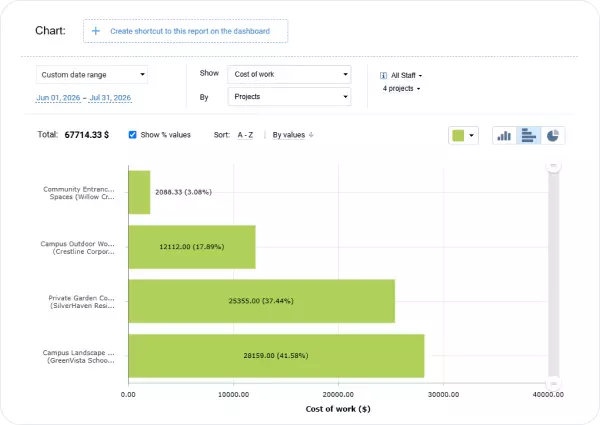
Cost of work report

See how logged hours translate into labor costs, making labor expense tracking more accurate across every project and phase.

Cost of work report

Billing summary report

Review billable hours and billing amounts by project, phase, or billing period before generating invoices. Approved time flows directly into billing without manual calculations.

Billing summary report

Calculate the value of untracked hours

($)

Your firm could recover up to

$ 336 960

a year by closing the gap between logged hours and what was actually billable.

* Pre-filled based on general design-firm benchmarks: firms tracking time using paper timesheets or after the fact typically lose 10–15% of billable hours to late or reconstructed entries. Adjust based on your firm's experience.

Ready to stay on top of project budgets and profitability?

30-day free trial No credit card Human support & onboarding

What landscape design firms say about actiTIME

Invaluable help for managers

We have been using actiTIME for 9 months now. Cut down our time keeping by 65%. Easily adopted by entire team. Invaluable to me, accurate and great customer support. Would highly recommend!.

Excellent time saver

actiTIME saves an immense amount of managers' time! Not to mention how effective it is for tracking employees' work. Now I spend hours less verifying and approving paid time off for each employee.

I would strongly recommend purchasing the product to a small and mid-size businesses or an autonomous group within a larger corporation.

Enhanced control over company goals

actiTIME is a great tool! Since it is web based it makes it easy to access the program. And since the interface is user friendly, it makes it simple for employees to learn it.

We use this software to track the billable and non-billable hours. And it helps us control and understand the company's track to achieve our goals.

Effortless experience

actiTIME was recommended to our company on one of 3-D Forums a few months ago. And since then everybody is happy working with actiTIME at Xoio.

It was pretty easy to set up the application and took just a few minutes to adjust the screen. We are using actiTIME for employees and project-based time-tracking. It's very helpful and fast!

Frequently asked questions

  • Yes. actiTIME lets you track time across multiple landscaping projects and clients within a single account. Every hour stays linked to the right client, project, task, and phase, making landscape job tracking simpler while keeping budgets, billing, and reports separate for each project. This gives your landscaping business one place to review all active work without combining data manually.

  • Yes. actiTIME lets you adapt projects to the way your team works with custom workflow statuses, task fields, work types, and a configurable project structure. Whether you want to track site type, deliverable status, or other workflow-specific details, every time entry stays linked to the right project information, giving your landscaping business more meaningful reports without changing the way your team works.

  • Yes. actiTIME lets you assign billing rates to different types of work, so design, site visits, meetings, and other activities can be billed appropriately. Hours are calculated automatically using the correct rate, making billing, job costing, and profitability more accurate without manual calculations.

  • Yes. The actiTIME mobile time tracking app lets your team log hours on site, while the web version makes it easy to update a weekly timesheet back in the office. Whether you're visiting a job site, meeting a client, or completing a weekly timesheet later, every time entry stays linked to the right project and phase.

  • Yes. actiTIME uses work assignments and role-based permissions to control access to projects, tasks, and timesheets. Team members only see the work assigned to them, while managers keep visibility across the projects they oversee. This keeps time tracking organized while ensuring team members only have access to the projects they're involved in.

  • Yes. actiTIME offers a permanent free version for teams of up to three users, with no credit card required. It's a practical way to start with a free landscaping timesheet before expanding to project budgets, approvals, and reporting. Larger teams can start with a 30-day free trial of the full product instead.

  • Yes. actiTIME integrates with QuickBooks Online for invoicing and payroll, connects with 2,000+ business apps through Zapier, and offers an open API for custom integrations. Instead of replacing the tools you already use, actiTIME adds accurate time tracking, job costing, and reporting to your existing workflow.

Turn time data into profitable landscaping projects

Start with a 30-day free trial or book a demo to see how actiTIME helps landscaping companies connect tracked time with budgets, job costing, and project profitability.

30-day free trial No credit card required 100% human support