


 4.8


Built to get every billable hour on the invoice
- Problem
Billable hours slip through the cracks
Every billable hour captured
- Each entry is tied to a client, project, and task, ready to bill
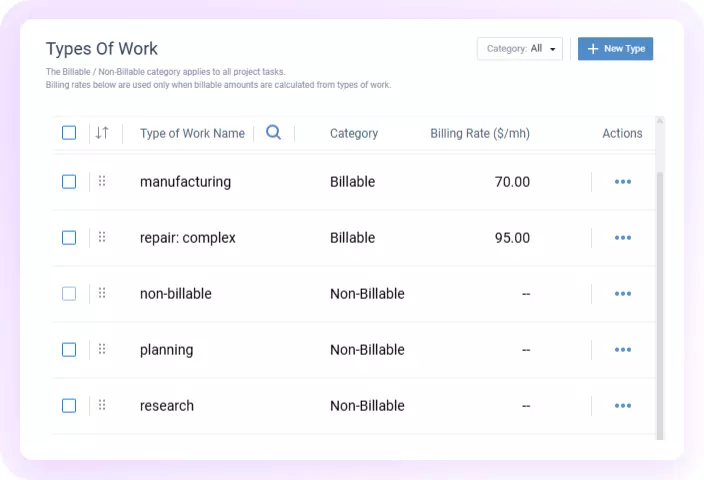
- Types of work mark time as billable or non-billable before any invoice is drafted
- Timesheet approval catches misfiled hours before they reach a client invoice
- Problem
Invoices take days to put together
Client invoices in minutes, not days
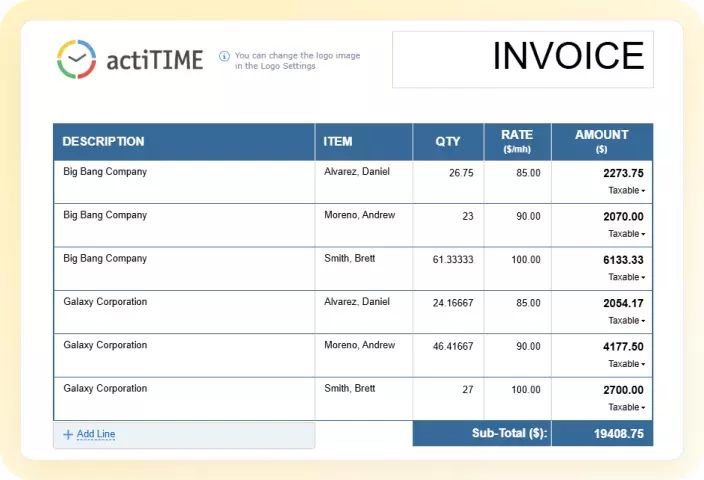
- PDF invoices generated from billable time and rates, ready in a few clicks
- A line per specialist or per service, with hours, rate, and amount
- Your logo, client details, terms, taxes, and discounts on every invoice
- Problem
Your busiest client isn't always your most profitable
Know what every client and project really earns
- Pay rates, overtime and leave included, turn every project's hours into real staff costs
- Cost and billing budgets track spending and billable amounts as hours come in
- Billing and cost reports side by side show which clients actually pay off
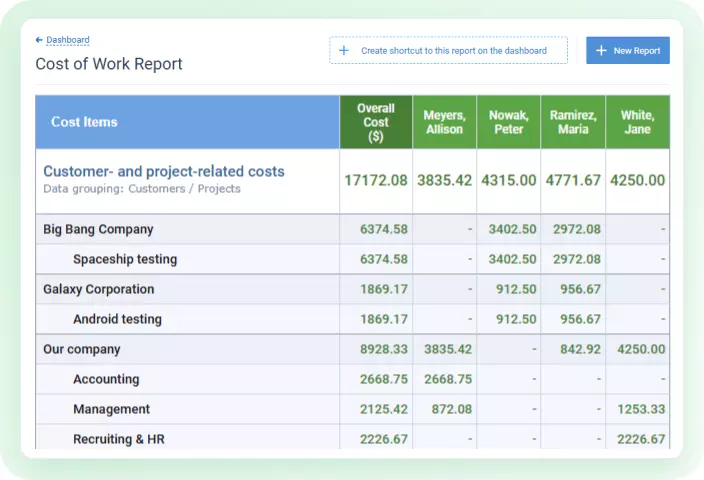
No more cost surprises. Every project's margin in view.
- No credit card required
- Unlimited users
- Human support & onboarding
Start your free trial
Bill the way you price your work
Set rates once to match each client agreement, and every report and invoice applies them automatically, with no manual adjustments.
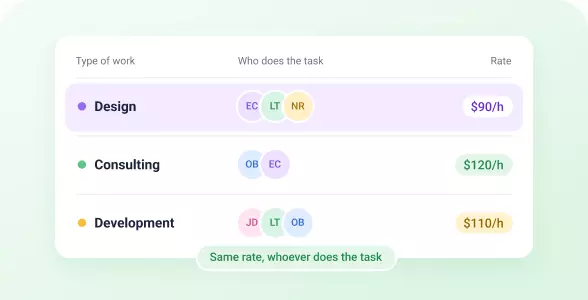
Bill by service
When clients pay for the kind of work, such as design, consulting, or development. One rate per type of work keeps pricing consistent no matter who does the task.
Bill by team member
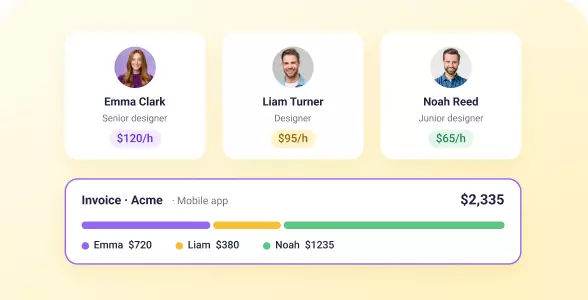
When clients pay for expertise, from a junior to a named expert. Each person's rate applies to their own hours, so the invoice shows who did the work and what it cost.
Different rates for different clients and projects
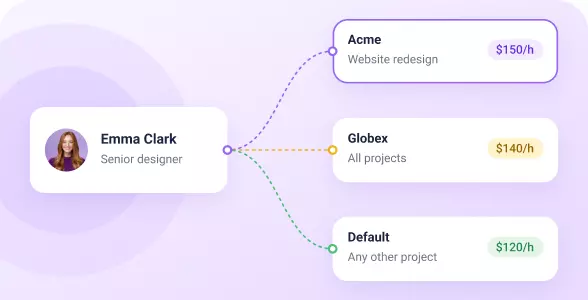
When the price depends on the contract, the scope, or someone's role on the project. Set a person's rate for that client or project once, and every invoice for that work uses it automatically.
Rate changes on your schedule
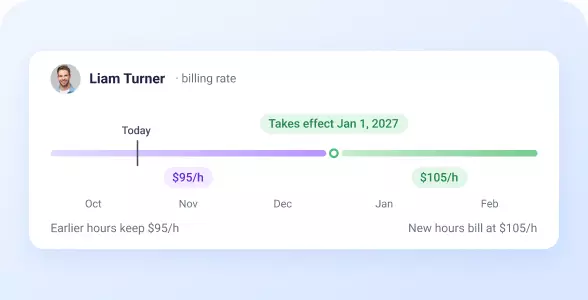
When a team member's rate changes, pick the date it takes effect, even in advance. Earlier hours keep the old rate, so past invoices and reports stay exactly as they were.
From a logged hour to a client invoice
Everything behind your project billing
Each step from a logged hour to a client invoice has its own feature, and all of them work from the same time data.

Billing rates
How rates by service and by team member are set up, changed, and tracked over time.
Learn more
Cost of work
Staff costs calculated from pay rates, with a notification when earnings reach a set limit.
Learn more
Invoices
Choose how detailed each invoice is and keep client details on file for recurring billing.
Learn more
Billing summary report
Billable hours and amounts by client, project, task, or person, with average rates.
Learn more
Profit and loss report
Billable amounts compared with costs by client, project, or task.
Learn more
Project budgets
Set budgets for any task, project, or client and see what's left at a glance.
Learn more
QuickBooks integration
Send time records to QuickBooks Online for payroll and invoicing.
Learn more
Frequently asked questions
-
Project billing means invoicing a client for the work done on a specific project, usually based on tracked hours and agreed rates. In actiTIME, every hour your team logs to a client's project is priced automatically, so you can bill for time without rebuilding the numbers in a spreadsheet. Billing budgets show how close a project is to the amount agreed with the client.
-
When every line shows who did the work, how many hours it took, and at what rate, clients can check the invoice instead of questioning it. Comments on time entries add context for anything unusual.
-
actiTIME works as hourly time tracking and billing software, generating invoices from tracked time and rates. For work billed at a fixed fee, teams set a billing budget equal to the fee to see how much of it the work has used up, and can add a cost budget to check the project stays profitable.
-
For invoicing, often yes: actiTIME works as time tracking and invoicing software, turning billable hours into PDF invoices with your branding, taxes, and discounts. It doesn't process online payments or keep your books, so teams usually pair it with their accounting tool, and actiTIME connects directly with QuickBooks Online.
-
Only if you allow it. Billing rates are visible to people with permission to manage billing data, so team members log their hours without seeing what clients are charged for them, their own rate included.
