
Volunteer time tracking is the process of recording how many hours each volunteer contributes to a nonprofit’s programs and projects. It converts unpaid labor into documented, measurable data that organizations use for grant applications, donor reports, compliance audits, and budget planning.
Unlike employee time tracking, volunteer tracking has to balance organizational accountability with volunteer autonomy. The best systems make logging hours easy for volunteers themselves while giving coordinators the audit-ready reports funders actually require.
This guide covers 10 volunteer time tracking tools available in 2026 — what each one does well, where it falls short, who it suits best, and what it costs.
Why nonprofits should track volunteer hours
Volunteer hours are not a feel-good footnote to your annual report. In 2023, approximately 75.7 million Americans volunteered, contributing an estimated 4.99 billion hours valued at $167.2 billion (AmeriCorps, Volunteering in America, 2023). At the Independent Sector’s published rate of $29.95 per volunteer hour (2023), most nonprofits hold a significant financial asset they never formally document. Our guide to volunteer service hours explains how to record and verify them properly.
That undocumented asset has real consequences across four areas.
Grant applications and in-kind matching
Many federal, state, and foundation grants require nonprofits to report volunteer hours as in-kind match contributions. Funders use those figures to assess cost-effectiveness and verify community support. Without accurate records, an organization cannot claim that match.
The stakes are concrete. A nonprofit running a $50,000 program with a 25% in-kind match requirement needs to demonstrate $12,500 in volunteer contributions — roughly 417 hours at the Independent Sector rate. Without a tracking system, that evidence does not exist. For more help with funding and operations, browse our collection of nonprofit resources.
Donor confidence and transparency
Presenting audited volunteer hour data alongside financial statements signals organizational maturity. When an annual report shows that your organization delivered 3,000 documented volunteer hours to a specific program, it adds credibility that financial figures alone cannot.
Compliance and legal requirements
Nonprofits receiving federal funding must comply with Office of Management and Budget (OMB) cost-sharing requirements, which include documenting volunteer time as a contribution match. Some states require service records for audit purposes. Clear time records also support the legal distinction between volunteers and employees under the Fair Labor Standards Act (FLSA) — a distinction that matters if your organization faces a labor audit.
Volunteer retention and recognition
Volunteers who can see their own contribution stay engaged longer. Research published in the Harvard Business Review found that volunteers need “personal benchmarks to measure their own progress and know if their work makes a difference.” Logged hours are the raw material for leaderboards, milestone certificates, and recognition programs that sustain participation over time.
Manual tracking vs. software: which is right for you?
| Factor | Paper sign-in sheets | Spreadsheets | Dedicated software |
|---|---|---|---|
| Accuracy | Low — manual errors | Medium | High — automated logging |
| Real-time visibility | None | Delayed | Instant dashboards |
| Grant reporting | Slow to compile | Moderate effort | Automated, filterable reports |
| Volunteer self-service | No | No | Yes |
| Mobile check-in | No | No | Yes |
| CRM or payroll integration | No | Limited | Yes, varies by tool |
| Cost | Free | Free | $0 – $300+ per month |
Paper and spreadsheets work for very small organizations running a single annual event. Once a program grows beyond one active project or a handful of regular volunteers, dedicated software eliminates hours of monthly admin work and produces reports formatted to meet funder requirements.
How to choose volunteer time tracking software
Before comparing individual tools, identify what your organization actually needs. These six criteria cover the most common decision points for nonprofits.
- Automated hour logging — Can volunteers clock in and out via a mobile app, browser extension, or shared kiosk without coordinator involvement?
- Real-time dashboards — Can managers see current hours against program targets without generating a manual report?
- Mobile compatibility — Does the app work offline for field volunteers without reliable internet access?
- Grant and program reporting — Can you filter hours by program, grant, or funding period and export a report in a format funders accept?
- Hour verification workflows — Can a coordinator review and approve volunteer-submitted hours before they are finalized?
- Integrations — Does the tool connect with your CRM, accounting system, or payroll software?
Also confirm whether the vendor offers a nonprofit discount. Several tools on this list provide 50% or more off standard pricing for qualifying organizations — a detail that is easy to miss and significant for budget-constrained nonprofits.
10 best volunteer time tracking software in 2026
The table below covers the criteria that matter most to nonprofits evaluating these tools.
| Software | Free tier | Nonprofit discount | Mobile app | Grant reporting | Kiosk check-in | Volunteer self-reporting |
|---|---|---|---|---|---|---|
| actiTIME | Up to 3 users | 50% lifetime | Yes | Yes | No | Yes |
| VolunteerHub | No | No | Yes | Yes | Yes | Yes |
| Get Connected | No | Contact vendor | Yes | Yes | Yes | Yes |
| Volunteer Impact | No | Contact vendor | Yes | Yes | Yes | Yes |
| Track It Forward | No | No | Yes | Limited | Yes | Yes |
| Time Doctor | No | No | Yes | No | No | Yes |
| TimeCamp | Yes, unlimited users | 30% | Yes | Limited | No | Yes |
| Volgistics | Free trial | No | Yes | Yes | Yes | Yes |
| Timecounts | Free plan | No | Yes | Limited | No | Yes |
| Dovico | 30-day trial | No | Yes | Yes | No | Yes |
How we selected these tools: each was evaluated against six criteria — automated logging, mobile access, grant reporting, approval workflows, nonprofit pricing, and free-tier availability. actiTIME is listed first because this is an actiTIME property; all other tools are listed in order of volunteer management specificity.
1. actiTIME
Best for: Small-to-midsize nonprofits that need project-level time tracking, real-time budget visibility, and a permanent nonprofit discount.
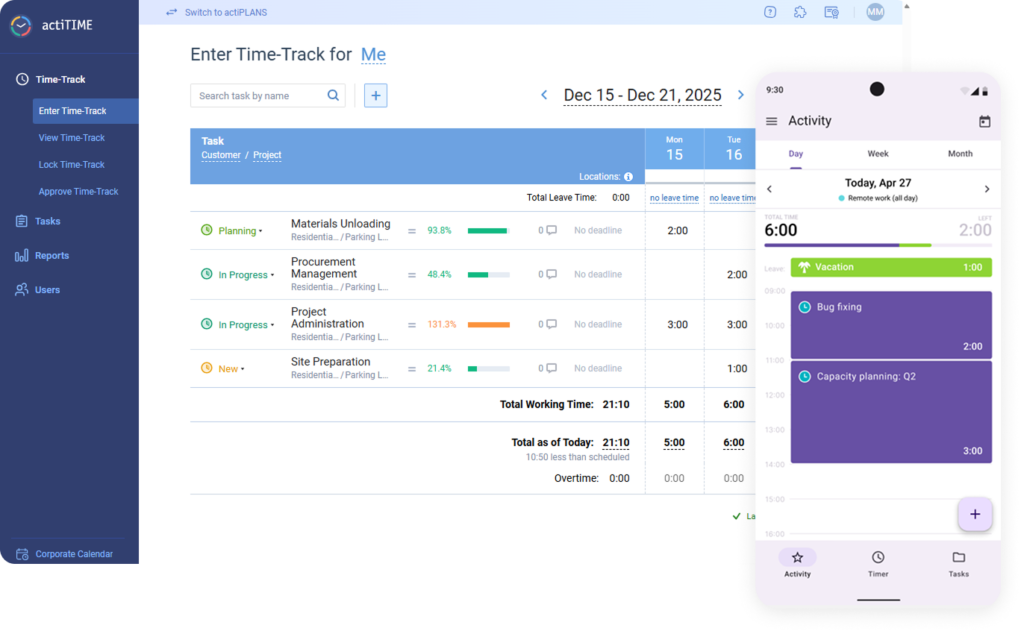
actiTIME key features:
- Automated time tracking (browser extension, mobile stopwatch, weekly timesheets)
- Project and task management with deadlines
- Real-time budget tracking against project estimates
- Exportable reports by volunteer, project, or date range
- Mobile app with offline support
Logged hours become a motivation tool, not just an administrative record. Researchers Joe McCannon and Hahrie Han, writing in the Harvard Business Review, observed: “By chunking data so volunteers can track their local contribution to the bigger goal, successful campaigns increase engagement.”
In practice, a nonprofit coordinating an animal shelter fundraiser can set up a project, add tasks, assign them to volunteers, set deadlines, and attach notes — all in a few minutes. Volunteers then log time using whichever method suits them: a weekly timesheet, the calendar view, the browser extension, or the mobile app stopwatch. When a shift ends, any volunteer can pull a personal report and see exactly how many hours they have contributed.
For coordinators, actiTIME provides budget tracking that compares actual time costs against initial estimates as hours come in. If a charity event was budgeted for 200 volunteer hours and the team is 40 hours over, you see it before the event closes — not in the post-mortem.
actiTIME pricing:
Free 30-day trial. Free plan for up to 3 users. Paid plans start at $5 per user per month. actiTIME offers a lifetime nonprofit discount for qualifying organizations — one of the most cost-effective options on this list for nonprofits with tight operating budgets.
2. VolunteerHub
Best for: Nonprofits that need a dedicated volunteer management platform with attendance tracking, scheduling, and built-in recognition tools.
VolunteerHub key features:
- Volunteer scheduling and shift management
- Volunteer database with individual profiles
- Automatic shift reminders
- Attendance and hour tracking
- Leaderboards and rewards module
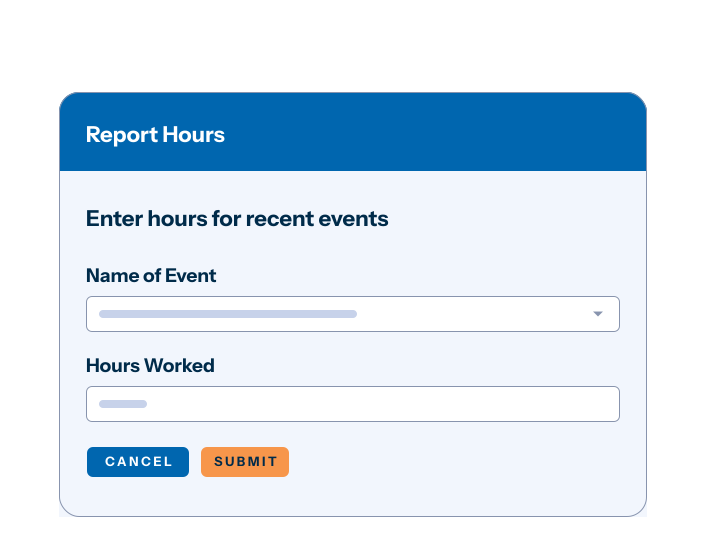
VolunteerHub is purpose-built for volunteer management. Where general time tracking tools treat logged hours as data points, VolunteerHub treats them as inputs to a broader engagement system. Coordinators can track attendance across multiple locations, spot no-show patterns early, and connect recognition rewards directly to hours logged.
The leaderboard and rewards module is particularly useful for large volunteer bases where friendly competition sustains engagement over months-long programs. Faith-based organizations that also need member and event management can look at dedicated church management software.
To combat no-shows — which can undermine the success of charity projects if left unaddressed — VolunteerHub sends automatic reminders that keep volunteers informed about when they are supposed to be present.
Worth noting: VolunteerHub does not offer a nonprofit discount despite being nonprofit-focused software, which makes its pricing steep for smaller organizations.
VolunteerHub pricing:
Basic plan: $143 per month (+ a one-time setup fee) for up to 1,000 active volunteers. Pro plan: $288 per month (+ setup fee) for up to 2,500 active volunteers. No free tier.
3. Get Connected
Best for: Nonprofits that prioritize volunteer engagement and need automatic check-in for in-person events.
Get Connected key features:
- Check-in kiosk
- Scheduling
- Automatic time tracking
- Infographic-style reports
- Automatic shift reminders
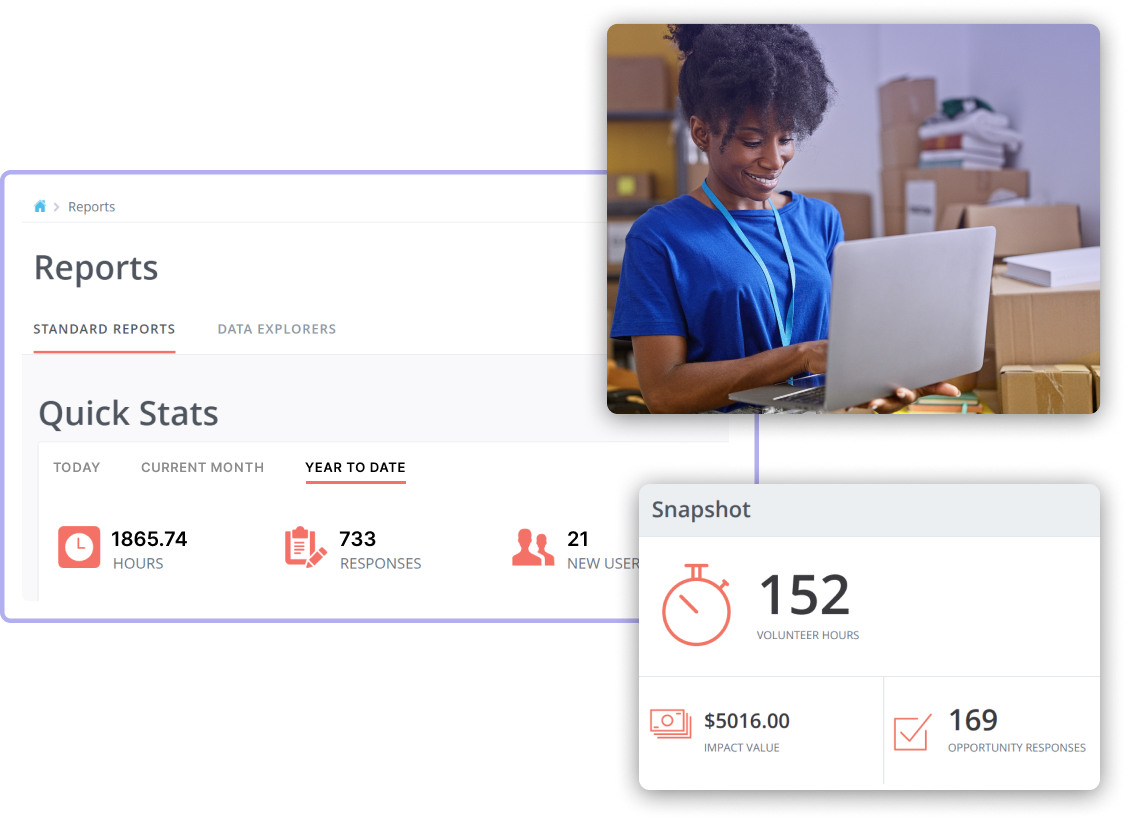
According to research on volunteer management practices, positive management practices including reward and recognition, empowerment, and flexible work scheduling are among the major factors contributing to continued volunteering. Get Connected is built around this principle.
The check-in kiosk is Get Connected’s most practical differentiator. Instead of asking volunteers to remember and log their hours after the fact, coordinators place a shared-device kiosk at an event entrance. Hours begin logging automatically at check-in and stop at check-out — eliminating the most common source of inaccurate volunteer data: hours that volunteers estimate, round, or simply forget to enter.
The reporting side provides infographic-style charts that work well in donor-facing communications and annual reports, useful for nonprofits that need to present impact data visually without building custom graphics.
Get Connected pricing:
Pricing is not publicly listed. Contact the Get Connected team for a quote. Free product demos are available to explore all features before committing.
4. Volunteer Impact
Best for: Mid-to-large nonprofits that need a full volunteer lifecycle platform covering onboarding, training, scheduling, and reporting in one place.
Volunteer Impact key features:
- Training and onboarding
- Automated and manual time logging
- Two-way in-platform communication
- Volunteer self-scheduling
- Robust reporting
Volunteer Impact treats hour tracking as one component of a complete management workflow. Coordinators can onboard and train new volunteers, communicate with them inside the platform, let them choose and schedule their own shifts, and collect post-shift feedback — all alongside standard hour logging.
According to G2 reviews, users praise Volunteer Impact for its team communication features and self-scheduling tools. The main trade-off is a steeper learning curve. Budget time for setup and team orientation before the first tracking period. If that’s something you’d prefer to avoid, a simpler but still capable option may serve you better.
Volunteer Impact pricing:
Pricing is not publicly available. Contact the vendor for a quote.
5. Track It Forward
Best for: Nonprofits looking for a low-cost, no-frills hour tracking system that replaces paper sign-in sheets.
Track It Forward key features:
- Volunteer check-in via app or shared kiosk
- Mobile app
- Event scheduling
- Reports
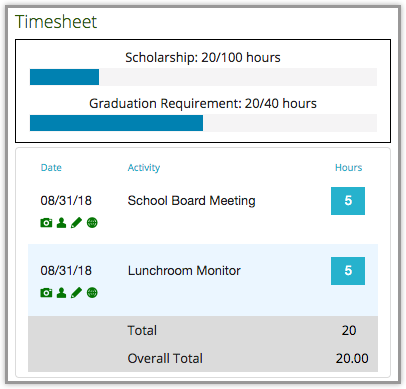
Track It Forward was built for nonprofits moving from clipboards to digital systems. It covers the essentials — check-in, hour logging, scheduling, and basic reporting — without the feature complexity of broader platforms. The interface is visually dated compared to newer tools on this list, but the underlying functionality is stable and the pricing is among the lowest available.
For organizations without sophisticated management needs — a community garden, a school library, a food pantry — Track It Forward does the job at a price point most nonprofits can absorb without a budget discussion. Churches with volunteer-run ministries have similar needs — see our picks of time tracking software for churches.
Track It Forward pricing:
Track It Forward doesn’t have a discount for nonprofits or a free version. Its basic plan costs $12 per month for up to 100 users, and more advanced plans start at $24 per month.
6. Time Doctor
Best for: Small remote volunteer teams performing specific online tasks where coordinators need activity-level visibility — with volunteer consent.
Time Doctor key features:
- Activity tracking
- Idle time alerts
- Desktop screenshots
- Web and app usage monitoring
- Anomaly detection
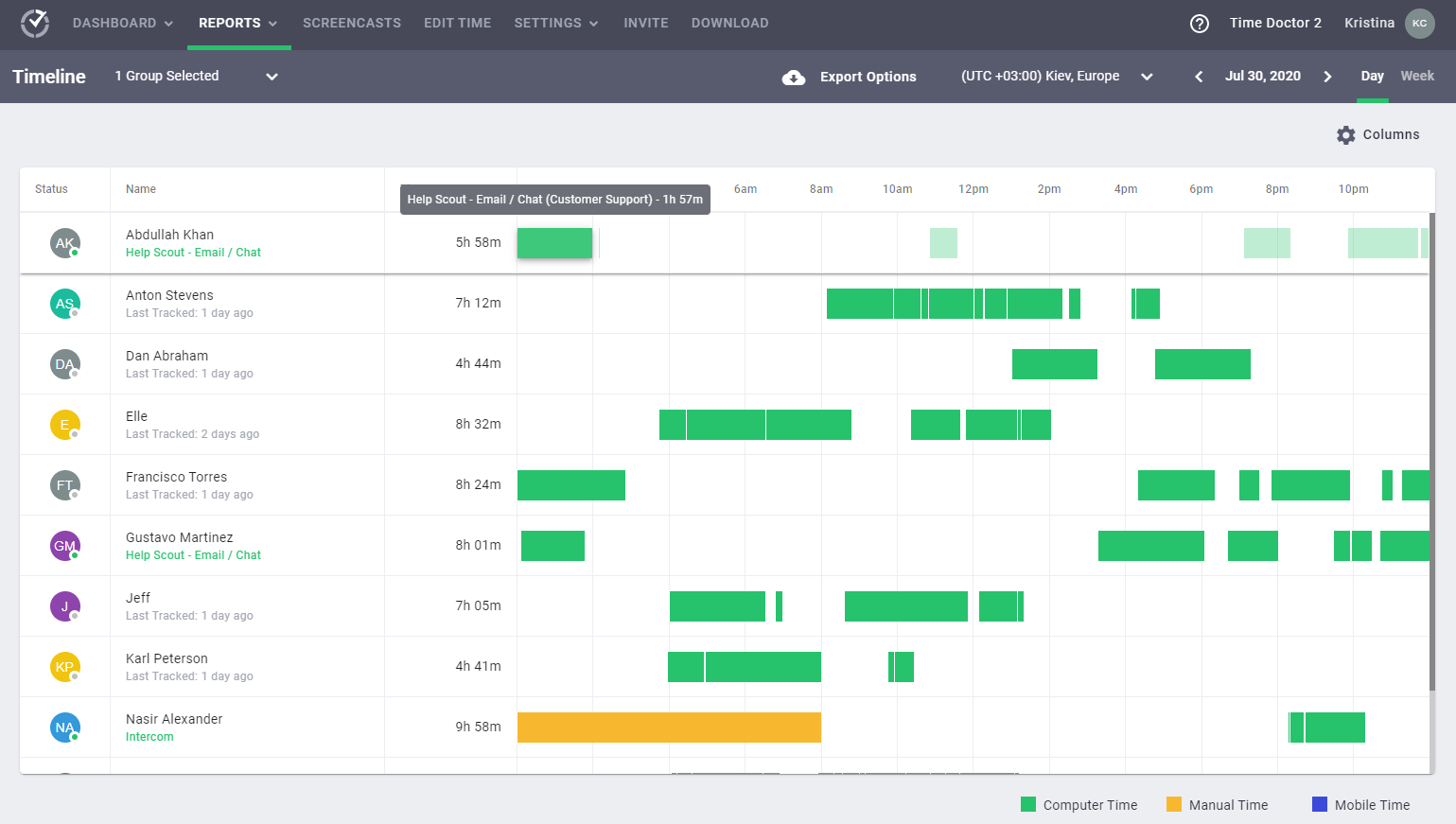
Time Doctor is an employee monitoring platform, not a volunteer management tool. That distinction matters. According to Thiel et al., employee monitoring can actually promote adverse organizational behaviors and rule-breaking instead of preventing them. On top of that, monitoring signals a lack of trust — and staff or volunteers who don’t feel trusted are not likely to stay satisfied for long (Source).
Since you’re dealing with volunteers who give personal time to help you, implementing Time Doctor’s monitoring features could easily drive them away. Use it only if you manage a small group of remote volunteers doing defined online tasks, and only after having an explicit conversation about the monitoring policy.
For most nonprofits, a safer alternative is the better choice.
Time Doctor pricing:
Time Doctor doesn’t offer a discount for nonprofits. It has a free 14-day trial. Subscription prices start at $6.70 per user/month (paid add-ons available).
7. TimeCamp
Best for: Distributed or field-based volunteer teams that need GPS location tracking alongside standard project time data.
TimeCamp key features:
- GPS location tracking
- Automatic time tracking
- Visual charts and dashboards
- Project and task organization
- Free plan for unlimited users
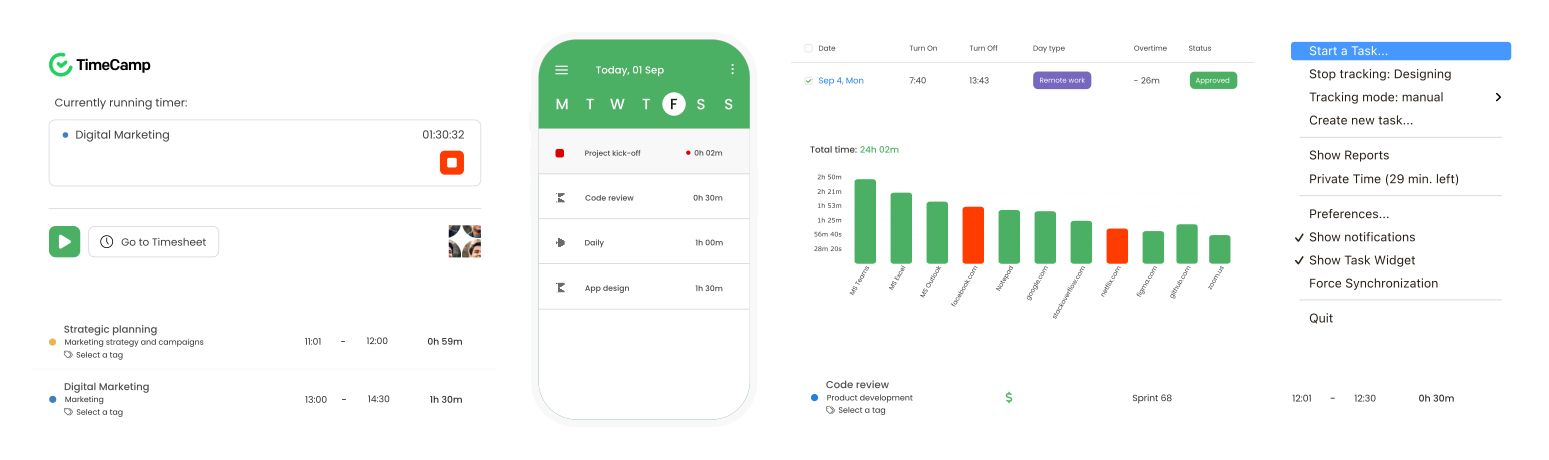
TimeCamp adds GPS tracking to the standard time-tracking feature set, which makes it more practical than Time Doctor for nonprofits running mobile programs. Food delivery coordinators, mobile health teams, and environmental field programs can use GPS check-ins to confirm that volunteers arrived at assigned locations as scheduled — without disturbing them with frequent text messages or phone calls.
The free plan for unlimited users is a meaningful differentiator. A budget-constrained nonprofit that needs basic tracking across a large volunteer base can use TimeCamp at no cost, accepting limited reporting as the trade-off.
That said, consider carefully measuring the pros and cons of any monitoring tool before purchasing. If you’d rather avoid micromanaging your volunteers, another solution like actiTIME may be a better fit.
TimeCamp pricing:
Free version with limited time tracking functionality. Paid plans start at $2.99 per user/month. TimeCamp offers a 30% discount for nonprofits.
8. Volgistics
Best for: Established nonprofits, hospitals, and multi-site organizations that need a full volunteer records database with compliance documentation.
- Volunteer database with full service history
- Time tracking and formatted reports
- Document management per volunteer
- Background check integration
- Scheduling and site assignment
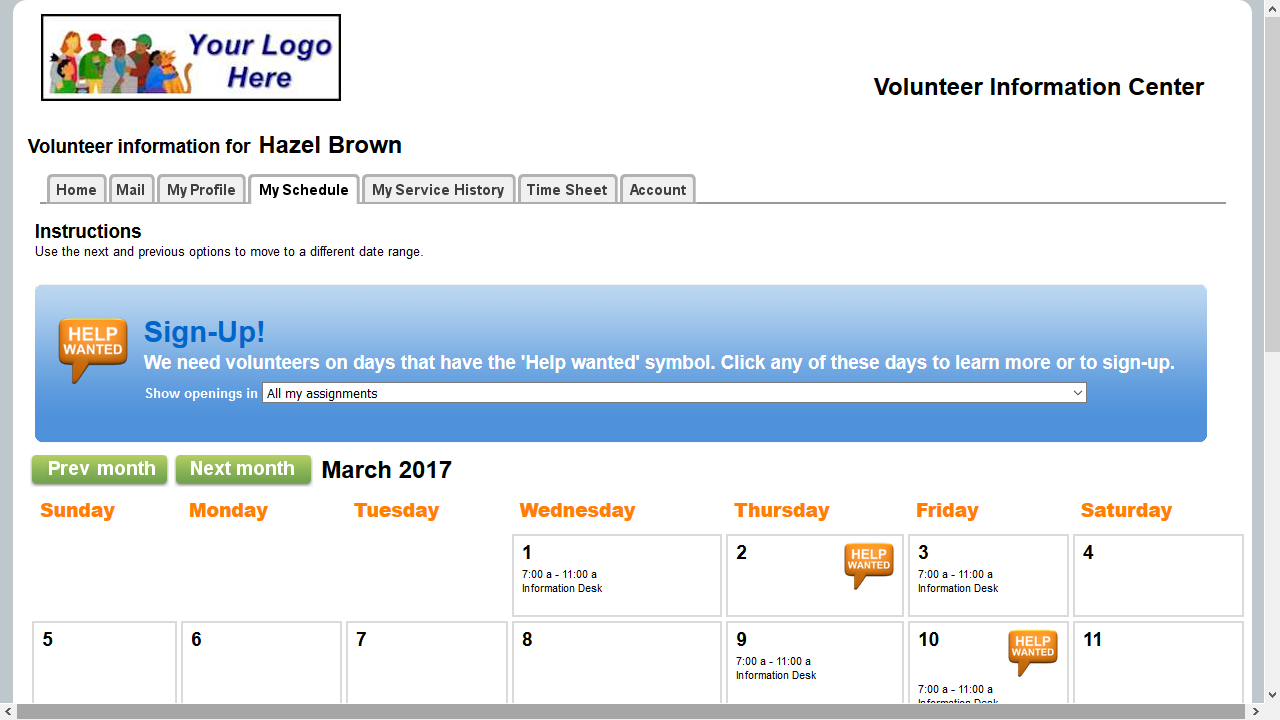
Volgistics is one of the longest-running dedicated volunteer management platforms, widely used in healthcare, social services, and large multi-site nonprofits. Each volunteer profile holds full service history, background check status, certifications, and training completion alongside logged hours.
For organizations subject to strict compliance requirements — hospitals, shelters, programs working with children or vulnerable adults — Volgistics provides the documentation infrastructure that lighter-weight tools cannot. Volgistics also provides top-notch customer support and carries out live product demos and online training for new users.
On the downside, the platform’s interfaces don’t feel modern or intuitive, and some users report occasional software glitches and difficulties navigating the many reporting criteria.
Volgistics pricing:
Volgistics offers a free trial so nonprofits can see it in action before committing. Paid plans start at $9 per 50 volunteers/month.
9. Timecounts
Best for: Nonprofits that want a modern, volunteer-facing interface with community features alongside standard hour tracking.
Timecounts key features:
- Volunteer registration and onboarding
- Scheduling
- Hour tracking and self-reporting
- Individual volunteer profile pages
- Team communication tools
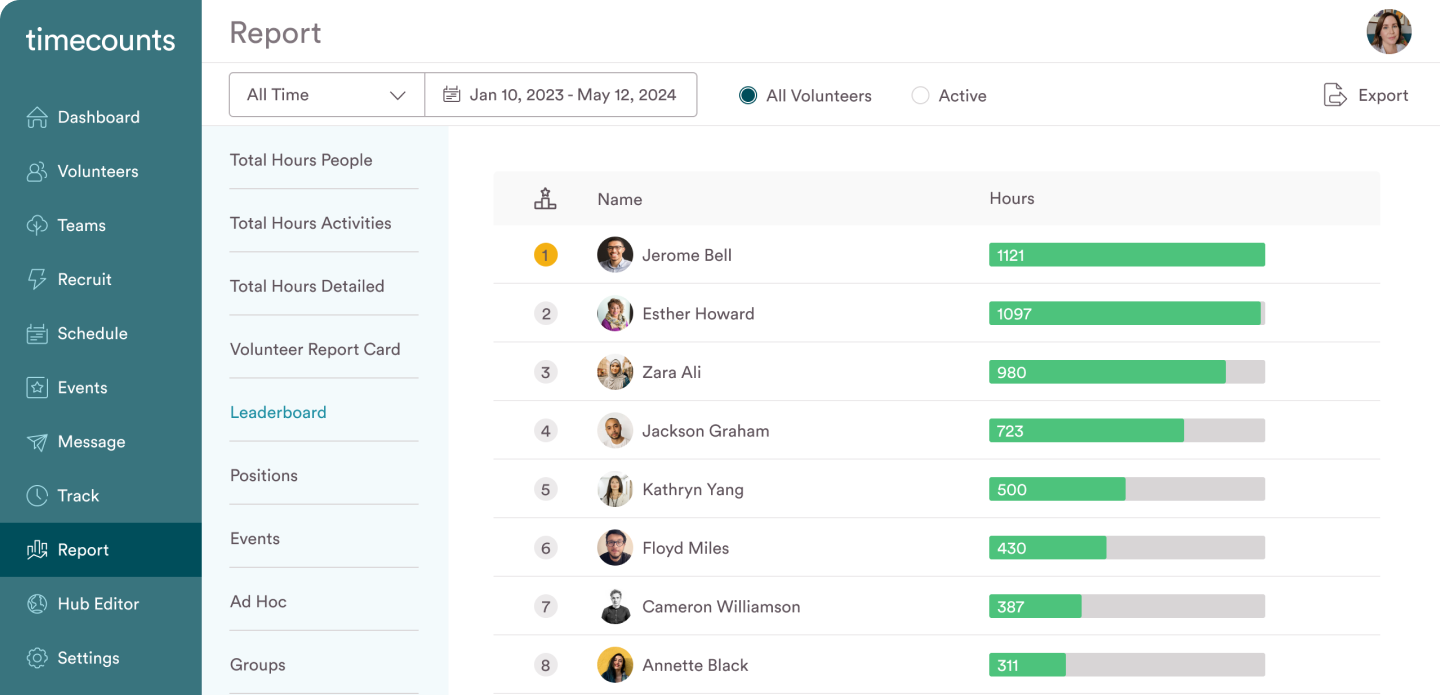
Timecounts is designed around the volunteer’s experience rather than the coordinator’s admin workload. Volunteers get individual profiles where they can log hours, view their full contribution history, and connect with others in the organization. That visibility serves the same retention function as leaderboard tools: when volunteers can see what they have built over time, they are more likely to keep showing up.
Besides being user-friendly, it contains a range of features from volunteer recruitment and onboarding to work scheduling and team communication. After volunteers submit their hours, you can run informative reports to keep tabs on progress and analyze the use of resources.
Timecounts pricing:
Timecounts offers a free trial, so you can explore all its features before deciding if it’s the right fit. There’s a free version with limited functionality. Paid plans start at $59 per month.
10. Dovico
Best for: Nonprofits that need project management-grade time tracking with budget controls and formal approval workflows, particularly those tracking paid staff alongside volunteers.
Dovico key features:
- Timesheets
- Budget tracking and costing
- Manager approval workflows
- Notifications
- Reports
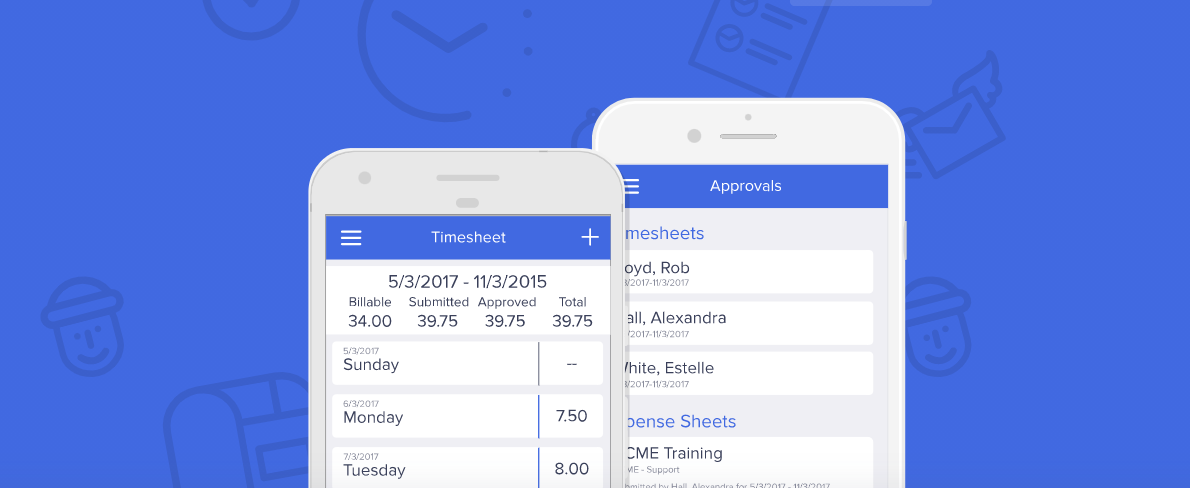
Dovico is a trustworthy time tracking tool for all sorts of businesses. Its strongest capabilities are around budget management and approval workflows: every volunteer-submitted timesheet passes through a manager review before finalization, which produces the auditable records that funders and compliance officers require.
It also provides a great deal of flexibility, allowing users to tailor time tracking to their specific needs. Reports can be customized to provide insights into project operations, including client billing and invoicing. Dovico lacks volunteer-specific features like scheduling or kiosk check-in, but for nonprofits already running structured project workflows, it provides a rigorous reporting environment.
Dovico pricing:
Dovico doesn’t have a special discount for nonprofit organizations. It offers a free 30-day trial. Plans start at $9 per user/month.
How to implement volunteer time tracking in 5 steps
Selecting the right tool is only step one. A short implementation process prevents the most common failure modes: inconsistent data, low volunteer adoption, and reports that cannot be used at grant time.
Step 1: Define what to track.
Decide whether you will record hours by volunteer, by program, by grant, by role, or some combination. Write this down so all coordinators use the same standard from day one.
Step 2: Choose logging methods.
Decide whether volunteers will self-report, check in on a shared kiosk, use a mobile app, or submit weekly timesheets. Multi-site programs may use different methods at different locations — document which applies where.
Step 3: Standardize naming.
Create a consistent naming convention for projects and tasks so that reports remain comparable across time periods. Inconsistent naming is the most common reason nonprofit hour data becomes unusable at reporting time.
Step 4: Run a brief orientation.
A 15-to-20-minute walkthrough is sufficient for most tools on this list before the first tracking period begins. Provide a one-page reference card covering the most common actions — logging time, submitting hours, and viewing personal reports.
Step 5: Review data on a regular schedule.
Set a calendar reminder to check hour reports at least monthly. Look for volunteers logging zero hours (engagement risk), projects running over estimate (budget risk), and data entry errors before they accumulate across reporting periods.
Frequently asked questions
What is the best free volunteer time tracking software for nonprofits?
For small nonprofits, actiTIME offers a free plan for up to 3 users alongside a lifetime nonprofit discount on paid plans. TimeCamp provides a free tier for unlimited users with limited reporting. Timecounts has a free plan focused on the volunteer experience. The right choice depends on your volunteer count, how detailed your grant reporting needs to be, and whether you need hours filtered by program or funding source.
How do nonprofits track volunteer hours for grant reporting?
Grant reporting typically requires hours organized by program or funding period, the name of the supervising coordinator, and a total monetary value. To calculate value, multiply total hours by the Independent Sector’s current rate ($29.95 as of 2023). Tools like actiTIME, Volunteer Impact, and Volgistics can generate reports filtered by project and date range in formats suitable for funder submissions.
Can volunteer hours count as in-kind match contributions for grants?
Yes. Many federal and foundation grants accept documented volunteer hours as in-kind matching contributions. The hours must be logged consistently, attributed to grant-eligible activities, and supported by verifiable records. Documentation requirements vary by funder, so confirm the exact format required before your reporting period ends.
What should I look for in volunteer time tracking software?
Six factors cover most nonprofit needs: volunteers can log their own hours without coordinator help; real-time dashboards show hours against program goals; reports can be filtered by program, date range, and grant; a supervisor approval step exists before hours are finalized; the tool works on mobile for volunteers in the field; and the vendor offers a nonprofit discount or free tier.
How do I track volunteer hours for remote volunteers?
Remote volunteers can log time using mobile apps, browser extensions, or self-service online timesheets. actiTIME and TimeCamp both support remote logging with automated tracking options. For volunteers working across time zones, weekly timesheets with coordinator review provide a reliable fallback when real-time tracking is not practical.
Track volunteer hours and drive your nonprofit forward
Now that you’ve seen the top volunteer time tracking solutions in the industry, it’s time to find the right fit for your organization. We’ve collected all the information about the benefits of using timesheets in companies of different kinds in this article to help you get started.
Feel free to dive straight into the world of volunteer time tracking with actiTIME — sign up for a free online trial, and we’ll be more than happy to assist you further!