
QuickBooks is one of the most popular billing tools used by small and medium businesses worldwide. As many companies bill their customers on the basis of time spent on their projects, they usually need a combination of time tracking and accounting functions.
To avoid double time entry and simplify billing, accounting and bookkeeping, various time tracking tools offer integration with QuickBooks. In our collection, we’ve featured time tracking apps for QuickBooks that streamline timekeeping and bookkeeping, from generalist tools to ones built for a single industry.
QuickBooks’ native time tracking vs. third-party integrations
QuickBooks already has its own time tracking product, QuickBooks Time (formerly TSheets) – mobile clock-in, GPS, scheduling, and a time kiosk, all sold as an add-on to a QuickBooks Online subscription. For a lot of small teams, that native option is genuinely enough, and it’s worth ruling out before you add a second subscription on top.
Where it tends to fall short is anywhere the work is more complex than clocking in and out. QuickBooks Time doesn’t support QuickBooks desktop time tracking at all, so Desktop shops need a third-party tool by default. It also has no built-in activity monitoring for remote knowledge workers, no industry-specific compliance features (DCAA timekeeping for government contractors, LEDES billing codes for law firms), and its job-costing and utilization reporting are thinner than what dedicated project-based tools offer professional services firms. The 14 tools below are all genuinely QuickBooks compatible time tracking software, covering those gaps by being built around a specific need that QuickBooks’ own timesheet doesn’t address.
What to look for in a QuickBooks time tracking integration
Before comparing individual tools, these are the details that actually determine whether an integration will work for your setup:
- QuickBooks Online vs. Desktop support – the single biggest filter. Several tools on this list only connect to one version, and switching later usually means re-doing the whole setup.
- Sync direction – some integrations only push data one way (time or invoices into QuickBooks), while others sync two-way, pulling customers and items back out. One-way is fine for simple invoicing; two-way matters if you manage the relationship from QuickBooks itself.
- What actually syncs – time entries, invoices, and payroll data are three different things. A tool that syncs invoices doesn’t necessarily sync raw timesheets, and vice versa.
- Industry-specific compliance – government contractors need DCAA-compliant timekeeping, law firms need LEDES or UTBMS billing codes. Generalist tools rarely support either.
- Monitoring vs. plain timesheets – activity tracking, screenshots, and GPS matter for distributed or field teams and are unnecessary friction for everyone else.
- Pricing model and free trial – per-user monthly fees, flat base fees, and quote-only plans all show up on this list; check what a real team size costs before assuming a headline price applies to you.
Top 14 QuickBooks time tracking integrations
1. actiTIME
Key features:
- Time tracking
- Project management
- Powerful reporting
- Billing and payroll
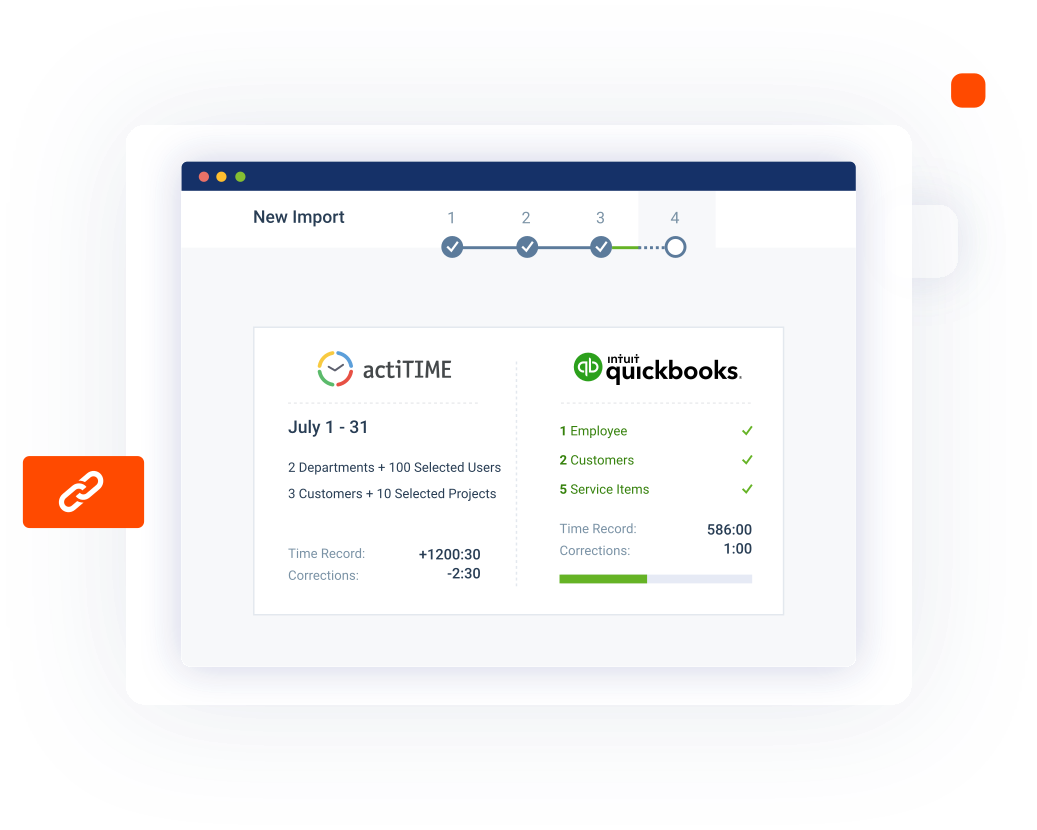
Why it works: actiTIME is cloud-based time tracking and project management software that syncs work and leave time to QuickBooks Online, converting logged hours directly into billable and payable amounts. The integration lets you set custom rules for how each data type maps between the two systems – automatically, partly automatically, or manually – and links actiTIME user accounts to the matching QuickBooks employees, so payroll and invoicing pull from the same numbers your team actually logged.
QuickBooks compatibility: QuickBooks Online.
Best for: Teams that want project-level time tracking and reporting feeding directly into QuickBooks billing and payroll, not just a bare timesheet.
Pricing: Free for up to 3 users; $6/user/month for 1–40 users, $5/user/month for 41–200 users (billed annually).
Free trial: 30 days, no credit card required.
Rating: Capterra 4.6 (111 reviews).
Pros:
- The free version covers small teams indefinitely, not just a trial period
- Per-item control over how data maps into QuickBooks, instead of an all-or-nothing sync
Cons:
- QuickBooks Online only – no Desktop support

Time tracking became a breeze
With actiTIME’s mobile app, tracking time on the client’s side became a breeze. Now accountants simply switch on the timer on their phone as they start another task and get accurate time logs without taking notes.
2. ClickTime
Key features:
- Time tracking
- Cost and budget management
- Billing and payroll
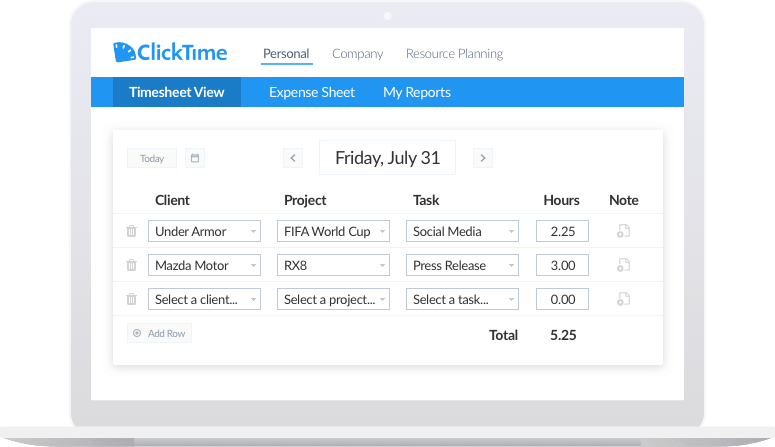
Why it works: ClickTime combines time tracking with budget and expense management, and its QuickBooks integration imports activities, billing data, expenses, and time off in one pass. This simplifies payroll processing and client billing, reduces manual errors, and prevents duplicate time entry across the two systems.
QuickBooks compatibility: QuickBooks Online and QuickBooks Desktop.
Best for: Teams that need budget and expense tracking alongside time tracking, not just timesheets.
Pricing: Starter plan from $12/user/month; Team, Premier, and Enterprise plans are quote-based.
Free trial: Available; confirm current length directly.
Rating: Capterra 4.6 (207 reviews).
Pros:
- Rare dual support for both QuickBooks Online and Desktop
- Built-in budget and expense management beyond plain timesheets
Cons:
- Pricing above the Starter tier isn’t public
3. MinuteDock
Key features:
- Time tracking
- Integrations with accounting apps
- Streamlined invoicing and payroll
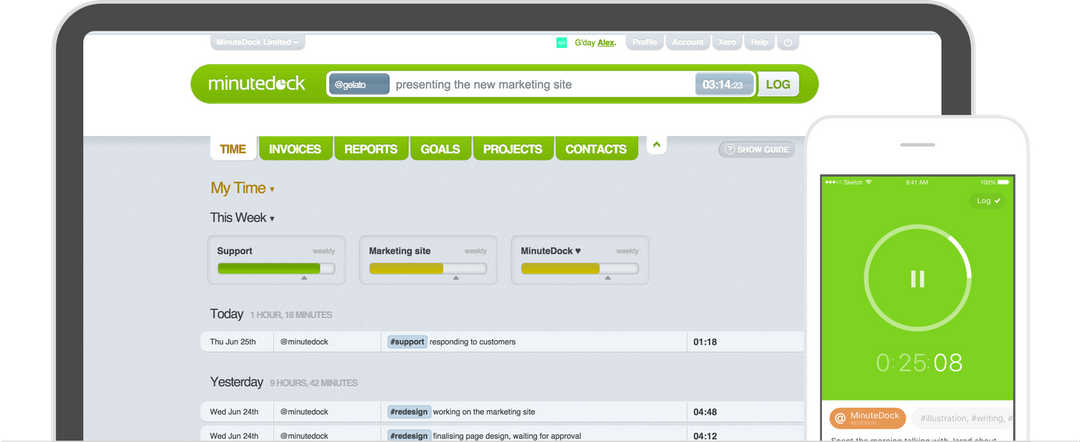
Why it works: MinuteDock is timesheet software that integrates with QuickBooks and several other accounting systems, and lets you generate new invoices directly in QuickBooks using your existing invoice templates. Employees’ work and leave time sync automatically, which cuts down the time and effort spent on invoicing and payroll processing.
QuickBooks compatibility: QuickBooks Online (US, UK, Canada, Australia, and India).
Best for: Small teams that bill through QuickBooks and want invoices generated from tracked time without extra software.
Pricing: From $19/month.
Free trial: 14 days.
Rating: Capterra 4.6, but on a small base of 5 reviews – worth a hands-on trial rather than relying on the rating alone.
Pros:
- Generates invoices directly in QuickBooks using your existing templates
- Straightforward setup focused specifically on the QuickBooks workflow
Cons:
- QuickBooks Online only – no Desktop support
- Very small public review base
4. eBillity
Key features:
- Billable time tracking
- Seamless data synchronization
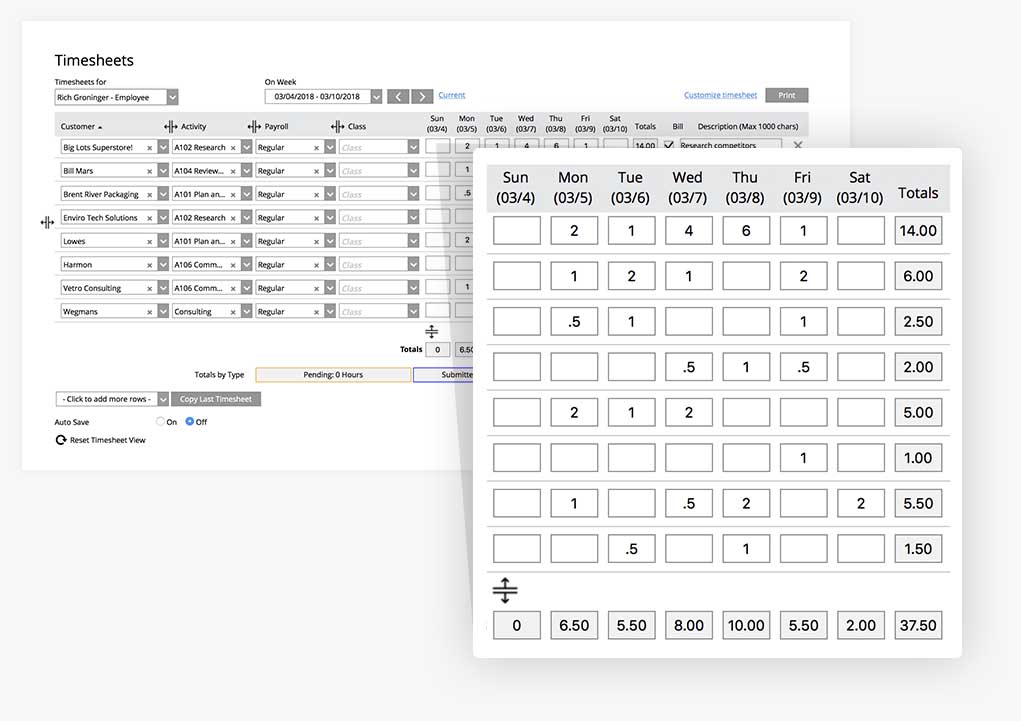
Why it works: eBillity’s Time Tracker focuses on capturing and processing billable time, then syncing it along with billing data into your desktop or online installation of QuickBooks. It’s built specifically around billable-hours tracking rather than broader project management.
QuickBooks compatibility: QuickBooks Online and QuickBooks Desktop.
Best for: Businesses that want a dedicated billable-time tracker rather than an all-in-one project management platform.
Pricing: Unlimited plan from $9/user/month plus a $15/month base fee.
Free trial: 14 days, no credit card required.
Rating: Capterra 4.4 (3,024 reviews).
Pros:
- One of the more established tools on this list by review volume
- Syncs to both QuickBooks Online and Desktop from the same product
Cons:
- Base fee on top of per-user pricing adds up for very small teams
5. BigTime
Key features:
- Time and cost tracking
- Project management
- Invoicing
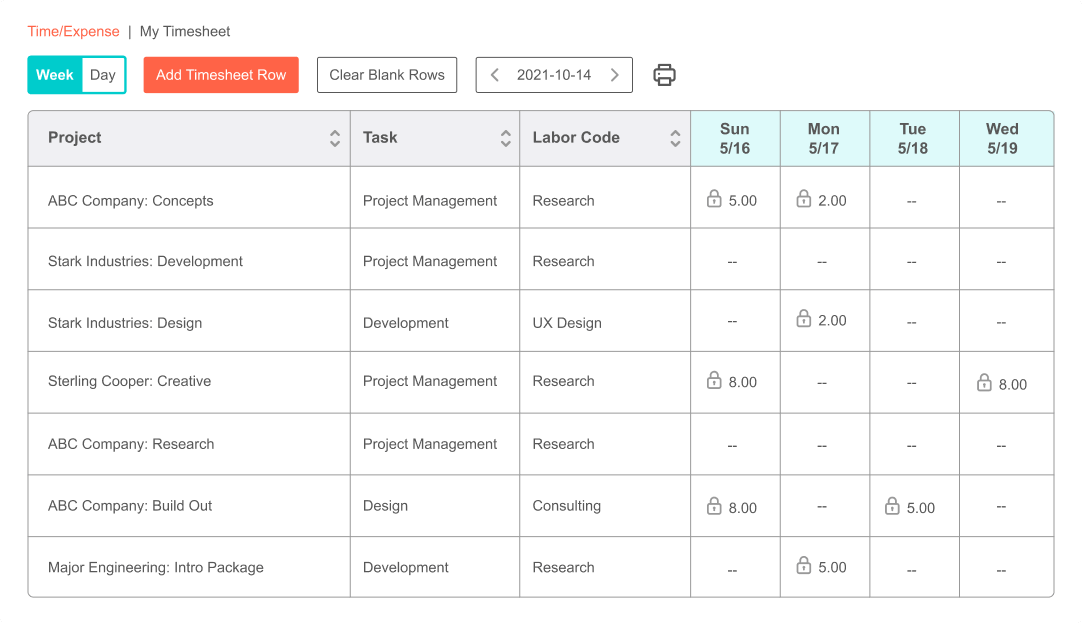
Why it works: BigTime is professional-services automation software built around time and expense tracking, and its QuickBooks integration uses Intuit’s own products for data transfer without altering existing QuickBooks data or settings. It syncs timekeeping, expense, client, and project data automatically, and can import timesheet and invoice history from QuickBooks so both tools stay current.
QuickBooks compatibility: QuickBooks Online and QuickBooks Desktop (via BigTime’s Sync Agent).
Best for: Professional services firms that need job costing and utilization reporting alongside time tracking.
Pricing: From $20/user/month.
Free trial: 14 days.
Rating: G2 4.5, Capterra 4.6.
Pros:
- Two-way sync that also pulls existing QuickBooks history back into BigTime
- Job-costing and profitability reporting go well beyond a plain timesheet
Cons:
- No free trial on plans above Essentials without talking to sales
6. Avaza
Key features:
- Time tracking
- Project management
- Scheduling
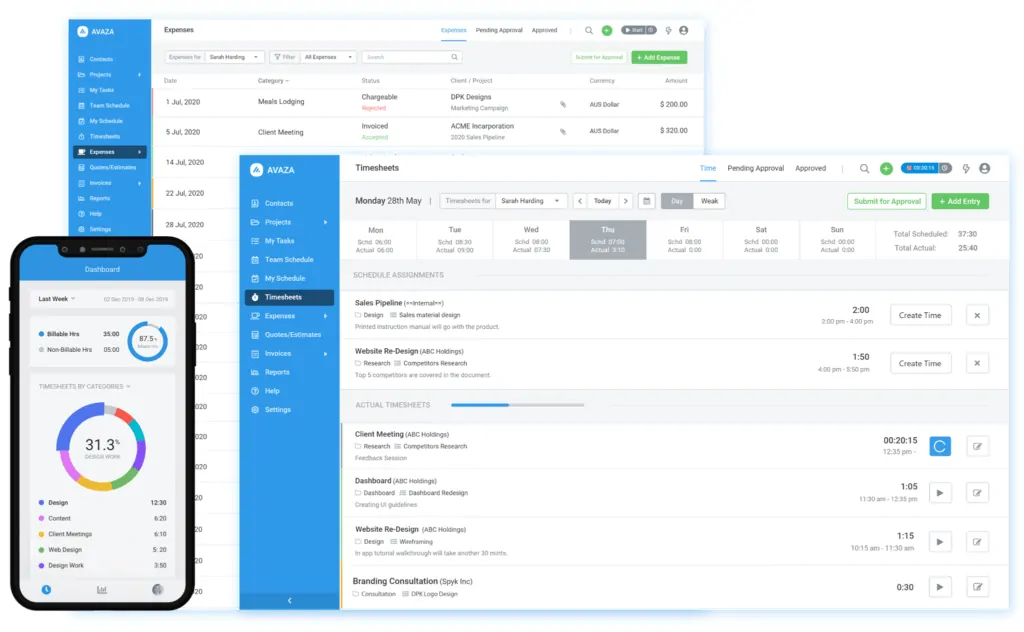
Why it works: Avaza supports QuickBooks integration with a native two-way sync, letting you automatically sync customers, invoices, and payments between the two systems. After connecting the two tools, you configure how items map, how invoices are processed, and how payments sync, then use the time and billing data logged in Avaza for invoicing in QuickBooks.
QuickBooks compatibility: QuickBooks Online.
Best for: Small teams that want project management, scheduling, and time tracking bundled with QuickBooks invoicing.
Pricing: From $11.95/month.
Free trial: Free version available, plus a free trial on paid plans.
Rating: Capterra 4.6 (475 reviews).
Pros:
- Free version available, not just a time-limited trial
- Two-way sync keeps customers and payments consistent in both systems
Cons:
- QuickBooks Online only – no Desktop support
7. ProWorkflow
Key features:
- Time tracking
- Task management
- Invoicing
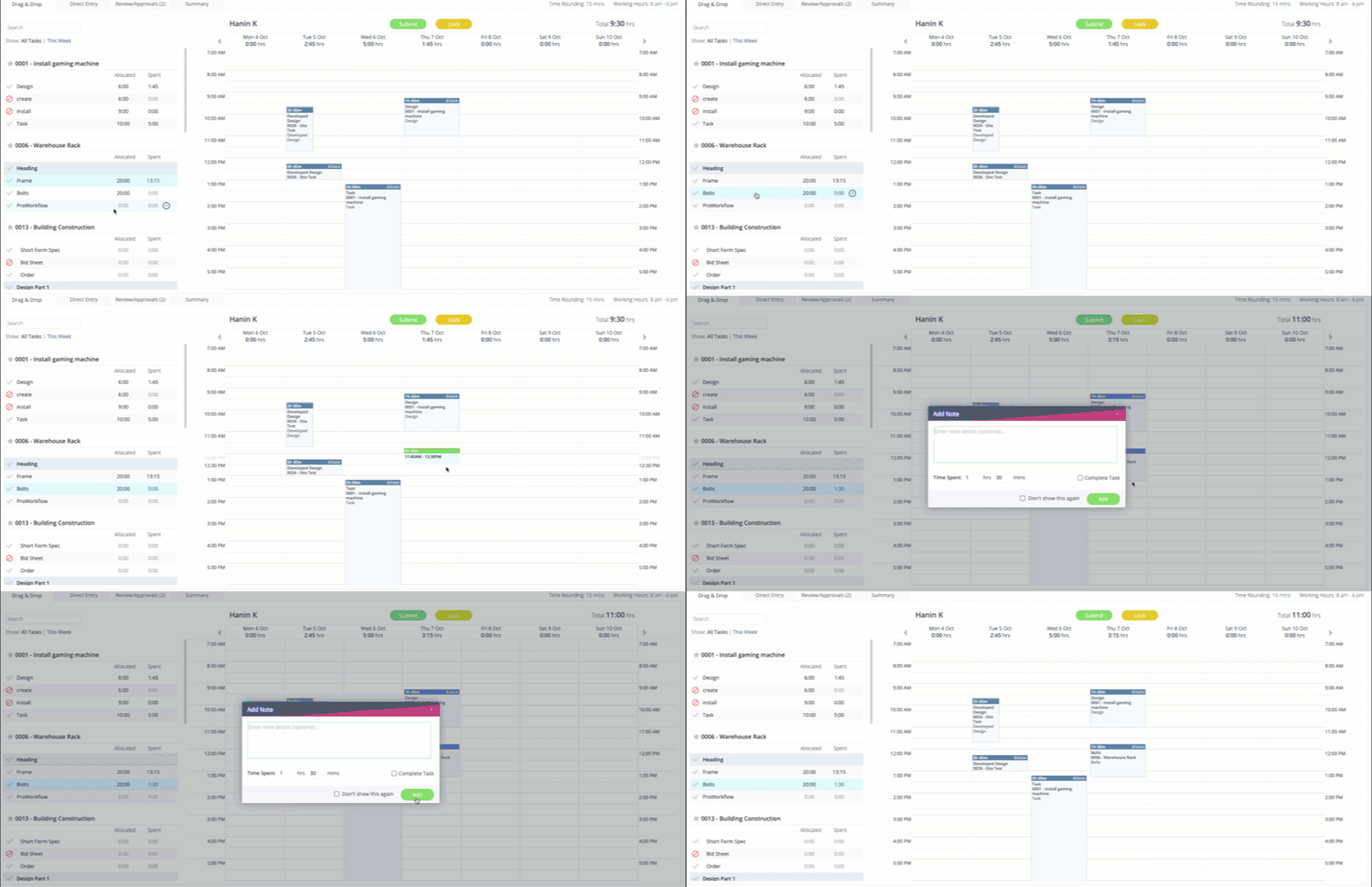
Why it works: ProWorkflow is project and workflow management software with a built-in timekeeping feature, and its QuickBooks timesheet integration lets accountants and managers send invoices from ProWorkflow to QuickBooks and sync contacts between the two tools. A separate Desktop integration handles line items and quantities for teams still running QuickBooks Desktop.
QuickBooks compatibility: QuickBooks Online and QuickBooks Desktop.
Best for: Project-based teams that want task management and invoicing in the same place as time tracking.
Pricing: From $9/user/month.
Free trial: Available.
Rating: Capterra 4.5 (249 reviews).
Pros:
- Task and workflow management built in, not just timekeeping
- Maintains separate, actively updated integrations for both QuickBooks Online and Desktop
Cons:
- Invoicing sync is the main focus – less depth on payroll-side data than dedicated billing tools
8. Homebase
Key features:
- Time tracking
- Shift management
- Payroll calculation
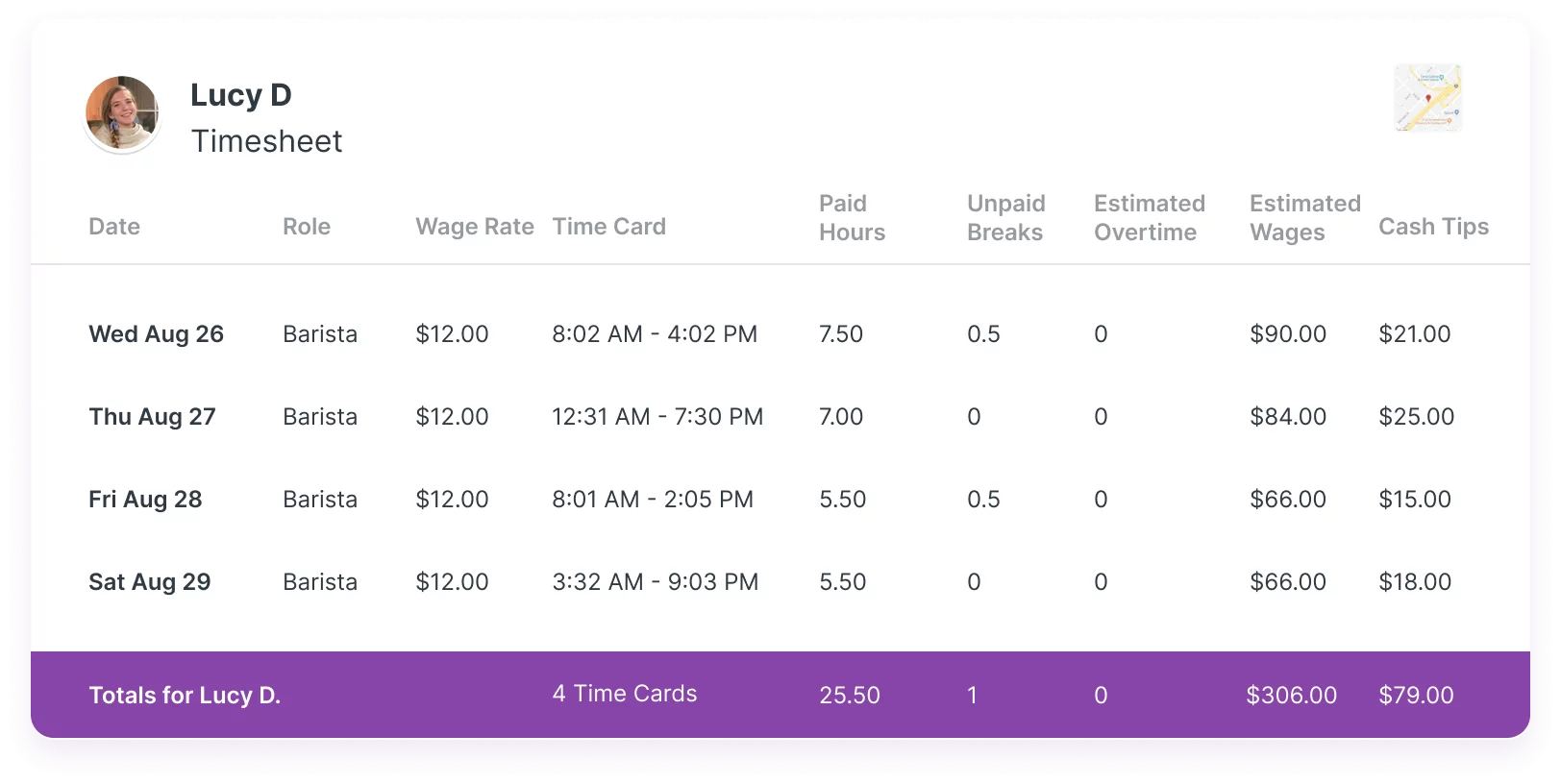
Why it works: Homebase offers timesheets you can submit for payroll, plus employee scheduling for managing shift workers, their time, and compensation. Its QuickBooks integration syncs the data needed for payroll and saves time on manual import and export – though QuickBooks Online doesn’t sync overtime, which has disappointed some Homebase users.
QuickBooks compatibility: QuickBooks Online.
Best for: Shift-based businesses (retail, restaurants, hospitality) that need scheduling as much as time tracking.
Pricing: Free tier for scheduling and time tracking; payroll add-on from $39/month plus $6/active employee.
Free trial: Free to start, no trial period needed for the core product.
Rating: Capterra 4.6 (1,153 reviews).
Pros:
- Free tier covers scheduling and time tracking without a trial clock running out
- Purpose-built for shift-based teams, not adapted from a generic timesheet
Cons:
- QuickBooks Online sync doesn’t carry overtime calculations through automatically
9. HoursLogger
Key features:
- Time tracking
- Break tracking
- Invoicing
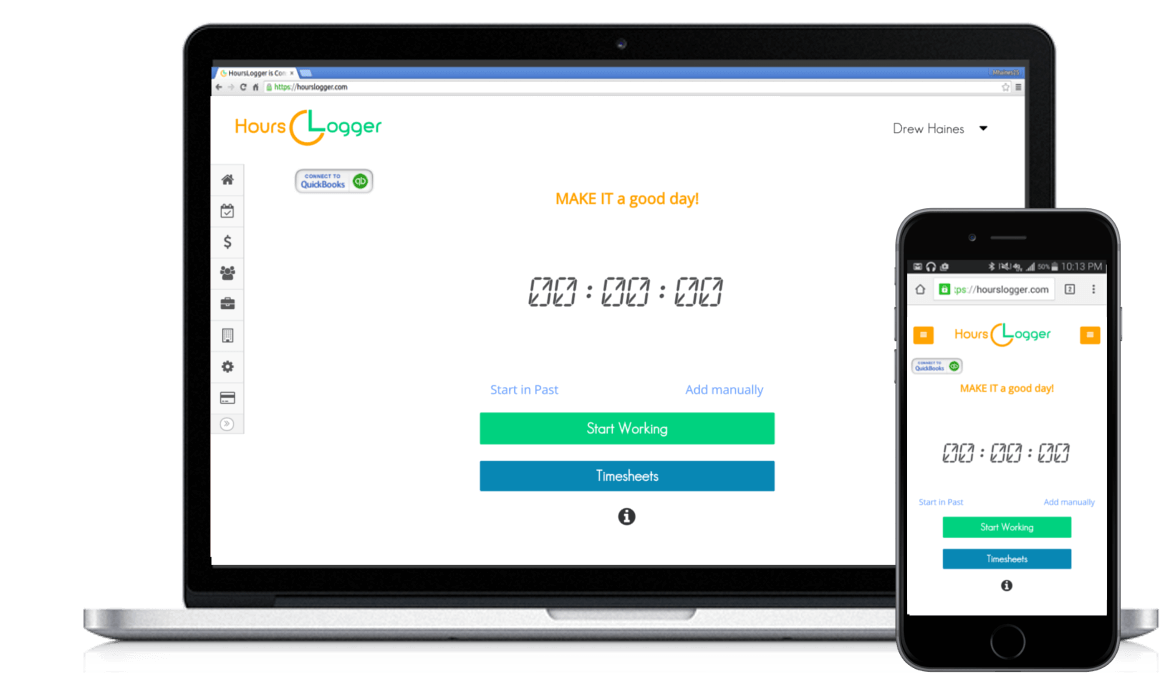
Why it works: HoursLogger is time tracking and invoicing software built for consultants: use timers or timesheets to capture billable hours, get notified if you forget to stop a timer, or use the “Start in the Past” feature if you forgot to start one. Its QuickBooks integration imports customers and services automatically and syncs time entries and invoices, though the specific QuickBooks Online plan you need depends on what you’re syncing – Simple Start covers invoices, Essentials or better is required to sync time entries.
QuickBooks compatibility: QuickBooks Online (Essentials plan or higher to sync time entries; Simple Start is enough for invoices only).
Best for: Independent consultants who want a lightweight timer and invoicing tool without a larger platform’s overhead.
Pricing: $9/user/month.
Free trial: Available, no credit card required.
Rating: No rating on record at major review platforms (Capterra, G2) at the time of writing – a small, lesser-known tool worth trialing before committing.
Pros:
- Simple, low-overhead tool if you just need a timer plus QuickBooks invoicing
- “Start in the Past” and email reminders address a real, common timer-forgetting problem
Cons:
- No independent rating data to weigh against the other tools on this list
- Which QuickBooks plan you need depends on which data you want to sync
10. Hubstaff
Key features:
- Time tracking
- Activity monitoring
- Job costing
- Invoicing
Why it works: Hubstaff tracks time through desktop, mobile, and browser apps, with optional activity monitoring – apps and URLs used while the timer runs – aimed at distributed and field teams. Time tracked on Mac, Windows, or Linux syncs to QuickBooks Online automatically every hour, and the integration also generates client invoices with auto-populated line items and supports job costing for budgeting and estimates.
QuickBooks compatibility: QuickBooks Online (automatic hourly sync) and QuickBooks Desktop (via .IIF file export).
Best for: Remote or field teams that want visibility into how tracked time was actually spent, not just how much.
Pricing: From $7/user/month.
Free trial: 14 days, no credit card required.
Rating: Capterra 4.5 (1,613 reviews).
Pros:
- Activity monitoring (apps, URLs) that none of the plain timesheet tools on this list offer
- Automatic hourly sync to QuickBooks Online removes manual export steps
Cons:
- Desktop support is a file export, not a live sync like the Online integration
11. Harvest
Key features:
- Project-based time tracking
- Invoice generation
- Expense logging
Why it works: Harvest tracks time against projects and turns it into client invoices, and its QuickBooks integration automatically copies those invoices – and the payments clients make against them – into QuickBooks Online. It also connects to tools like Asana, Basecamp, Slack, and Google Calendar, so time tracking can start from wherever the work already happens.
QuickBooks compatibility: QuickBooks Online only, one-way sync (Harvest invoices and payments copy into QuickBooks, not the other direction).
Best for: Freelancers and consultants who want simple project time tracking and invoicing without a heavier platform.
Pricing: Free for 2 projects; Pro from $11/user/month; Premium from $14/user/month.
Free trial: 30 days, no credit card required.
Rating: Capterra 4.6 (651 reviews).
Pros:
- Free plan for very small setups, though QuickBooks sync requires a paid plan
- Wide range of non-accounting integrations (Asana, Basecamp, Slack) beyond QuickBooks
Cons:
- One-way sync only – QuickBooks changes don’t flow back into Harvest
- QuickBooks Online only, no Desktop support
12. LawBillity
Key features:
- Time and billing by matter
- LEDES and UTBMS billing codes
- Client trust accounts
- Conflict checker
Why it works: LawBillity is time and billing software built specifically for law firms, supporting the LEDES and UTBMS billing codes many corporate clients require, along with client trust accounting and a built-in conflict checker. Connecting it to QuickBooks syncs clients and employees between the two systems, and turns tracked time and expenses into client invoices in QuickBooks with one click.
QuickBooks compatibility: QuickBooks Online.
Best for: Law firms that need matter-based billing and legal-specific billing codes, not generic project time tracking.
Pricing: From $26/user/month (billed annually).
Free trial: 14 days, no credit card required.
Rating: Capterra 4.2, on a small base of 9 reviews.
Pros:
- One of the only tools on this list built around legal-specific billing requirements (LEDES/UTBMS)
- Client trust accounting and conflict checking cover needs generalist tools don’t address at all
Cons:
- Small public review base
- QuickBooks Online only, no Desktop support
13. Hour Timesheet
Key features:
- DCAA-compliant timekeeping
- Authorized charge codes
- Audit trail
- Overtime monitoring
Why it works: Hour Timesheet is built around DCAA-compliant timekeeping for government contractors – authorized charge codes restrict employee time entry to pre-approved work categories, and every entry generates a logged audit trail. Its QuickBooks Desktop integration uses Intuit’s official Web Connector for two-way sync of employees, customers/jobs, service items, classes, payroll items, and approved timesheets.
QuickBooks compatibility: QuickBooks Desktop (Pro, Premier, and Enterprise), including locally hosted and third-party hosted files.
Best for: Government contractors who need DCAA-compliant timekeeping alongside their QuickBooks Desktop books.
Pricing: From $8/user/month.
Free trial: Available.
Rating: Capterra 4.0 (26 reviews) – some reviewers flag a pricing increase with short notice, worth confirming current terms before committing.
Pros:
- One of the only tools on this list built around DCAA compliance for government contractors
- Uses Intuit’s own Web Connector technology rather than a third-party sync layer
Cons:
- QuickBooks Desktop only – no Online support
- Some reviewers report a mid-subscription price increase
14. ClockShark
Key features:
- GPS time tracking
- Job costing
- Crew scheduling
- Two-way QuickBooks sync
Why it works: ClockShark is built for construction and field service crews, with GPS-verified clock-ins, a drag-and-drop scheduling calendar, and job costing that tracks labor costs per job in real time. Its QuickBooks integration syncs data in both directions – changes made in ClockShark or QuickBooks are automatically reflected in the other system – covering both QuickBooks Online and Desktop.
QuickBooks compatibility: QuickBooks Online and QuickBooks Desktop.
Best for: Construction and field service businesses that need GPS verification and per-job labor costing, not just office timesheets.
Pricing: Standard from $40/month base + $9/user/month; Pro from $60/month base + $11/user/month.
Free trial: Available, no credit card required.
Rating: Capterra/G2 4.7 (1,902 reviews).
Pros:
- GPS verification and job costing built specifically for field crews, not adapted from an office timesheet
- Two-way sync covers both QuickBooks Online and Desktop from the same integration
Cons:
- Base monthly fee on top of per-user pricing makes it pricier for very small crews
Quick comparison
| Tool | QB Online or Desktop | Best for | Pricing | Rating |
|---|---|---|---|---|
| actiTIME | Online | Project-based teams billing through QuickBooks | Free – $6/mo (1–40), $5/mo (41–200) | Capterra 4.6 (111) |
| ClickTime | Online + Desktop | Budget and expense tracking alongside time | From $12/user/mo | Capterra 4.6 (207) |
| MinuteDock | Online | Simple invoicing from tracked time | From $19/month | Capterra 4.6 (5 reviews) |
| eBillity | Online + Desktop | Dedicated billable-time tracking | From $9/user/mo + $15 base | Capterra 4.4 (3,024) |
| BigTime | Online + Desktop | Professional services job costing | From $20/user/mo | G2 4.5 / Capterra 4.6 |
| Avaza | Online | Project management bundled with invoicing | From $11.95/month | Capterra 4.6 (475) |
| ProWorkflow | Online + Desktop | Task management plus invoicing | From $9/user/mo | Capterra 4.5 (249) |
| Homebase | Online | Shift-based scheduling and payroll | Free – $39/mo + $6/employee | Capterra 4.6 (1,153) |
| HoursLogger | Online | Lightweight consultant timer and invoicing | $9/user/month | Not rated on major platforms |
| Hubstaff | Online + Desktop | Activity monitoring for remote/field teams | From $7/user/mo | Capterra 4.5 (1,613) |
| Harvest | Online | Freelancer and consultant invoicing | Free – $14/user/mo | Capterra 4.6 (651) |
| LawBillity | Online | Legal-specific billing (LEDES/UTBMS) | From $26/user/mo | Capterra 4.2 (9 reviews) |
| Hour Timesheet | Desktop | DCAA compliance for government contractors | From $8/user/month | Capterra 4.0 (26) |
| ClockShark | Online + Desktop | GPS and job costing for field crews | From $40/mo base + $9/user | Capterra/G2 4.7 (1,902) |
How a QuickBooks time tracking integration actually works
Regardless of which tool you pick, connecting it to QuickBooks follows roughly the same sequence:
- Connect the two accounts – authorize the integration through QuickBooks’ App Store or the third-party tool’s own settings, using OAuth rather than shared passwords.
- Map employees, customers, and service items – match each person and client in the time tracker to the corresponding record in QuickBooks, so hours land against the right job or customer.
- Set billable rates and item mapping – decide which tracked time is billable, at what rate, and which QuickBooks service item or class it should post to.
- Sync time entries – on the schedule the integration supports (real-time, hourly, or on-demand), tracked hours move into QuickBooks as billable time, ready for invoicing.
- Generate the invoice or payroll run – QuickBooks turns the synced time into a client invoice, a payroll run, or both, depending on how the tool is configured.
Two details trip people up more than anything else: sync direction (whether QuickBooks changes flow back to the tracker, or only one way), and which QuickBooks plan tier is required – some integrations need QuickBooks Online Essentials or higher, not just any subscription.
Tips for getting more out of your integration
- Use geofencing for field teams – restrict clock-ins to job sites if your tool supports it (ClockShark, Hubstaff), so time entries are verified by location rather than trusted on the honor system.
- Set up automated clock-in/clock-out reminders – a well-timed notification catches most missed punches before they turn into a manual correction later.
- Add an approval step before time reaches QuickBooks – a manager review pass catches misallocated hours before they’re billed to the wrong client or job.
- Build custom, KPI-focused reports instead of relying on default templates – utilization and job-costing reports matter more to a services firm than a generic hours-logged summary.
- Encourage mobile app adoption for remote and on-site teams – time logged in the moment is more accurate than time reconstructed at the end of the week.
FAQ
Does QuickBooks Time replace a separate time tracking app?
For simple clock-in/clock-out tracking, often yes. QuickBooks Time (formerly TSheets) covers mobile time tracking, GPS, and basic scheduling as a QuickBooks Online add-on. It falls short once you need QuickBooks Desktop support, activity monitoring, industry-specific compliance (DCAA, LEDES), or job-costing depth – that’s the gap the tools on this list fill.
Do these tools work with QuickBooks Online, Desktop, or both?
It varies by tool, and it’s the first thing to check before picking one – several integrations on this list only support one version. ClickTime, eBillity, BigTime, ProWorkflow, Hubstaff, and ClockShark support both; Hour Timesheet is Desktop-only; the rest (actiTIME, MinuteDock, Avaza, Homebase, HoursLogger, Harvest, LawBillity) are QuickBooks Online only.
What data actually syncs into QuickBooks?
It depends on the tool, and the differences catch people out. Harvest syncs invoices and payments but leaves raw timesheets in Harvest; Hour Timesheet goes the other way, syncing approved timesheets and payroll items but no invoicing. Confirm exactly what a given integration moves across before assuming it covers everything you need.
Is my QuickBooks data safe when I connect a third-party time tracking app?
Your QuickBooks login itself is never shared with the third-party app – you can revoke access at any time from QuickBooks’ Connected Apps settings without touching your password. What varies is scope: some integrations only request access to customers and invoices, while others ask for broader read/write access to your company file. Check what an app is actually requesting during setup rather than approving the connection on autopilot.
Ready to Streamline Your QuickBooks Time Tracking?
Looking for the right time tracking software is not easy and time consuming. Searching for a QuickBooks time tracking option is an even harder task. To save your time, we advise you to try actiTIME – it’s completely free to start with.
actiTIME is time tracking software that provides multiple hour tracking options, calculates costs and profits and integrates with QuickBooks.
actiTIME combines flexibility and simplicity – a rare but convenient mix of benefits for businesses. The software requires no training and offers huge customization opportunities to meet the needs of your business. Give it a try – start a free 30-day trial (no credit card required) and continue with the permanent free version anytime.