A good time clock app for Android turns the phone your employees already carry into the place they clock in, clock out, and log breaks. That only works if the app fits how your team works. A crew moving between job sites needs location checks. A shop floor needs one shared tablet that everyone punches in on. A consultant who just wants to know where the week went needs something much simpler than either.
We checked all 15 mobile time clock apps in this list in October 2026: current Google Play listings, what each app actually does, and pricing from each vendor’s own page. Five are personal apps for tracking your own hours. Ten are team tools a manager can run payroll from.
What to look for in a time clock app for Android
- Location checks that match the job. GPS records where someone was when they clocked in. Geofencing goes further and only allows a clock in inside a set area around the job site. If you need to stop off site punches rather than just see them afterward, you need geofencing. Our guide to geofencing software covers the difference in more detail.
- Kiosk mode for shared devices. If employees should not use personal phones, a kiosk mode turns one Android tablet into a wall clock that everyone punches in on with a PIN, a QR code, or their face.
- Protection against buddy punching. PINs, selfies, and face recognition stop one employee clocking in for another, a common form of timesheet fraud.
- What happens without signal. Some apps store punches on the phone and sync later. If your crews work in basements or rural sites, check this before you buy.
- Quick access on Android. Home screen widgets, NFC tags, and Wear OS support cut clocking in to a single tap.
- Where the hours go next. A punch clock is only half the job. Check that hours flow into payroll, invoices, or reports without retyping.
One more point on location tracking: tell employees what is tracked and when. Rules on recording location differ between countries and regions, so check what applies to your team before turning it on.
What loose clock ins cost
The case for a mobile time clock is mostly arithmetic. Paper timesheets and remembered start times drift by a few minutes a day. This illustrative example shows what that adds up to for a small hourly team.
Double the drift to 10 minutes a day and the figure is about $18,300. For comparison, a paid team time clock on this list costs roughly $4 to $10 per employee per month, or $960 to $2,400 a year for the same 20 people. The inputs are made up, but the point is real: a few minutes a day per person can cost more than the software.
Quick comparison
| App | Best for | Free option and starting price |
|---|---|---|
| actiTIME | Teams tracking time on projects and tasks | Free version for up to 3 users; from $5 per user per month |
| Work Log | Individuals with several job sites or shift rates | Free with ads and in app purchases |
| Jiffy | Individuals who want no account and no ads | Freemium, paid extensions |
| OnTheClock | Small businesses wanting one simple price | $4 per employee per month plus $5 base fee |
| Arcoro Time (ExakTime) | Construction contractors | Not published, demo required |
| Timesheet | Individuals billing hours, Wear OS users | Free, with in app purchases |
| aTimeLogger | Personal activity tracking | Free, with in app purchases |
| My Work Clock | Punching in from a home screen widget | Free with ads |
| Jibble | Teams wanting kiosk and face recognition free | Free for unlimited users |
| ClockShark | Field service and job costing | $42 per month plus $9.50 per user |
| Homebase | Hourly teams that also need scheduling | Free for up to 10 employees; location clock in from $30 per location per month |
| TimeTrack | European teams tracking hours and absences | €5 per user per month, billed annually |
| Justworks Time Tracking | Justworks payroll customers | $8 per employee per month |
| Trackabi | Small teams wanting GPS on the free tier | Free for up to 5 users; from $3.20 per user per month |
| Papershift | European shift based businesses | On request |
15 best mobile time clock apps for Android
1. actiTIME
Key features:
- Timer and time logs
- Timesheet submission
- Leave requests
- Task management
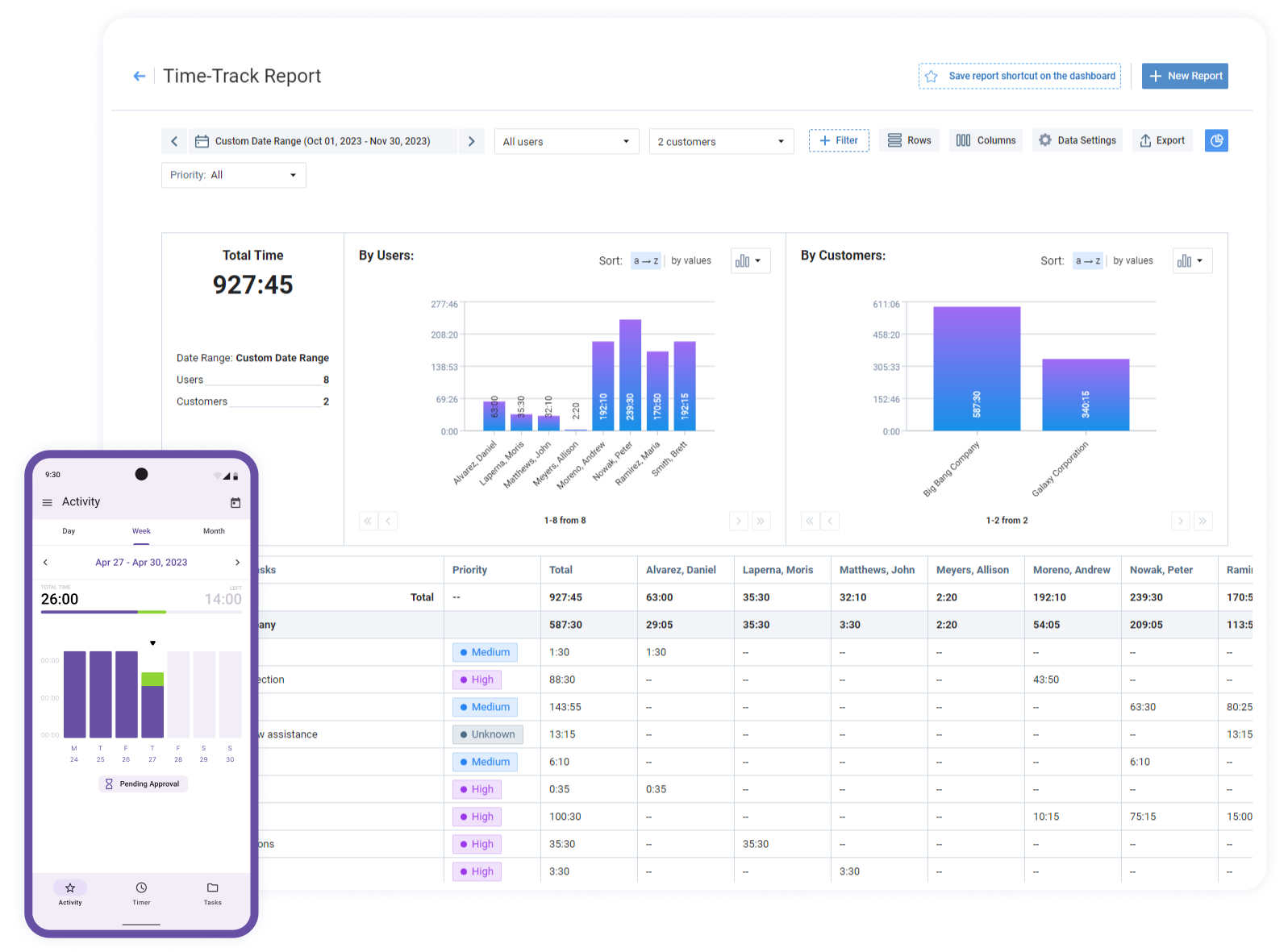
actiTIME Mobile is the Android and iOS companion to actiTIME’s web app, and it suits teams whose hours need to land on specific projects and tasks rather than just a daily total. On the phone you can start a timer, log time against tasks, adjust overtime hours, and submit your timesheet for approval. You can also create tasks and comment on them, change your work status, request leave, and build daily, weekly, or monthly reports of your own time.
Everything syncs to the web account, where managers approve timesheets and run reports on hours, overtime, leave, and the cost of work. That makes it a good fit for consultancies, agencies, and project teams who want mobile entry feeding the same data as billing and project reports.
Limitation: actiTIME is a time tracker for project work, not a punch clock for hourly shift staff. It has no GPS clock in, geofencing, or shared tablet kiosk, so field crews who need those should look at Jibble, ClockShark, or OnTheClock below.
Pricing: free version for up to 3 users; paid version from $5 per user per month; free 30 day trial.

Time tracking became a breeze
With actiTIME’s mobile app, tracking time on the client’s side became a breeze. Now accountants simply switch on the timer on their phone as they start another task and get accurate time logs without taking notes.
2. Work Log
Key features:
- NFC clock in
- Arrival reminders
- Rates per job site
- Shift differentials
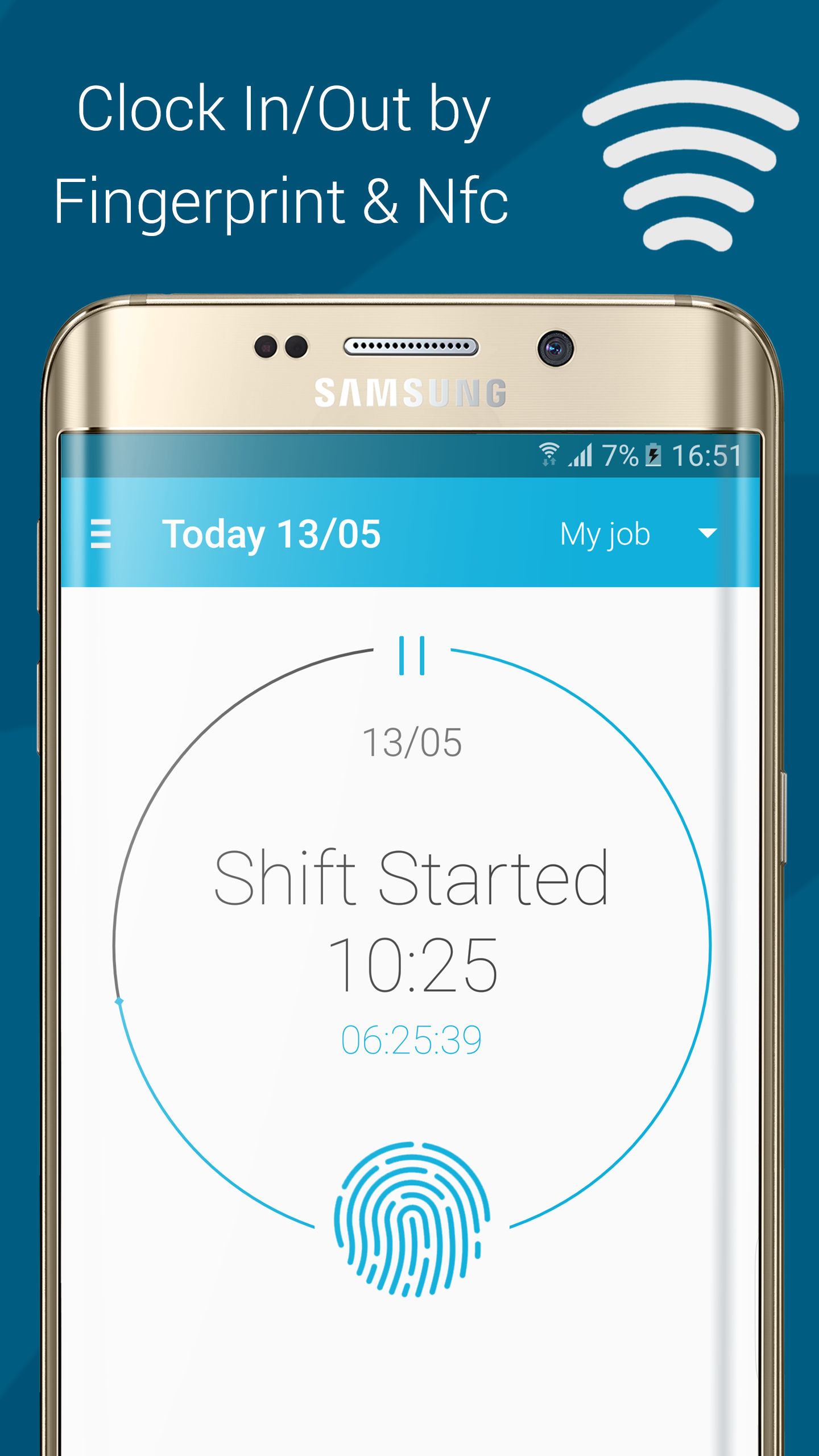
Work Log is a personal time clock for people who want to know exactly what they should be paid. You can clock in by tapping an NFC tag, with a single touch, or by typing the time, and the app can remind you to clock in when you arrive at a saved job site or at a set time of day.
Where it stands out is pay calculation. You can set different hourly rates for different locations or job sites, add shift differentials for evenings, nights, weekends, and holidays, and recalculate pay retroactively for a whole month. It has more than a million downloads on Google Play and was updated in August 2026.
Limitation: it tracks your own hours rather than a team’s, and the free version shows ads.
Pricing: free, with ads and in app purchases.
3. Jiffy
Key features:
- One tap timer
- Calendar editing
- No account needed
- Cloud export
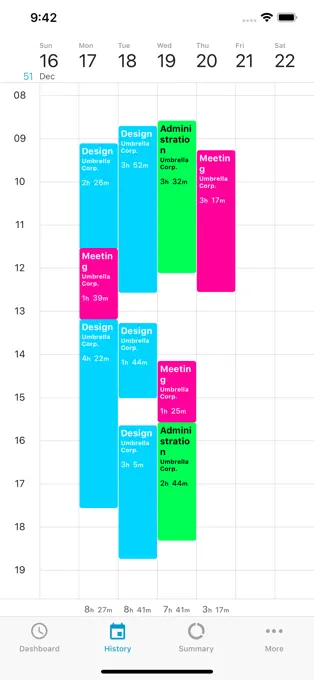
Jiffy works like a stopwatch for each job you need to track. You start, stop, and switch between projects with a tap, and if you forgot to start the timer when you walked in, a “started at” option lets you backdate the start. A calendar view lets you edit times, insert breaks, and see the full week at a glance.
It needs no account: you download it and start tracking, with data stored on the device and exported to your cloud service of choice. It is ad free and freemium, with paid extensions for extra features.
Limitation: it is built for one person, so there is no manager view or team approval.
Pricing: free core app, with paid extensions.
4. OnTheClock
Key features:
- Mobile clock in
- GPS and geofencing
- Scheduling
- Optional payroll
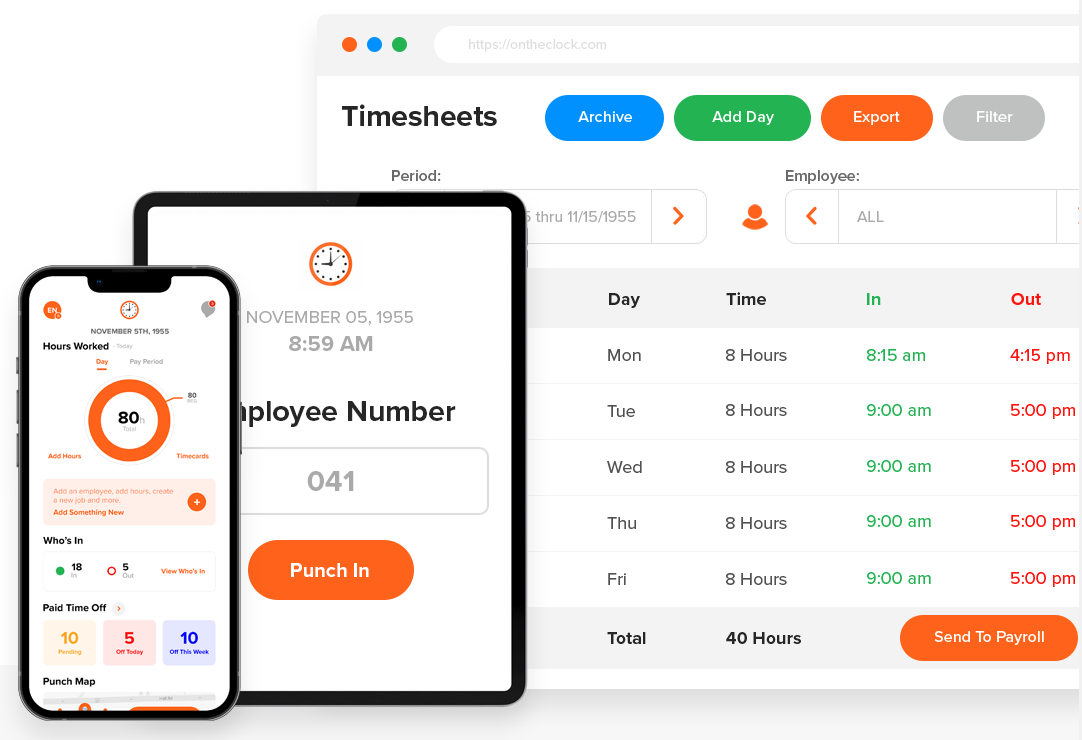
OnTheClock is an employee time clock for small businesses with unusually simple pricing. Time tracking costs $4 per employee per month plus a $5 monthly base fee, and the vendor says GPS and scheduling are included rather than sold as add ons.
Employees clock in from the Android app, and location data and geofencing let managers confirm where punches happened. If you want payroll in the same system, it is an extra $6 per employee per month plus a $40 base fee. There is a 30 day free trial and no permanent free tier.
Limitation: there is no permanent free tier, and payroll is an extra charge on top of time tracking.
Pricing: $4 per employee per month plus a $5 base fee; 30 day free trial.
5. Arcoro Time (formerly ExakTime)
Key features:
- GPS verified punches
- Crew visibility
- Payroll ready timecards
- Built for construction
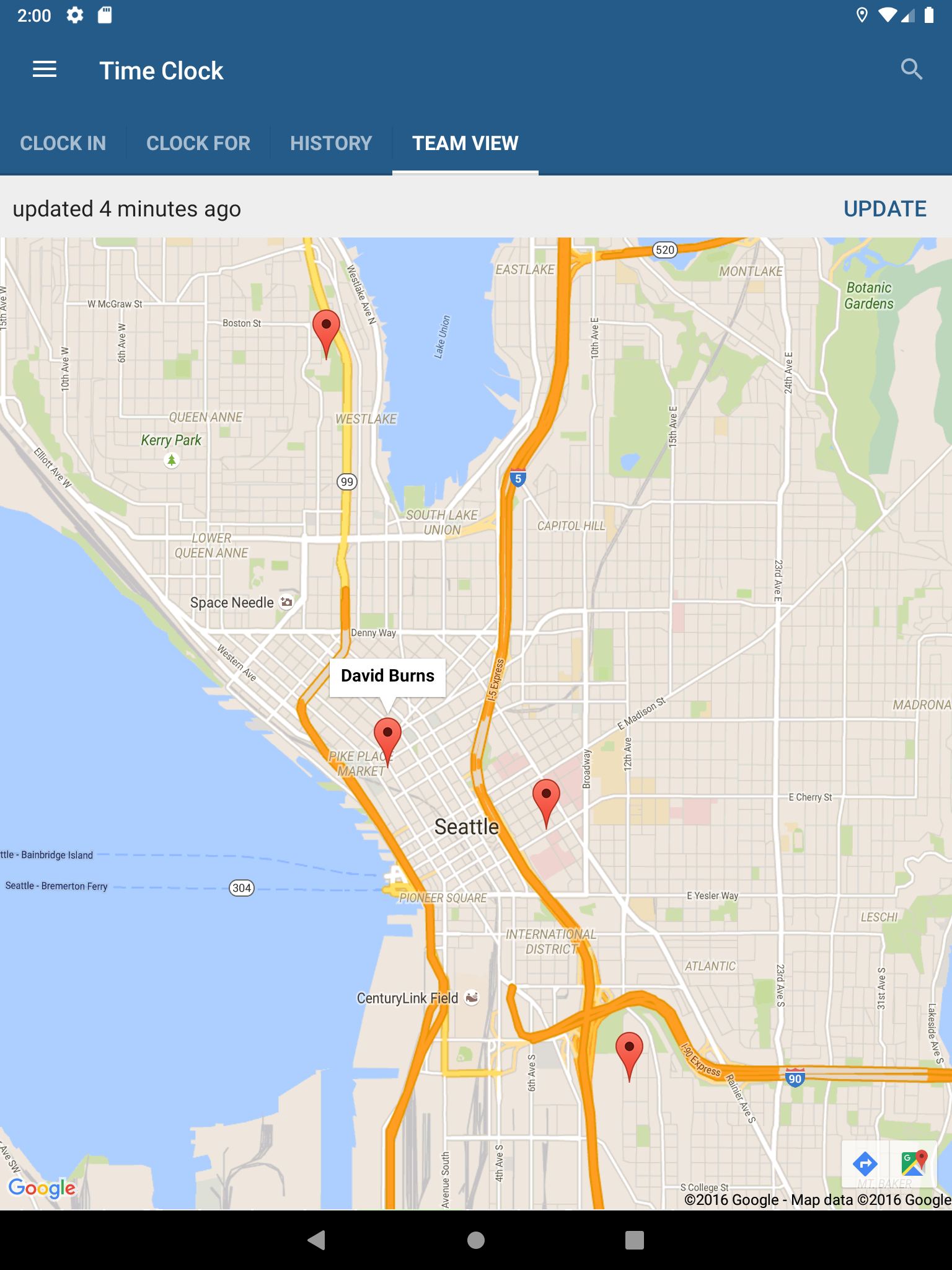
ExakTime has been renamed Arcoro Time, and it remains a time clock built specifically for construction contractors. Crews clock in from the mobile app on site, every punch carries a GPS location, and admins see who is working where in real time before turning the hours into payroll ready timecards.
The focus on construction shows in the workflow: real time crew visibility, timecard review for admins, and a process aimed at replacing paper timecards collected from job sites. If you previously used the ExakTime app, the product continues under the new name.
Limitation: pricing is not published, and the product is designed around construction crews rather than general office or retail teams.
Pricing: on request, after a demo.
6. Timesheet
Key features:
- One tap sessions
- Breaks and rounding
- Billable flags
- Wear OS app
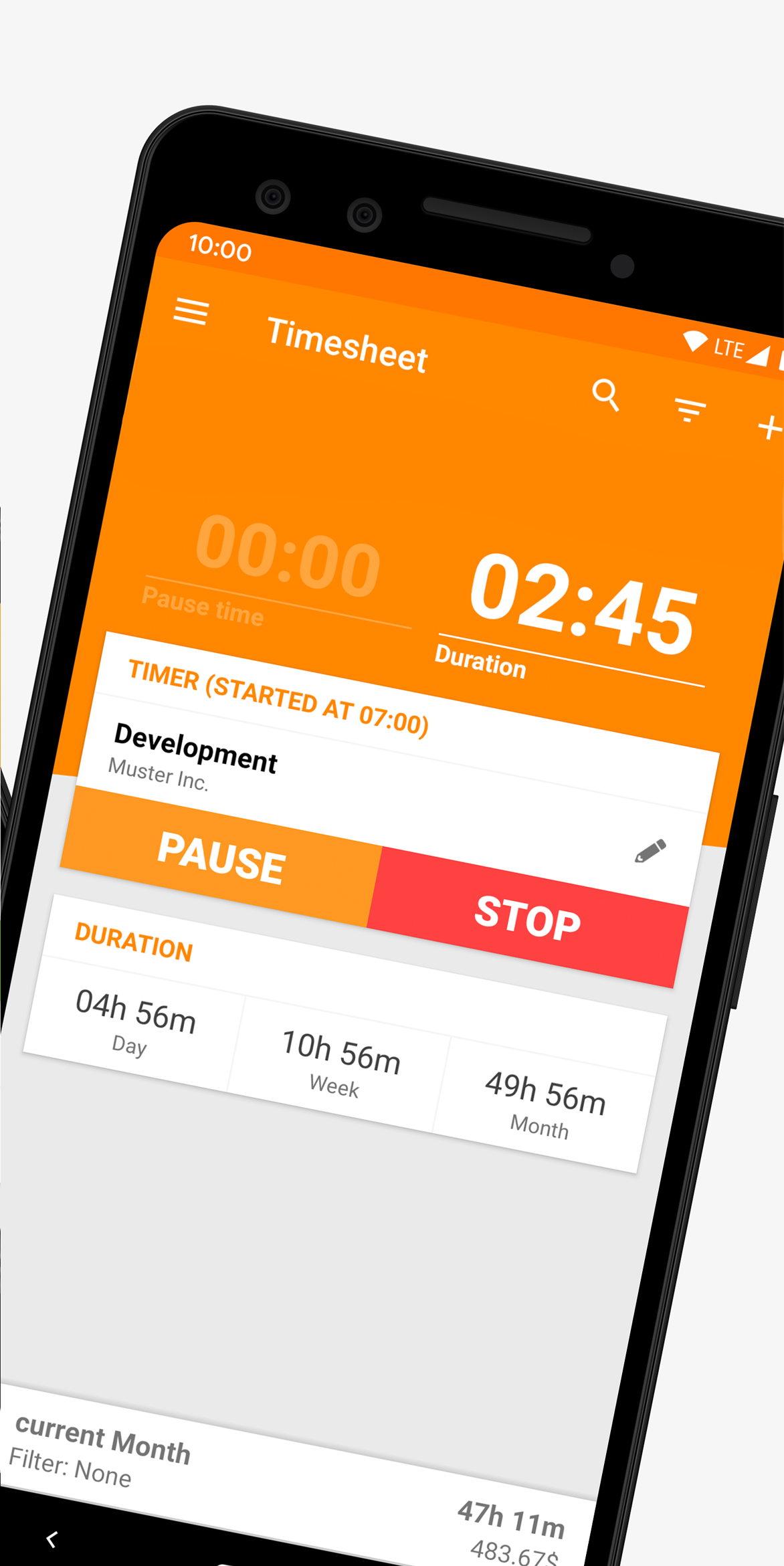
Timesheet has been maintained since 2012 and runs on Android phones, tablets, Wear OS watches, and the web, and it is the only app on this list whose Play listing mentions a Wear OS version. One tap starts and stops a work session, online or offline, and you can record breaks and see totals with and without break time.
It also handles the billing side of solo work. You can mark tasks as billable, flag them once billed, apply rounding rules, and organize hours by project and task, then export records for a client or payroll. It is free with no account required, with in app purchases for extras, and was updated in October 2026.
Limitation: it is a personal tracker, so teams need a separate system for approvals and payroll.
Pricing: free, with in app purchases.
7. aTimeLogger
Key features:
- Activity tracking
- Goals
- Pause and resume
- Charts and statistics
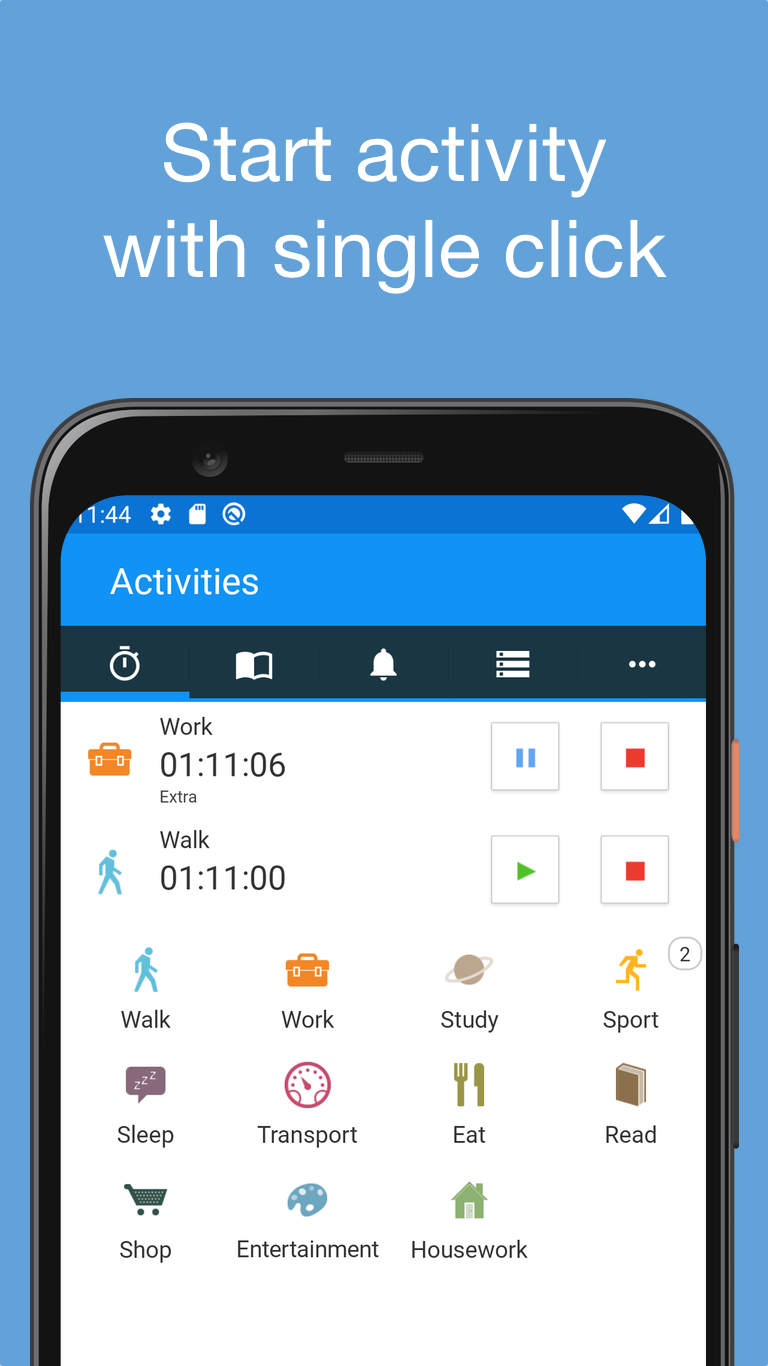
aTimeLogger tracks activities rather than shifts, which makes it a better fit for understanding your own day than for proving hours to an employer. You log what you are doing with a tap, pause and resume activities, and set goals for how much time certain activities should get.
Spending a few minutes a day on it produces daily, weekly, and monthly statistics as diagrams and graphs. It holds a 4.8 star rating on Google Play with more than a million downloads, and it was last updated in May 2026.
Limitation: it is a personal productivity tool, not an employee time clock, so there is nothing for payroll or team approvals.
Pricing: free, with in app purchases.
8. My Work Clock
Key features:
- Widget punch in
- Overtime support
- Multiple jobs
- CSV reports by email
My Work Clock is a simple punch in and punch out clock built around an Android home screen widget, so clocking in does not even require opening the app. It supports overtime with several report periods (daily, weekly, biweekly, monthly), handles multiple jobs, and gives quick summaries for the day, week, and month.
You can edit records, send reports to your email as CSV, and copy records into a calendar, although calendar sync only works one way. It has more than a million downloads, a 4.6 rating, and was updated in October 2026.
Limitation: it shows ads, it is for one person only, and the developer notes the widget can stop updating if a task killer closes the app.
Pricing: free, with ads.
9. Jibble
Key features:
- Free for unlimited users
- Kiosk mode
- Face recognition
- GPS and geofencing
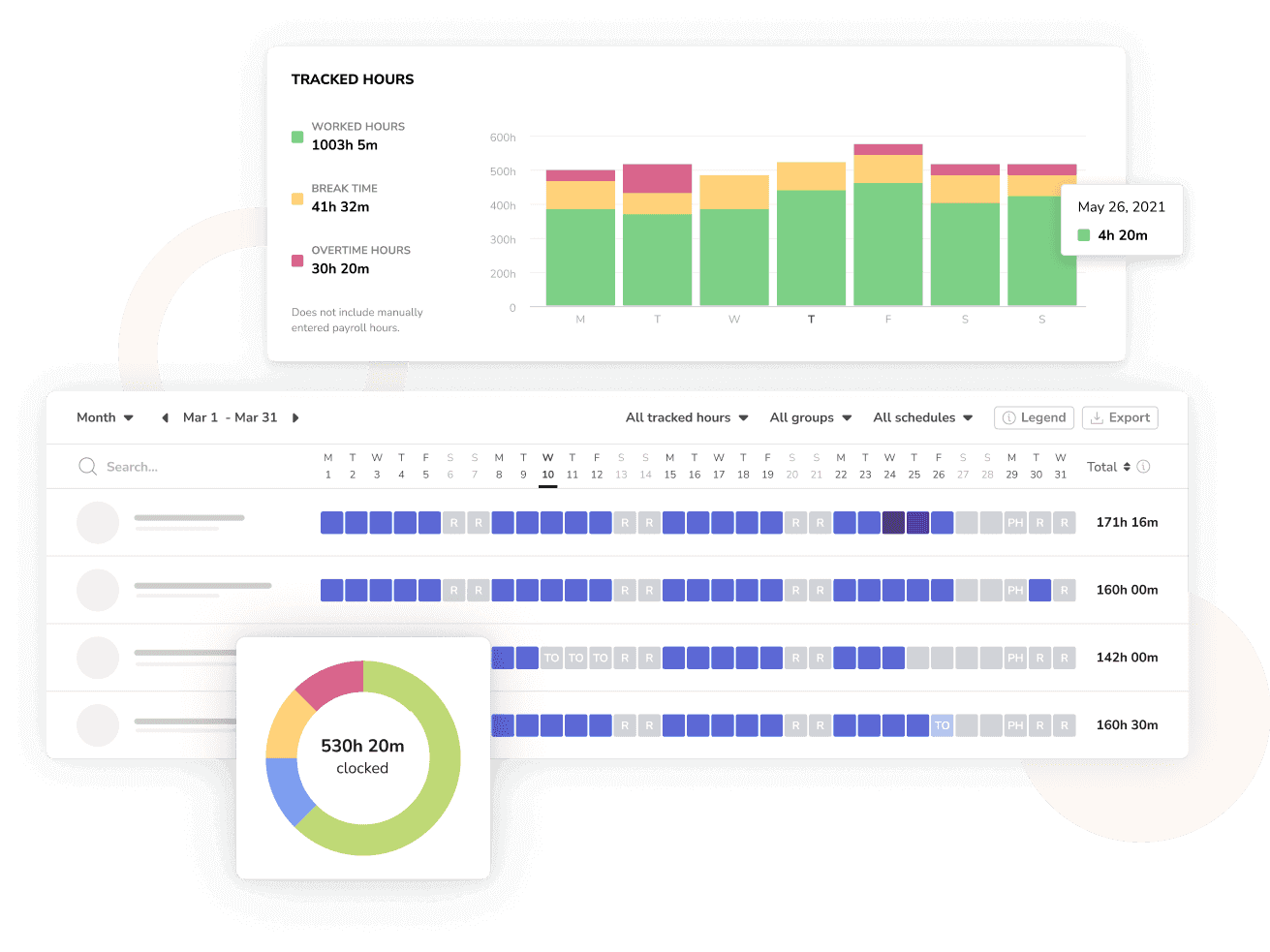
Jibble is free for unlimited users, which no other team app on this list offers, and employees can clock in from the Android app, a shared kiosk, the web, a desktop app, a Chrome extension, Slack, or Microsoft Teams.
Clock ins can be verified with facial recognition, a selfie, GPS location, geofencing, NFC, RFID, or a PIN, and kiosk mode turns one tablet or phone into a clock in station for a job site or warehouse. Timesheets cover regular hours, overtime, breaks, and paid time off, and the feature list includes an offline mode.
Limitation: the pricing page redirected to the homepage when we checked, so paid tier prices were not available to verify. Confirm which verification features are on the free tier before you roll it out.
Pricing: free for unlimited users; paid tiers available.
10. ClockShark
Key features:
- GPS tracking
- Job and task tracking
- Job costing
- 14 day free trial
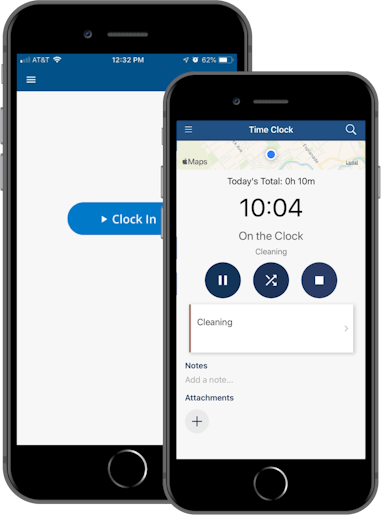
ClockShark is built for field service and construction businesses that need to know not just how long people worked, but which job the hours belong to. Workers clock in to jobs and tasks from the Android app, GPS tracking shows where they are, and the hours feed job costing so you can see labor cost per job.
Pricing combines a base fee with a per user charge. The Standard tier costs $42 per month plus $9.50 per user and includes GPS and job and task tracking. Pro costs $63 per month plus $11.50 per user and adds advanced job costing controls. There is a 14 day free trial.
Limitation: the base fee makes it expensive for very small teams; five users on Standard already cost $89.50 a month.
Pricing: Standard $42 per month plus $9.50 per user; Pro $63 per month plus $11.50 per user; 14 day free trial.
11. Homebase
Key features:
- Time clock
- Scheduling
- Payroll
- Free for 10 employees
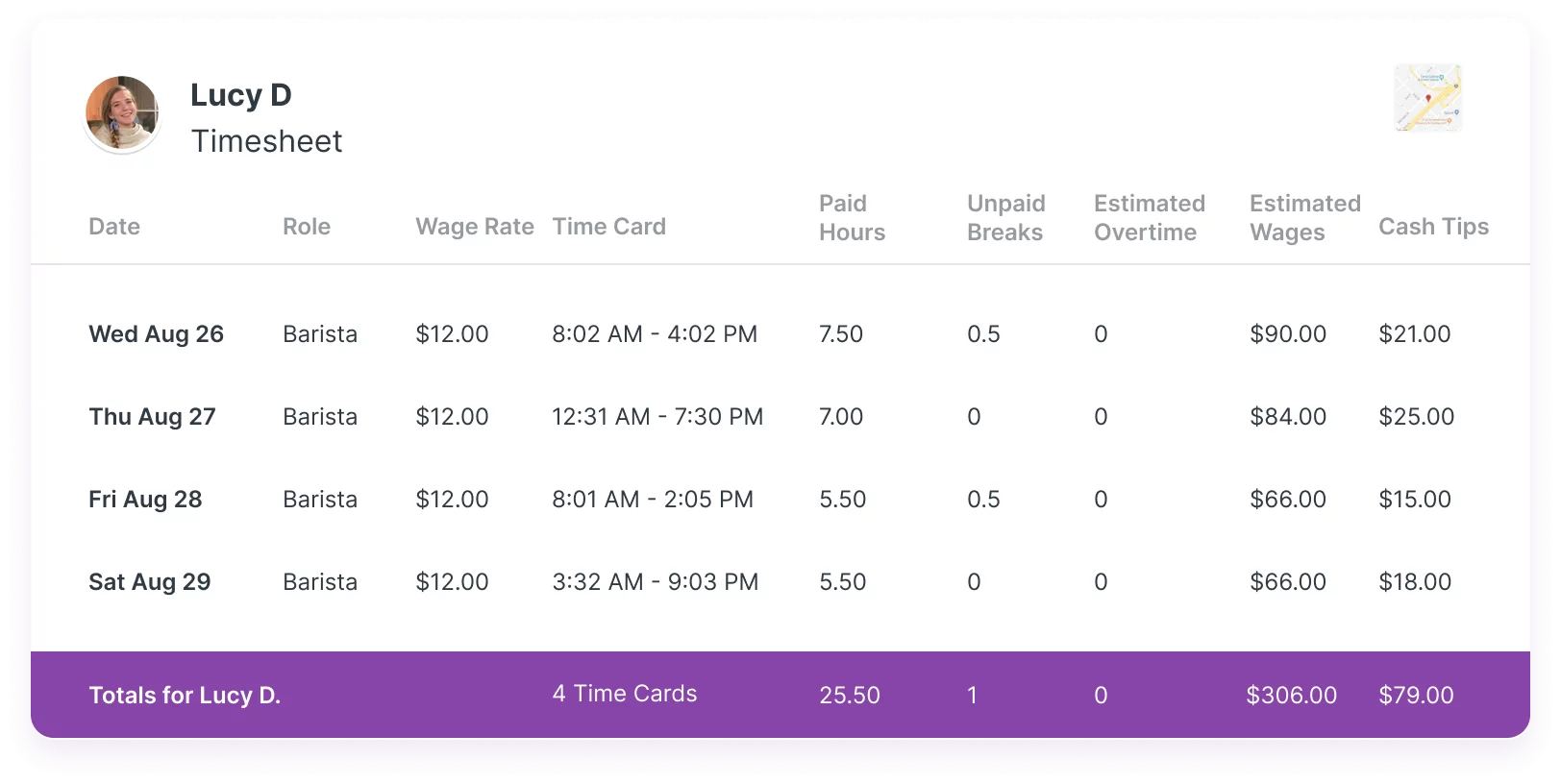
Homebase is an all in one app for small businesses with hourly staff, combining the time clock with team scheduling and payroll. Because the schedule and the time clock sit in the same app, managers can compare who was scheduled with who actually clocked in.
The Basic tier is free for up to 10 employees. Location based clock in on the mobile time clock starts on the Essentials tier at $30 per location per month, with Plus at $70 and All in One at $120 per location. Because pricing is per location rather than per employee, it gets cheaper per person as a single location grows.
Limitation: location checks on mobile clock ins are not part of the free tier, and per location pricing adds up for businesses with several sites.
Pricing: free for up to 10 employees; Essentials $30, Plus $70, All in One $120 per location per month.
12. TimeTrack
Key features:
- Mobile time clock
- Absence tracking
- Project reports
- Invoicing on Gold
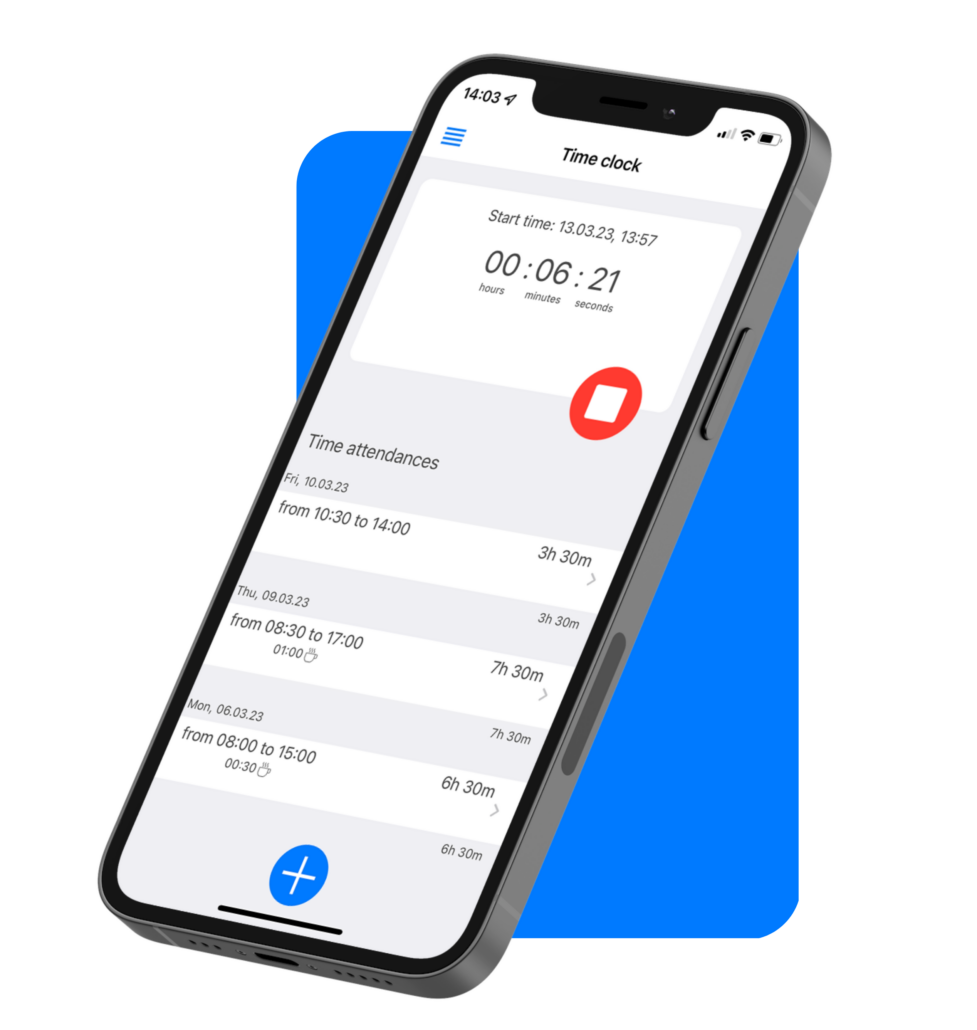
TimeTrack is a time tracking app, priced in euros, that combines a mobile time clock with absence management and project reporting, which makes it a reasonable fit for European teams that need working time records and leave in one place. The mobile app and absence tracking are included in every tier.
Pricing is in euros. The Standard tier costs €5 per user per month billed annually or €7 billed monthly, Premium costs €9 (or €11 monthly), and Gold costs €11 (or €13 monthly). Gold is the tier that adds invoicing and personnel planning. All tiers come with a 14 day free trial.
Limitation: invoicing is only on the top tier, and the product is oriented toward European businesses.
Pricing: from €5 per user per month, billed annually; 14 day free trial.
13. Justworks Time Tracking
Key features:
- Mobile clock in
- Geofencing
- Shared tablet terminal
- Payroll sync
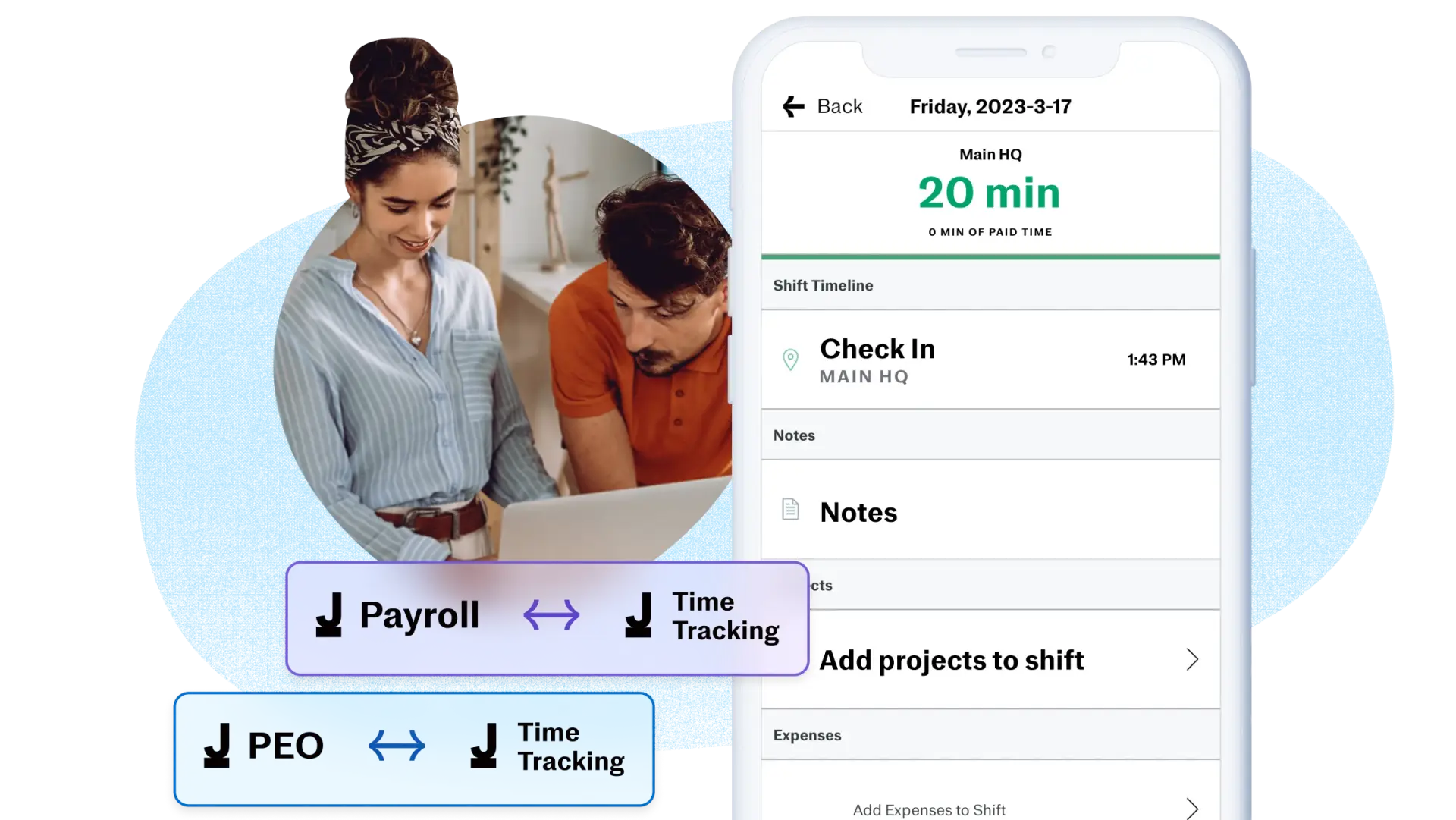
Justworks Time Tracking is the time clock inside Justworks, a payroll and HR platform for small businesses. Employees clock in and out from the Justworks mobile app, the web, or Slack, and on site teams can use Justworks Terminal, which turns a shared tablet into a PIN based clock in station.
Approved shifts sync straight into Justworks payroll. Geofencing verifies location automatically, and the app sends overtime alerts and meal and rest break reminders to help with wage and hour compliance. The add on costs $8 per employee per month.
Limitation: its main advantage, the payroll sync, only matters if you already run payroll through Justworks.
Pricing: $8 per employee per month.
14. Trackabi
Key features:
- GPS mobile timer
- Leave management
- Project tracking
- Optional screenshots
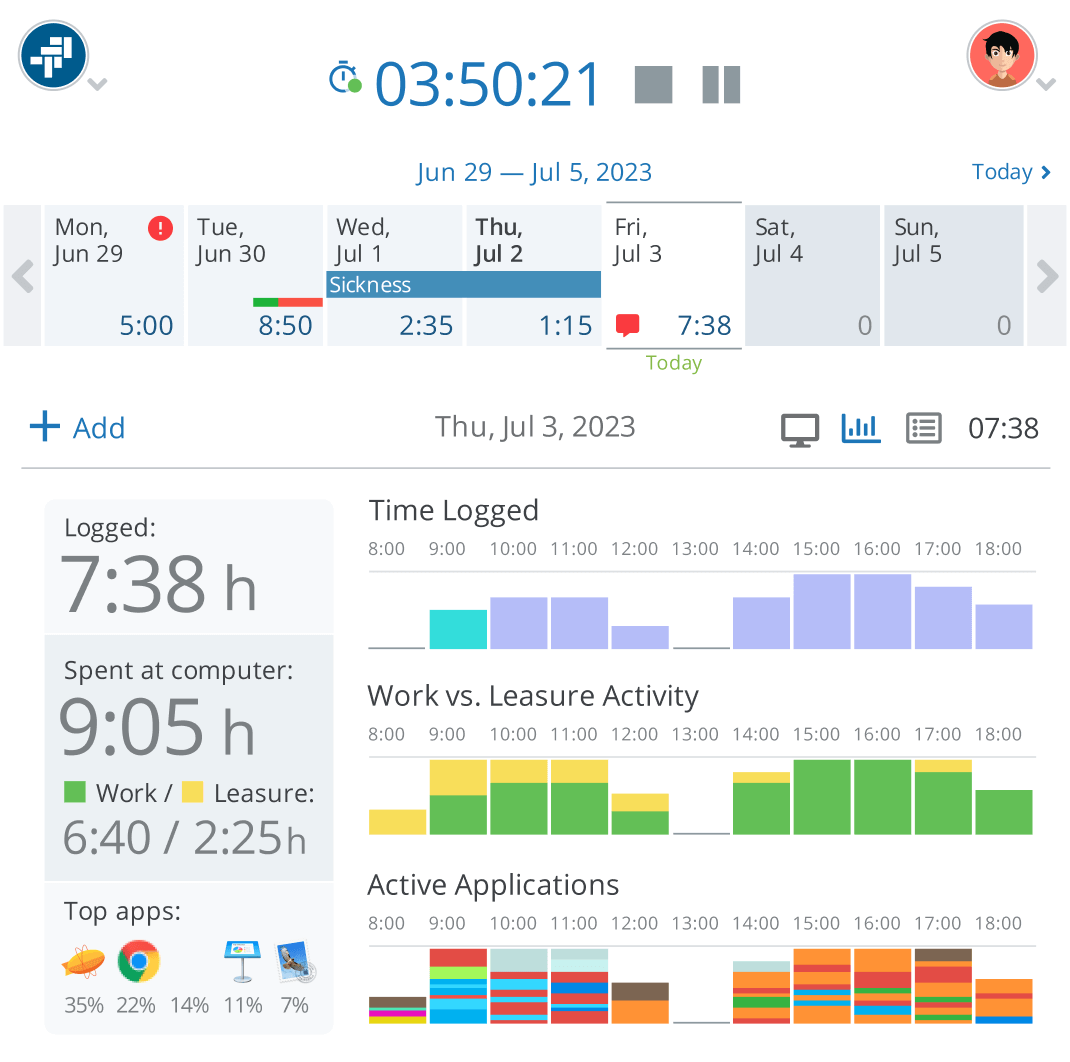
Trackabi includes GPS on its free tier. The mobile timer records GPS locations on every tier, including the free Starter tier, which covers up to 5 users, 50 active projects, and unlimited clients. Leave management is also included on every tier, so employees can request time off from the same app.
Paid tiers are inexpensive: Growth costs $3.20 per user per month and Scale costs $4. Both add screenshot capture, every 3 minutes on Growth and every minute on Scale. That makes the paid tiers a mix of time clock and employee monitoring.
Limitation: the monitoring features may not suit teams that want a time clock without screen capture, and the free tier stops at 5 users.
Pricing: free for up to 5 users; Growth $3.20 and Scale $4 per user per month.
15. Papershift
Key features:
- Smartphone clock in
- Absence management
- Rota planning
- EU data hosting
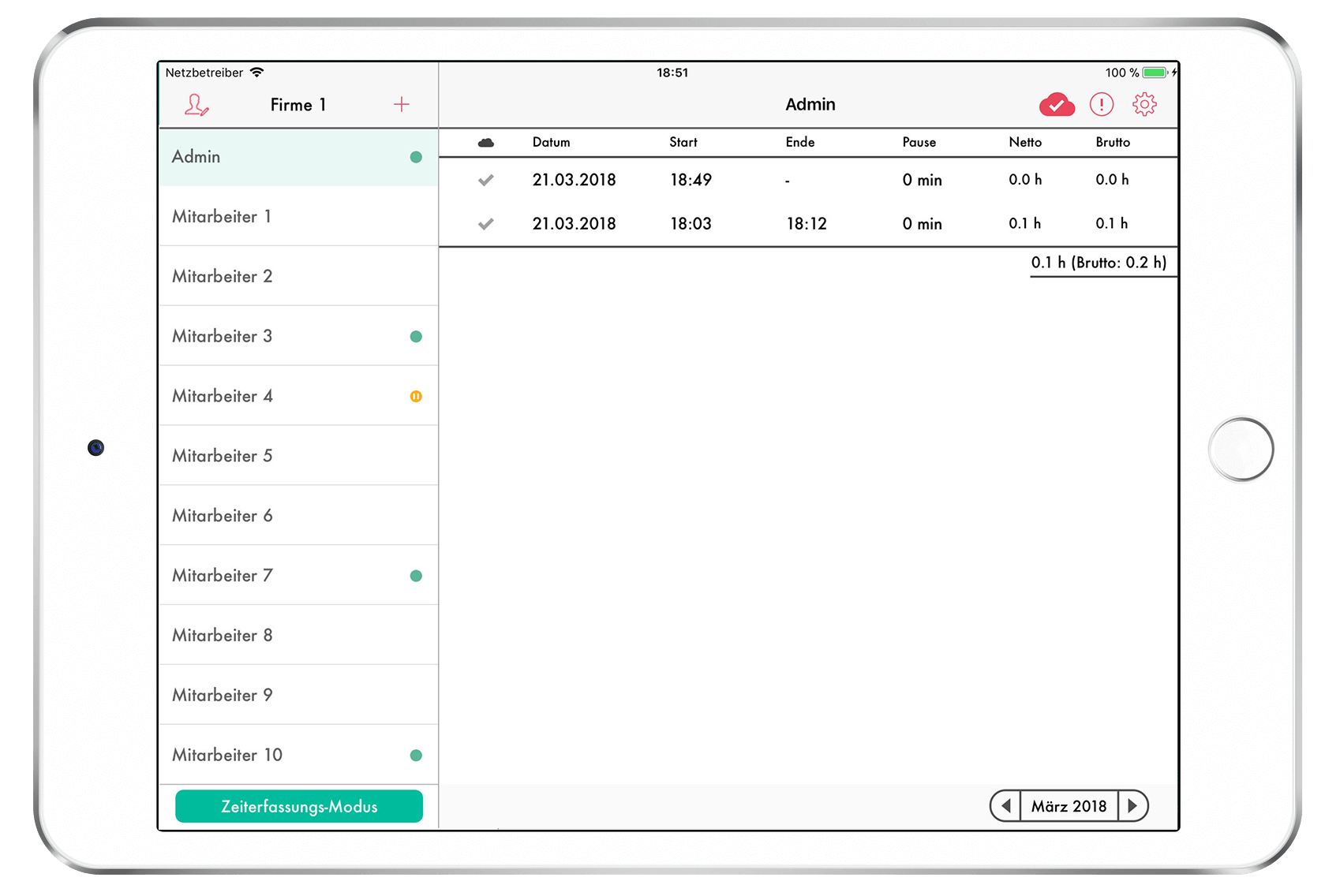
Papershift is a workforce planning tool for shift based businesses, with time tracking from smartphones, tablets, and browsers alongside absence management and digital rota planning. Its Core tier covers digital clock ins, individual target hours, employee specific break rules, and employee self service.
Higher tiers add automatic shift allocation, multi site planning, and payroll exports including DATEV, a format used in Germany. Data is hosted in the EU, which helps businesses that need to keep employee data within Europe.
Limitation: every tier is priced on request after a demo, and much of the product is shaped around European, especially German, payroll practice.
Pricing: on request.
If you are comparing apps across platforms, see our lists of the best clock in clock out apps, free time clock software, and mobile timesheet apps.
FAQ
Is there a free time clock app for Android?
Yes. For teams, Jibble is free for unlimited users, Trackabi is free for up to 5 users with GPS included, and Homebase is free for up to 10 employees. For tracking your own hours, Work Log, Timesheet, aTimeLogger, and My Work Clock are all free to download, supported by ads or in app purchases.
Can employees clock in from their own Android phones?
Most team apps on this list support it, usually with GPS or geofencing to confirm location. If employees should not use personal phones, or some do not have smartphones, choose an app with a kiosk mode, such as Jibble or Justworks Terminal, and mount one shared tablet at the entrance instead.
Do Android time clock apps work without internet?
Some do. Timesheet records work sessions online or offline, Jiffy stores data on the device, and Jibble lists an offline mode. If your teams work where signal is unreliable, test clocking in with mobile data switched off during the trial before you commit.
Conclusion
The best time clock app for Android depends on who is clocking in. For your own hours, Timesheet and Work Log are free and capable. For hourly teams, Jibble covers the most for free, while ClockShark and OnTheClock suit businesses that want job costing or one simple per employee price. For project teams who need hours on tasks, approvals, and reports on cost and leave, actiTIME is the better fit, because the hours logged on the phone feed straight into those reports.
To try actiTIME’s mobile time tracking with your team, start a free trial.