Three projects, one team, and every client thinks theirs is the priority. If that is your week, you are not unusual: in a 2024 survey of 570 project managers by Rebel’s Guide to Project Management, most respondents were leading two to five projects at any one time.
Here is how to manage multiple projects without letting one of them quietly fall behind: keep every project in one place, rank the projects against each other, check how many hours your team really has before you promise dates, stagger the starts, protect focus time, delegate, plan for the crisis you can already see coming, and review all of it once a week. The steps below explain how to do each one.
- What makes multiple projects harder than one
- How to manage multiple projects at once: 9 steps
- 1. Keep all projects in one place
- 2. Set plans, goals and expectations from the start
- 3. Rank projects, not just tasks
- 4. Check capacity before you commit
- 5. Sequence and stagger the work
- 6. Protect focus time
- 7. Delegate and stop micromanaging
- 8. Plan for crises and fatigue
- 9. Review weekly and stay flexible
- What to do when projects are due at the same time
- Common mistakes when juggling projects
- Managing multiple projects in actiTIME
- Manage multiple projects successfully
- FAQ
What makes multiple projects harder than one
Managing one project is mostly about the plan. Managing several at once is mostly about the conflicts between plans. The same designer is needed by two projects in the same week. Two clients want their launch before the end of the quarter. A delay in one project pushes people into another project’s critical week.
Three things change when you go from one project to several:
- People are shared, so a schedule that looks fine for each project on its own can be impossible when you add them up.
- Priorities compete, and if nobody ranks the projects, people rank them by whoever shouts loudest.
- Everyone switches context more often, and each switch costs time to get back into the work.
The steps below deal with each of these. If you are responsible for a whole portfolio of projects and need to choose which ones to fund, that is portfolio management, a related but bigger topic. This guide is for the person who has to deliver several projects at the same time.
How to manage multiple projects at once: 9 steps
1. Keep all projects in one place
If budgets live in spreadsheets, appointments in email and tasks in a separate board for each client, nobody can see all the projects at once. Details, meetings and project milestones get missed. Missed details turn into sudden urgent tasks, people drop what they planned to deal with them, and sometimes work gets done twice.
Put every active project, with its tasks, owners, deadlines and status, in one system. Use the same structure for each project (for example, the same phases and status names) so you can compare them at a glance. Even when several projects launch in the same month, you should be able to see every task and stage in one view.


2. Set plans, goals and expectations from the start
Without a clear plan for each project, inconsistencies creep into processes and results, and they multiply when several projects run side by side. Start every project with a written plan (a project plan template saves time) and make sure the team understands it:
-
State the goal clearly.
One or two sentences on what the project must deliver and how you will know it is done.
-
Mark the steps and milestones.
Milestones are the dates you compare across projects, so put them in the shared view.
-
Name an owner for every task.
Shared ownership across projects is where work often falls through.
-
Plan reviews and approvals.
Put review dates in the schedule and agree how long the client or sponsor has to respond.
-
Describe the tools and process.
Say where tasks, files and discussions live, so nobody has to ask which project uses which tool.
-
Standardize briefs for repeat work.
A short, familiar template for tasks and projects you run often saves setup time every time.
If your team spans countries and languages, check that the plan is understood, not just received. Ask someone to explain it back in their own words.
3. Rank projects, not just tasks
Many teams prioritize tasks inside each project but never decide which project comes first when two of them need the same person. Make that ranking explicit and agree on it with your manager or sponsors. A simple way is to score each project on impact, urgency and effort:
| Project | Impact (1 to 5) | Urgency (1 to 5) | Effort left (1 to 5) | Rank |
|---|---|---|---|---|
| Client A website launch | 5 | 5 | 2 | 1 |
| Internal reporting upgrade | 3 | 2 | 4 | 3 |
| Client B campaign | 4 | 4 | 3 | 2 |
The numbers are an example; the point is that the ranking is written down before the conflict happens. When two projects compete for the same person next Tuesday, the ranking decides, and you do not have to negotiate it from scratch. Within each project, use your usual method for prioritizing tasks.
4. Check capacity before you commit
Each project plan can look reasonable while the combined plan is impossible. Before you agree to dates, add up the estimated hours of all active projects for each person and compare them with the hours that person actually has. Remember to subtract meetings, support work and planned leave. A quick example:
Those 8 hours will come from somewhere: overtime, a slipped task, or lower quality. Decide now which of the lowest ranked project’s tasks moves to the following week, or who else can take them. Our guide to resource management covers balancing workload in more depth.
5. Sequence and stagger the work
Look at the whole amount of work across the month and the quarter, not only this week. Launching several similar projects at the same time with the same team overloads it and causes conflicts and delays. Three guidelines help:
-
Give similar projects different start dates.
This matters most when one team does both. Similar projects do not mean identical workflows, and running them in parallel causes lost focus and confusion. Let the team finish the busiest phase of one before starting the next.
-
Map dependencies, including those between projects.
If a new website depends on an infrastructure upgrade in another project, the website work cannot start until the upgrade is done. Put that link in both plans.
-
Batch repeated tasks.
If two projects need the same thing, such as buying video equipment or a legal review, do it once for both. Align the date with both project schedules so neither has to wait.

6. Protect focus time
Jumping between projects every hour feels productive, but every switch means rebuilding context: what was decided, where the work stopped, what comes next. Our article on multitasking myths explains why this costs more than it seems.
Give each project its own blocks of time instead, for example mornings for project A and afternoons for project B, or whole days per project when the work allows. Group meetings for the same project on the same day. Time blocking works for the whole team, too: agree on hours without meetings so people can finish work rather than start it.
7. Delegate and stop micromanaging
With several projects, you cannot be in every detail. If a task is not among the highest priorities and someone else can do it, delegate it, and keep your own time for decisions, conflicts between projects and stakeholders.
Delegation only works with trust. Agree on the result and the deadline, then step back. To check how work is going, look at completed tasks and progress on each project rather than asking for constant updates. Our guide to measuring productivity explains what to watch. Delegated work will sometimes come back with mistakes, but over time it builds a team that takes responsibility for results. If delegating feels risky, start with a project management system where the full path of the work is planned and visible to everyone.
8. Plan for crises and fatigue
When you run several projects, something will go wrong in one of them while the others still need you. Reduce the number of things that can surprise you: for each project, list the problems you can already imagine and decide your first move in advance. The six steps below are a simple way to build that plan.

Plan for the team’s energy as well. People get tired, especially when they switch between projects all day. Alternate periods of heavy and lighter load, the way a runner paces a marathon, so the team can keep a steady pace across all projects instead of sprinting on one and burning out before the next.
9. Review weekly and stay flexible
A plan is necessary, but dates, the order of work and the people involved will change. Instead of following the plan blindly, review all projects together once a week. A 30 minute review can cover:
- Which milestones are due in the next two weeks, across all projects
- Which tasks used more hours than estimated
- Who is overloaded next week and who has room
- What changed in the ranking of projects, and what moves as a result
- Which decisions are waiting on a client or sponsor
Reports make this review quick. A weekly summary of each project shows how it is progressing, so you can adjust the plan before a small slip becomes a missed deadline.
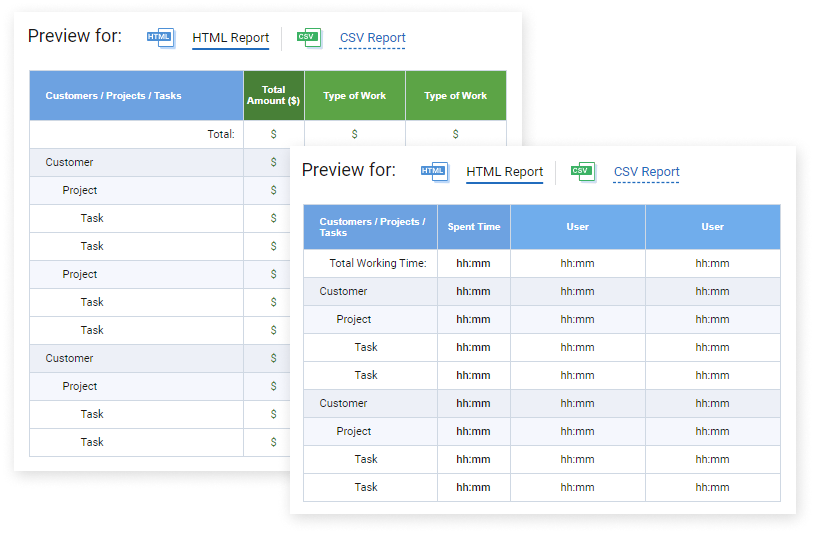
Project report templates in actiTIME
What to do when projects are due at the same time
Sooner or later, two deadlines land in the same week. When that happens:
-
Check whether both dates are real.
Ask each client or sponsor what happens if the date moves by a week. Often one deadline is fixed by an external event and the other is a preference.
-
Use your project ranking.
The higher ranked project gets first claim on shared people. That is the reason to agree on the ranking in advance.
-
Cut scope before you cut quality.
Ask whether part of the lower ranked deliverable can ship later, so the core arrives on time.
-
Tell people early.
If one date has to move, tell that client now, with a new date you can keep, rather than on the deadline.
Common mistakes when juggling projects
- Planning each project as if the team worked only on it
- Letting priority be set by whoever asks most often
- Starting a new project before the busiest phase of the current one ends
- Keeping project information in a different tool for every client
- Reviewing projects only when something has already gone wrong
- Holding on to every decision instead of delegating
If a project is already slipping, our guide on what to do if a project goes wrong walks through recovery.
Managing multiple projects in actiTIME
actiTIME keeps all your projects in one account, organized as customers, projects and tasks. Work assignments control who sees which projects, and every task can have an estimate, a deadline, a priority and a workflow status. Your team logs hours against those tasks, which is what makes the capacity check and the weekly review in this guide possible.
- The Time-Track report groups hours by customer, project or user, so you can see how each person’s time splits across projects.
- The Estimated vs. Actual Time report shows which tasks and projects run over their estimates.
- The Time Balance and Overtime report compares hours worked with each person’s schedule, which shows who is overloaded.
- Time, cost and billing budgets can be set for each customer, project or task, with a progress bar that turns red when a budget is exceeded.
- The Kanban board shows tasks by status, which helps you spot bottlenecks in each project.
For more on following progress across several projects, see our guide on how to keep track of multiple projects, or browse the full list of actiTIME features.
Manage multiple projects successfully
Managing several projects at once is possible when your expectations match your team’s real hours. Keep every project in one place, decide in advance which one wins a conflict, check capacity before committing to dates, and look at all of them together every week. That way you can stay flexible and change the plan before a deadline is at risk.
Start a free 30-day trial of actiTIME to see all your projects, hours and estimates in one place, or book a demo if you want a walkthrough.
FAQ
How do you manage multiple projects at the same time?
Keep all projects in one system, rank them against each other, compare the estimated hours of all projects with the hours your team has, stagger start dates, give each project its own focus time, delegate, and review every project together once a week.
How do you manage multiple projects that are due at the same time?
Confirm which deadlines are truly fixed, give shared people to the higher ranked project first, reduce the scope of the lower ranked deliverable rather than its quality, and tell the affected client early if a date has to move.
How many projects can one project manager handle?
It depends on project size and complexity, and on how much support the manager has. In a 2024 survey of 570 project managers by Rebel’s Guide to Project Management, most were leading two to five projects at once. A better test than any number is whether you can still review every project every week.
What is the 80/20 rule for project managers?
The 80/20 rule, or Pareto principle, is the observation that a small share of causes often produces most of the results. For a project manager juggling several projects, it means finding the few tasks and decisions that move each project most and protecting time for those first. Treat it as a rule of thumb, not an exact ratio.
How often should you review multiple projects?
Once a week works for most teams: look at upcoming milestones, tasks that used more hours than estimated, and next week’s workload across all projects. Projects that are recovering from a slip may need a shorter cycle until they are stable. Our guide on managing and tracking multiple projects covers tracking in detail.
What is the difference between multiple project management and portfolio management?
Multiple project management is about delivering several running projects that share people and deadlines. Portfolio management is about choosing which projects to start, fund or stop so that they serve the organization’s strategy. A project manager usually does the first; leadership or a project management office does the second.
What tool should you use to manage multiple projects?
Pick a tool that keeps all projects in one place, shows tasks with owners and deadlines, and records the hours people actually spend, so you can compare them with estimates. actiTIME combines time tracking with tasks, estimates, budgets and reports across projects.