A release is slipping, the client is asking for two more features, and someone suggests moving three developers over from another team. On paper that adds 120 hours a week. In practice the first two weeks go to onboarding, code review load doubles, and the release slips further. Resource management in software engineering is how you avoid that trap. It means planning, allocating and protecting engineering capacity (the people and skills, their real available hours, environments and tools, and budget) across the whole software life cycle, including the maintenance work that never stops.
This guide covers what makes software different from other projects, how to calculate a team’s real capacity, what each phase of development needs, how agile teams plan resources, and which mistakes cost the most. If you are looking for the general definition and the standard process that applies to any industry, start with our guide to resource management.
- What is resource management in software engineering?
- Why software projects are harder to resource
- Define your project’s constraint first
- How to calculate a development team’s real capacity
- Resource needs across the software development life cycle
- How to manage resources in software projects: six steps
- Resource management in agile software teams
- Common mistakes in software resource management
- Tools and data that make it work
- FAQ
What is resource management in software engineering?
Resource management in software engineering is the practice of matching developers, testers, designers and other specialists, along with their time, tools and budget, to the work in a software project or product so that releases ship on schedule without overloading the team.
The resources are the same as in any project: people, time, money and equipment. What changes is the balance. In most software teams people and their hours are the main cost and the main constraint, while equipment means things like cloud environments, test devices and licenses. The management approaches also differ, because the work is knowledge work that is hard to estimate and hard to split between people.

Why software projects are harder to resource
Several features of software work break the assumptions behind generic resource plans.
People are not interchangeable
A backend developer who knows the payment service and one who has never seen it are not the same resource, even with the same job title. Knowledge of a specific codebase, domain and architecture takes weeks or months to build. Plan by skill and system knowledge, not by role count.
Adding people late slows you down
Fred Brooks described this in The Mythical Man-Month (1975), based on his experience managing IBM’s OS/360 project. His summary, now called Brooks’s law, is that “adding manpower to a late software project makes it later.” New people need ramp up time, existing people lose time training them, and the number of communication paths grows with every person added. Brooks himself called the law an oversimplification, but the direction holds: extra people help most when added early, to work that can be split cleanly.
Maintenance never ends
Most projects end at delivery. Software moves into maintenance: bug fixes, security updates, dependency upgrades, support escalations and small feature requests. That work competes with new development for the same people, so a resource plan that only lists project tasks overstates available capacity from the first week.
Estimates are uncertain
Development tasks often contain unknowns that only appear once someone starts coding. Teams handle this with ranges, relative estimates such as story points, and by comparing estimates with tracked actuals so the next estimate is better calibrated.
Define your project’s constraint first
Every software project balances three constraints: time (the release date), cost (team size, contractor spend) and scope (features and quality). You cannot fix all three. Before allocating anyone, agree with the client or product owner which one is fixed, because that decides how you respond when things change.

Take a client who asks for three extra features after development has started. If the date is fixed, you either cut other scope or add capacity, and Brooks’s law says added capacity late in the project is expensive and slow to pay off. A contractor who already knows the stack, or moving an internal developer who has worked on this codebase, is usually safer than a new hire. If the budget is fixed, the realistic answer is to move the date or swap features. Making the constraint explicit turns a vague “can we fit this in” into a decision with known trade offs.
How to calculate a development team’s real capacity
Capacity is the number of hours a team can actually spend on planned development in a period. It is always lower than headcount times working hours. Start with the nominal hours and subtract everything that is not planned development work:
The numbers above are an example; your own deductions come from your calendar and your time data. The point is the method. Teams that plan sprints or releases against 400 hours here will miss the plan every time, and then look for the cause in estimation or effort when it was really the capacity assumption. Once you track time by type of work (new features, bugs, support, meetings), you can replace guesses for each deduction with your team’s real averages.
Resource needs across the software development life cycle
The software development life cycle (SDLC) moves from requirements to design, build, testing, deployment and maintenance. Each phase leans on different skills, which is why the same team size can be too small in one month and underused in the next.
| Phase | Main resources | Typical resourcing risk |
|---|---|---|
| Requirements and planning | Product owner, business analyst, tech lead | Client or stakeholder time is not booked, so decisions wait |
| Design and architecture | Architect, senior developers, UX designer | Senior people are shared with live projects |
| Development | Developers by stack, code reviewers, environments | One specialist becomes the bottleneck for a whole component |
| Testing | QA engineers, test devices, test data | Testing is squeezed when development runs late |
| Deployment | DevOps, release manager, infrastructure | Release windows clash with other teams |
| Maintenance | Developers on rotation, support engineers | Unplanned work eats into new development |
How to manage resources in software projects: six steps
A useful backbone is the six resource management processes in PMI’s PMBOK Guide Sixth Edition. The newest edition (the Eighth, published in November 2025) groups the same ground under a “Resources” performance domain, but the six steps are still a practical checklist. Here is how each one looks on a software project.
Step 1: Plan resource management
Decide how you will estimate, acquire, assign and release people and tools. Identify scarce skills early, and whether you will fill them internally or with contractors. Remember that other projects and the live product compete for the same developers, which affects project costs, schedule and risk.
Step 2: Estimate activity resources
Estimate the effort per skill for each feature or epic, plus environments, devices and licenses. Expect to come back to this step: scope changes during development, and every change needs a fresh estimate. Comparing estimates with tracked time is the fastest way to make estimates more accurate.
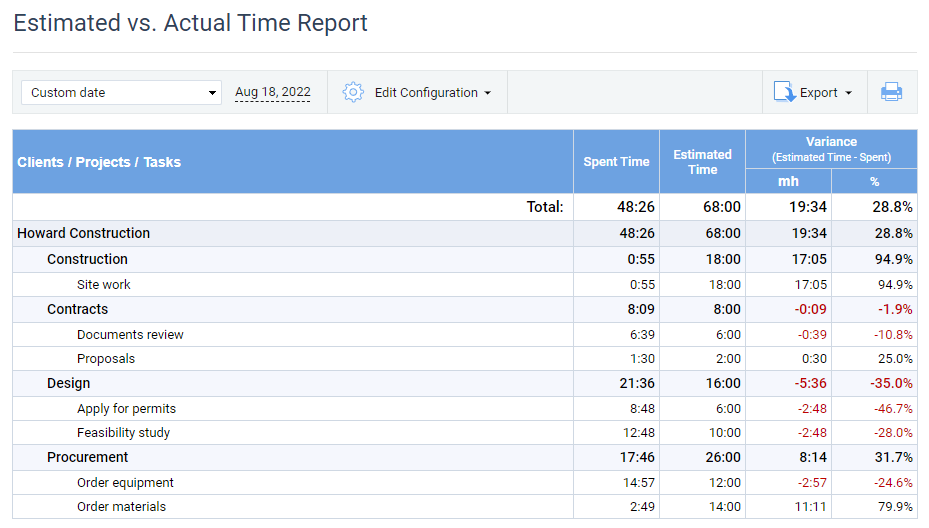
Estimated vs. Actual Time Report in actiTIME, showing the variance between estimated and tracked time
Step 3: Acquire resources
Secure the people, environments and services the plan needs. When choosing people, check availability for the whole period, cost against the budget, and capability. For team members, also weigh experience with this codebase or domain, communication and teamwork, and practical factors such as time zone overlap for distributed teams.
Step 4: Develop the team
Help people become effective together: onboarding to the codebase, pairing, clear roles, and quick feedback. A common model for how teams mature is Bruce Tuckman’s: forming, storming, norming and performing, from his 1965 paper in Psychological Bulletin, with a fifth stage, adjourning, added by Tuckman and Mary Ann Jensen in 1977. New teams usually need several sprints before velocity stabilizes, which is worth building into the first release plan.
Step 5: Manage the team
Track performance, remove blockers, resolve conflicts and handle changes in the team. Base decisions on data: planned versus actual hours, the share of time going to bugs and support, and trends over several sprints. Our article on team management with actiTIME shows how to set this up.
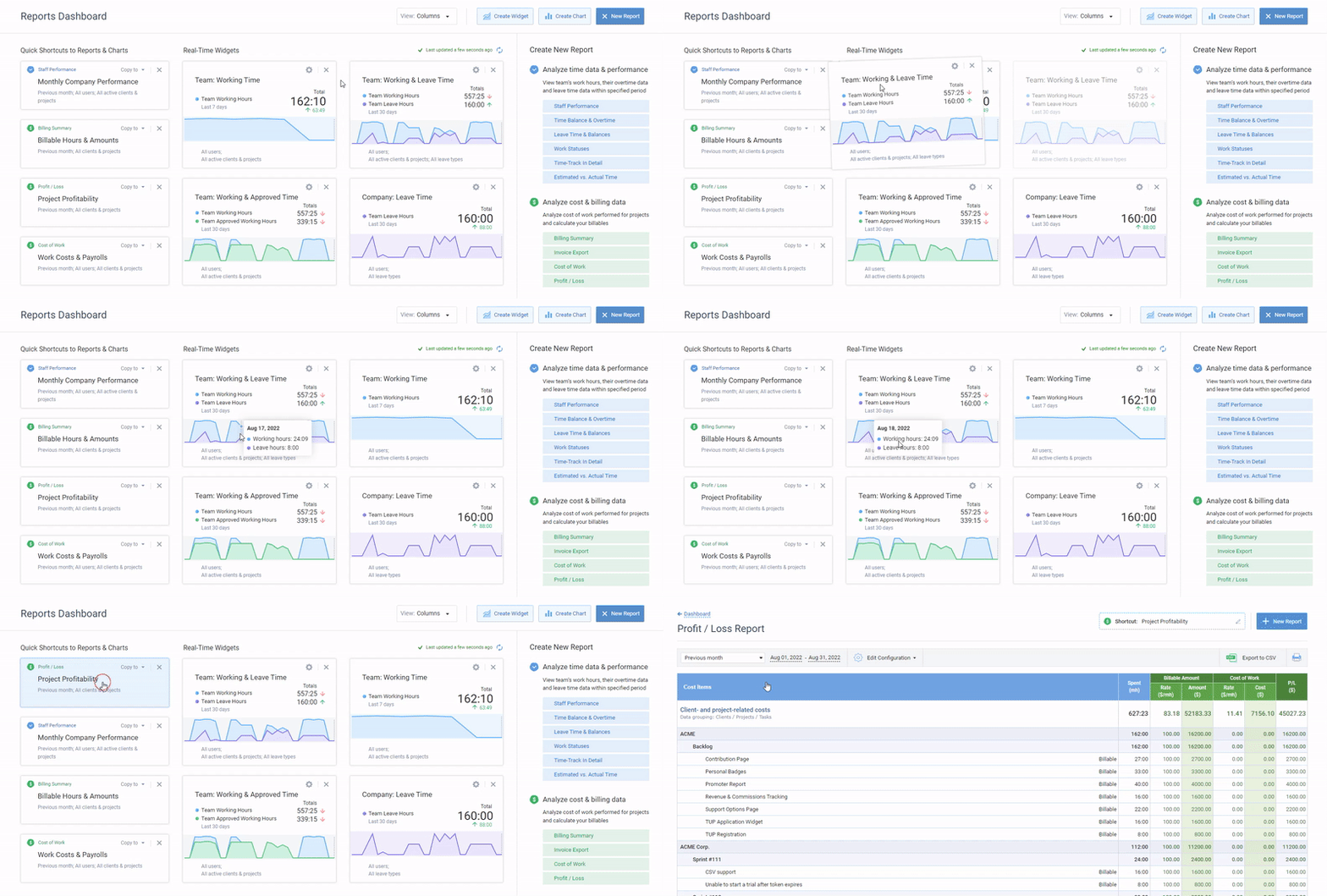
Reports dashboard in actiTIME with real time data widgets and report shortcuts
Step 6: Control resources
Check continuously that people and physical resources (environments, devices, licenses) are available as planned, compare planned and actual use, and correct course. In PMBOK terms this step covers physical resources, while people are handled in step 5; in a software team the two are usually reviewed together at sprint or release planning.
Resource management in agile software teams
Agile teams keep the team stable and move the work, rather than moving people between projects. Resource management then happens at two levels. Inside the team, each sprint is planned against the team’s capacity for that sprint (leave, holidays and support rotation included) and its recent velocity. Across teams, managers decide which team takes which epic and where an extra person or contractor will help most.
Many teams do this in Jira. Atlassian’s documentation says capacity planning in Jira Plans is available only on Jira Cloud Premium or Enterprise, needs estimates in story points or time, and works by linking teams in the plan to their boards. If you want hours spent per issue alongside that, you can track time in Jira with actiTIME.
Common mistakes in software resource management
- Planning at 100% allocation. With no slack for reviews, incidents or illness, the first surprise delays everything.
- Ignoring maintenance. Bugs and support take time every week; if the plan does not show them, new work gets squeezed.
- Adding people to a late project instead of cutting or deferring scope.
- One person who knows a critical system. If they are away, the work stops. Pair and document to spread the knowledge.
- Splitting developers across many projects. Each switch costs focus, and the time lost never appears in the plan.
- Not tracking where time goes. Without actual hours by type of work, capacity deductions and estimates stay guesses.
Tools and data that make it work
Most software teams already have an issue tracker and a release plan. What is often missing is reliable data on where engineering hours actually go. actiTIME fills that gap: developers log time against tasks in a weekly timesheet, a calendar view, the mobile app or the Chrome extension, and managers see estimated versus actual hours, time and cost budgets, and the Cost of Work per person. Types of work let you separate new development from bugs and support, which is the split you need for the capacity formula above.
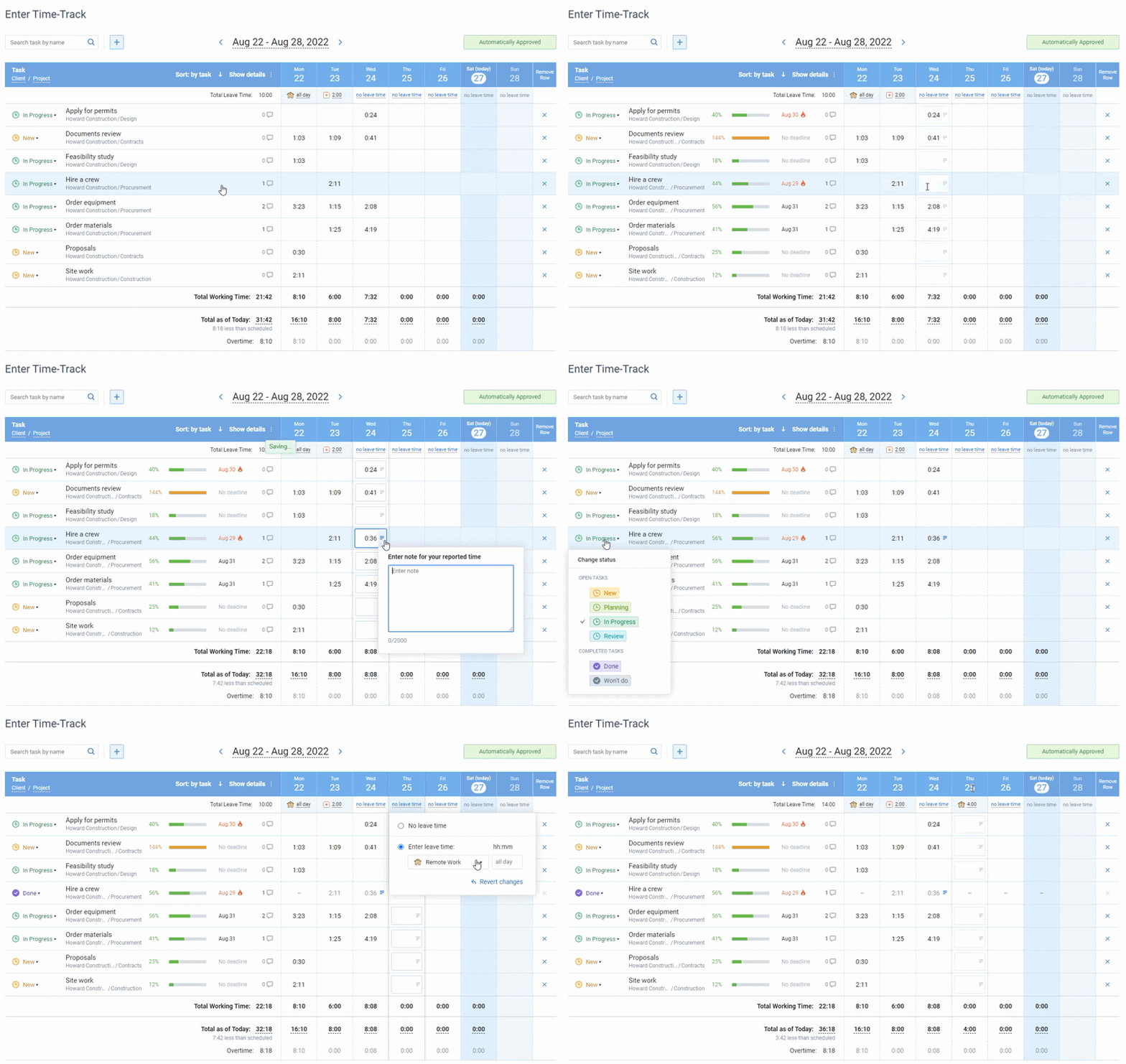
Online timesheet in actiTIME, where each user chooses which task details to show
Leave lives in the same place: people log it in the timesheet, and PTO and sick day balances update with accrual rules you define, so planned absences show up when you calculate sprint capacity. For IT teams, see how actiTIME supports IT operations managers and developer time tracking.

FAQ
What is resource management in software engineering?
It is the planning, allocation and monitoring of the people, skills, time, tools and budget a software project needs, across development and ongoing maintenance, so releases ship on time without overloading the team.
How do you calculate a development team’s capacity?
Multiply people by working days and hours per day, then subtract planned leave, holidays, meetings, and time reserved for support and bugs. The remainder is the capacity you can plan new work against. Use your own tracked time to set each deduction.
What is Brooks’s law?
It is Fred Brooks’s observation from The Mythical Man-Month (1975) that adding people to a late software project makes it later, because new people need time to ramp up and add communication overhead. It argues for staffing early and cutting scope late.
Can Jira be used for resource management?
Partly. Jira tracks issues and estimates, and its Plans feature on Jira Cloud Premium or Enterprise can show team capacity on the timeline. For hours actually spent, cost and leave, teams often connect a time tracker; actiTIME offers Jira time tracking for this.
What are the three types of resource management?
A common grouping is human, financial and physical resources. In software, human resources dominate: developers, testers, designers and their available hours. Our general resource management guide covers all types in detail.
How is resource management different in agile teams?
Agile teams keep teams stable and bring work to them. Capacity is planned per sprint, using availability and recent velocity, and cross team decisions are about which team takes which work rather than which individual moves where.
What metrics show whether software resource management works?
Useful ones are estimated versus actual hours per feature, the share of time spent on unplanned work, capacity versus committed work per sprint, and how often individuals are overbooked. Watch trends over several sprints rather than single values.
Plan against the hours you really have
Software resource plans fail when they assume full time availability for new work. Measure where engineering time actually goes, plan against that, and decide early whether to add people or cut scope.
Start a free 30-day trial of actiTIME, or book a demo if you want a walkthrough.