Time tracking software helps small businesses see where work hours actually go, keep payroll accurate, and bill clients without friction or micromanagement. The right tool depends on how your team works, not on which brand shouts loudest.
This guide covers the best time tracking software for small business in 2026, from the popular names most teams recognize to a few underrated tools worth a closer look. Each entry explains what a tool does best and who it fits, so you can match a solution to your workflow rather than settle for a generic one size fits all option.
Rather watch than read? This video matches five time tracking tools to five kinds of small businesses, from freelancers billing clients to field crews on job sites.
How to Read This List of Time Tracking Software
Each tool in this collection is included for one clear reason. Instead of listing features in bulk, we highlight the single capability that makes each product especially valuable for a small business.
Use the table below as a quick overview. Then, scroll down to see details, key features, and the best use case for each tool.
Free Time Tracking Software for Small Businesses
1. actiTIME
Key features:
- Weekly timesheets
- Calendar view
- Mobile app
- Automated browser extension
- Timesheet lock and approval
- Billable time tracking
- Notifications
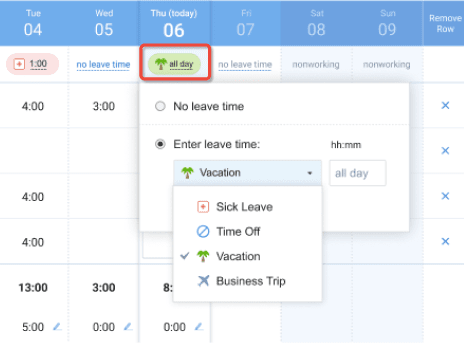
- Leave tracking
- Overtime tracking
- Reports
Why it’s a gem: actiTIME combines flexible time tracking with approvals and detailed reporting in a way that works for small businesses today and still scales as the team grows.
For small teams that need more than simple clock in and clock out but are not ready for complex enterprise systems, actiTIME provides a balanced solution. It helps business owners and managers understand where time goes, control labor costs, and prepare data for payroll, invoicing, and project reviews.
actiTIME is especially well suited as time tracking software for small business teams that work on projects, bill clients, or need reliable reporting without sacrificing ease of use.
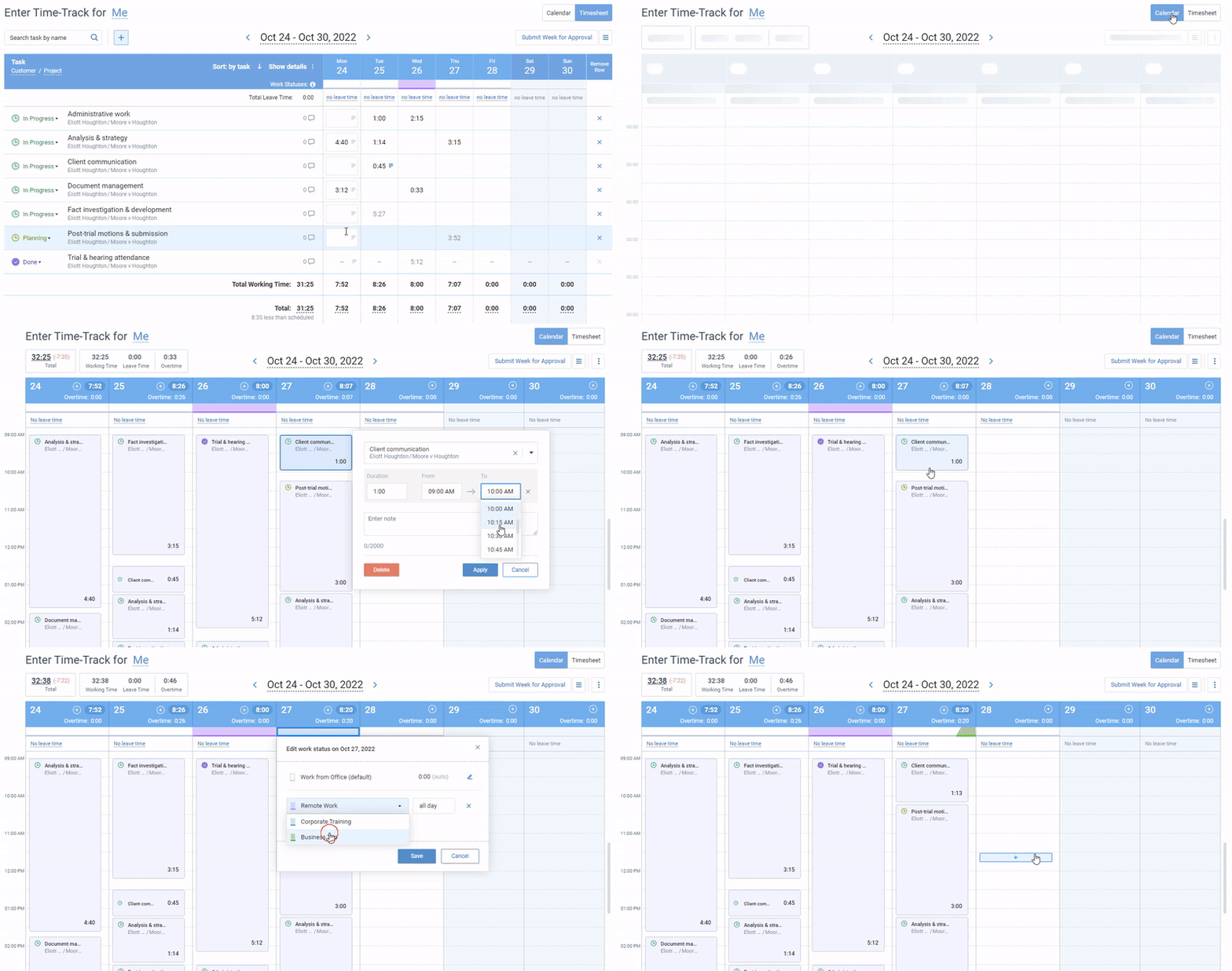
actiTIME offers a diversity of time tracking modes for each employee’s unique workflows:
- Traditional weekly timesheets for manual data logging at your own pace,
- The calendar view to record the exact time you started and finished working,
- The mobile app with convenient one-click timers,
- The fully automated activity tracker – with no manual inputs or Big Brother snooping.
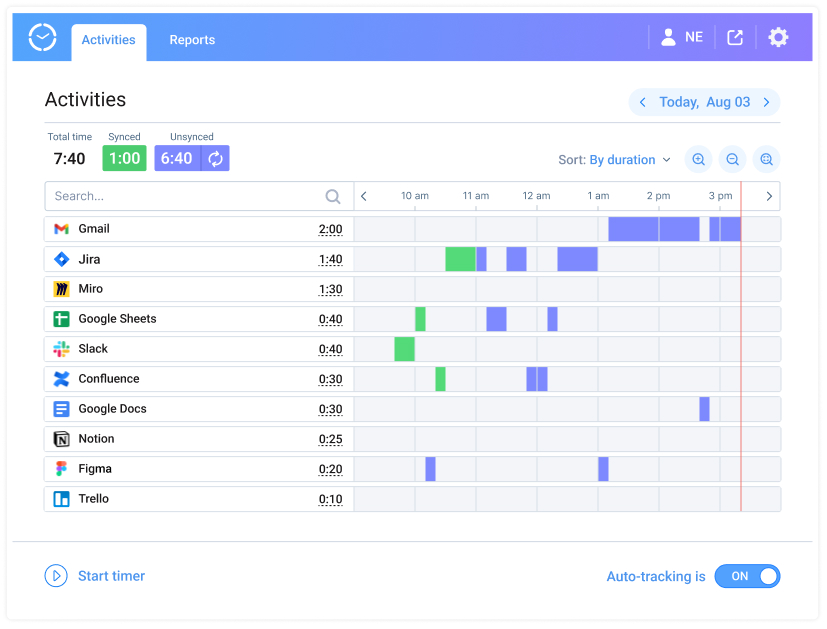
For managers, actiTIME offers a wide range of features to streamline their tasks:
- Timesheet locks prevent unauthorized changes in time entries and reduce the risk of time fraud.
- Timesheet approval is a breeze, with a no-hassle way to review employees’ records in bulk or individually.
- Automated overtime tracking lets you stay on top of every extra minute invested in work and comply with labor laws.
- Performance reports invite a deep dive into team and project performance and data-driven insights on a silver platter.
In addition to all the above, actiTIME seamlessly integrates with actiPLANS, flexible resource scheduling software.
This sibling solution brings in advanced leave and location tracking features with employee self-service, powerful automation, mobile access, and visual reports.
This integration fosters a holistic approach to time and workforce management, where tracking and planning are treated as interconnected gears that power the engine of productivity.
Capterra rating: 4.6 (150 reviews)
Best for:
Convenient and accurate project time tracking, client billing, and overtime control.
Pricing:
- Free 30-day trial.
- Free version with basic functionality for up to 3 users.
- Paid plans start at $5 per user/month.
2. Toggl Track
Key features:
- One-click timer
- Automatic background tracking
- 100+ integrations
- Customizable reports
- Billable rates
Why it’s a gem: Toggl Track keeps tracking friction low with a one click timer and clean reports, which makes it easy for small teams and freelancers to actually stick with it.
Toggl Track is one of the most widely used time trackers for a reason: it stays out of the way. A single click starts the timer, a background tracker flags time you forgot to log, and a browser extension connects it to more than 100 other tools. Reporting is clear and quick to read, so owners can see where hours go without digging.
Toggl focuses on tracking and reporting rather than billing or task management, so pair it with other tools if you need invoicing or approvals.
Best for:
Freelancers and small teams that want simple, low friction tracking with clean reports.
Pricing:
- Free for up to 5 users.
- Paid plans start at $9 per user/month (billed annually).
3. Clockify
Key features:
- Unlimited free users
- Timer and manual entry
- Automatic tracker
- Timesheets and approvals
- Reports and exports
Why it’s a gem: Clockify’s free plan supports an unlimited number of users, which makes it a natural fit for budget conscious small teams that need to add a lot of people without paying.
Clockify is popular precisely because the core timer is free no matter how many people use it. Employees can track time with a timer or manual entry, and managers get timesheets and reports out of the box. Paid tiers add billable rates, approvals, and more admin control as the business grows.
Its analytics are simpler than a dedicated project and cost tracking tool, so teams that need deep financial reporting may outgrow the free tier.
Best for:
Small teams that need free time tracking across many users.
Pricing:
- Free for unlimited users.
- Paid plans start at $3.99 per user/month (billed annually).
4. Harvest
Key features:
- Time tracking against projects
- Invoicing from tracked hours
- Expense tracking
- Budget and profitability reports
- Integrations
Why it’s a gem: Harvest ties time tracking directly to invoicing and expenses, so small teams that bill clients can track hours and get paid from one place.
Harvest pairs straightforward time tracking with invoicing, which makes it a favorite among agencies and consultants. You track hours against projects, turn those hours into invoices, and watch budgets in the same tool, so billing stays close to the work.
Larger operations that need layered approvals or granular permissions may find Harvest simple, but that simplicity is exactly what small client billing teams want.
Best for:
Agencies and consultants who bill clients and want invoicing built in.
Pricing:
- Free for one user and up to two projects.
- Paid plans start at around $11 per seat/month.
5. Desklog
Key features:
- Task timers
- Billable time tracking
- Attendance management
- Shift scheduling
Why it’s a gem: Desklog automatically captures time and activity data, making it a strong option for small businesses that struggle with manual time tracking adoption.
One of the biggest challenges for small teams is consistency. Desklog addresses this by focusing on automatic time tracking that records activity in the background, reducing the need for employees to remember to start or stop timers. This makes it easier for managers to get accurate data even when time tracking discipline is low.
Desklog provides visibility into applications used, activity levels, and work patterns, which can be helpful for small businesses that want clearer accountability without spending time chasing incomplete timesheets. At the same time, the tool keeps setup relatively simple compared to heavier monitoring solutions.
Desklog works best as time tracking software for small business teams that want automated data collection to support productivity analysis, reporting, and more reliable time records with minimal manual input.
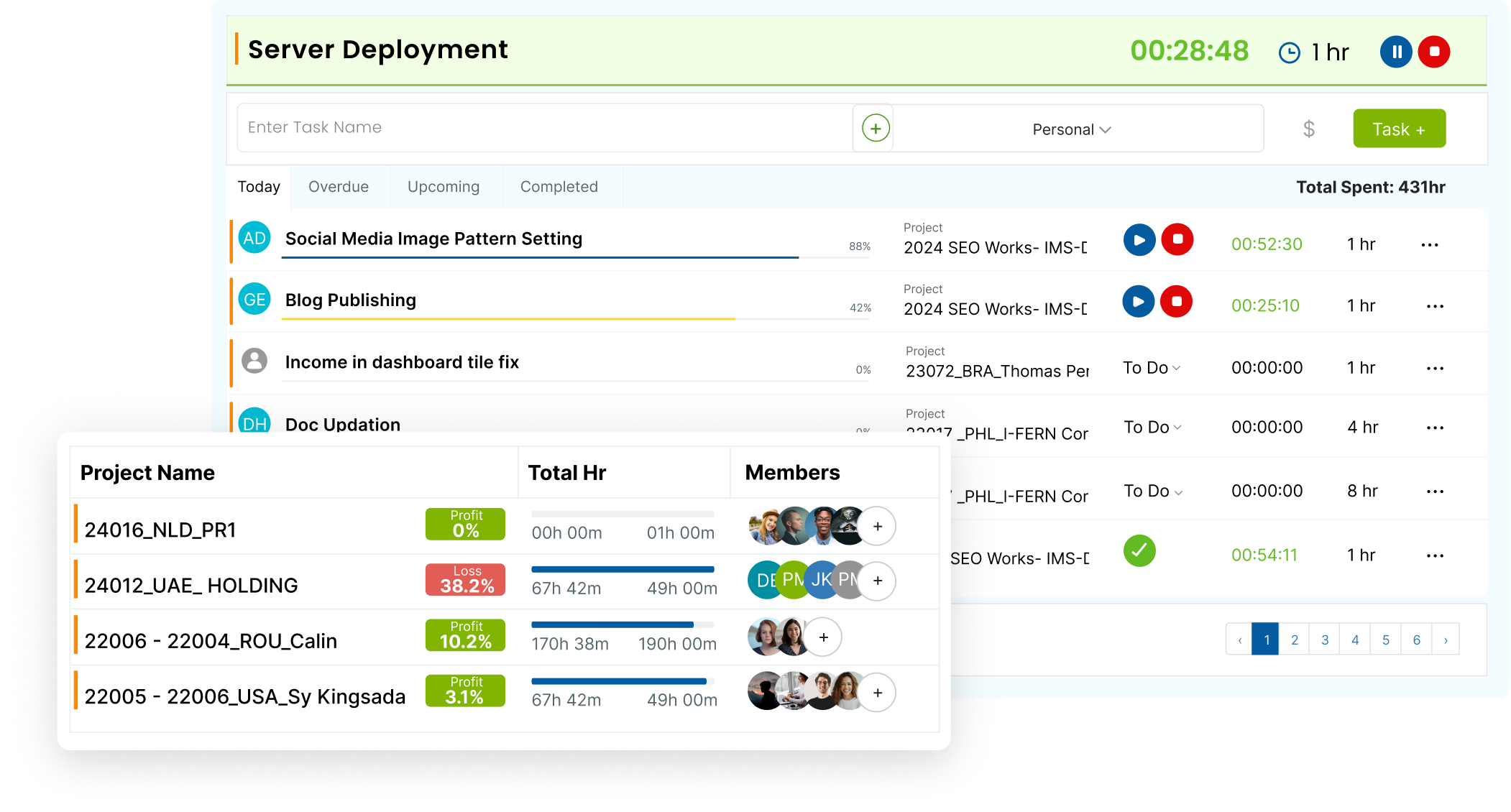
Desklog is a real boon for a vigilant manager. It helps to:
- Schedule projects and employee shifts,
- Monitor team progress and tasks in real time,
- Collect accurate data for client billing,
- And see how well your staff members are engaged in work.
Note that Desklog’s automated activity tracking is a double-edged sword. While it can provide valuable insights into an employee’s work processes, it also raises concerns about micromanagement and surveillance – at what point does the quest for productivity tip over into the intrusion of personal space, and are you ready to deal with consequences?
Capterra rating: 4.8 (14 reviews)
Best for:
Addressing punctuality, attendance, and performance issues in remote teams.
Pricing:
- Free 14-day trial.
- Free version with the primary timesheet management functionality.
- Paid plans start at $3.5 per user/month.
6. Homebase
Key features:
- Time clock and timesheets
- Employee scheduling
- Hiring and onboarding tools
- Team messaging
- Payroll integrations
Why it’s a gem: Homebase combines time tracking with scheduling and team management, making it a strong all-in-one solution for small businesses that want to streamline operations without juggling multiple tools.
One of the biggest advantages for small teams is simplicity. Homebase allows employees to clock in and out easily while giving managers clear visibility into hours worked, breaks, and overtime. This reduces administrative overhead and helps ensure compliance with labor laws.
Beyond time tracking, Homebase stands out by integrating scheduling, hiring, and communication into one platform. Managers can build schedules, notify employees instantly, and even manage job postings and applicants—all without switching systems. This makes it particularly useful for businesses with hourly workers, such as retail or hospitality teams.
Homebase provides real-time insights into labor costs and team performance, helping small business owners make smarter staffing decisions. The platform is especially valuable for teams that need both timekeeping and workforce coordination in one place.
Homebase works best as timekeeping software for small businesses that want an easy-to-use, centralized tool for managing employees, tracking hours, and improving overall team organization.
Homebase, timekeeping software for small businesses
Homebase is a practical solution for busy managers. It helps to:
- Create and manage employee schedules efficiently,
- Track hours, breaks, and overtime accurately,
- Simplify hiring and onboarding processes,
- And communicate with team members in real time.
Note that while Homebase offers a wide range of features, some advanced capabilities (like payroll and deeper reporting) are only available in higher-tier plans. Small teams should evaluate whether they need the full suite or just the core time tracking functionality.
Capterra rating: 4.6 (1,000+ reviews)
Best for:
Project budget management and cost tracking. Small businesses with hourly employees that need integrated scheduling, time tracking, and team communication.
Pricing:
- Free plan with limited features for up to 3 users.
- Starting from $10 per user/month.
7. FunctionFox
Key features:
- Stopwatch
- Estimate tracking
- Project scheduling
- To-do lists
Why it’s a gem: FunctionFox focuses on clear project scheduling and estimate tracking, making it especially useful for small service businesses that need visibility into planned versus actual time.
FunctionFox positions itself as a simple-to-use project management software. It’s clear-cut with a focus on hour tracking, work scheduling, and progress monitoring.
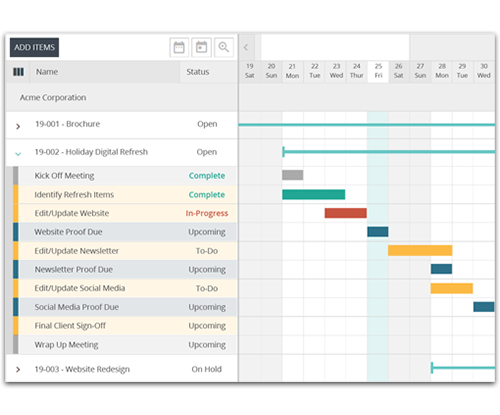
With FunctionFox, timekeeping isn’t just employees’ responsibility but a measure of project costs. Alongside the expenses you’ve already incurred in a project, it lets you track those looming in the future.
Coupled with detailed reports, the estimate management feature helps to set realistic budget and time expectations for both your team and your clients.
Capterra rating: 4.6 (194 reviews)
Best for:
Project budget management and cost tracking.
Pricing:
- Free plan with limited features for up to 3 users.
- Starting from $10 per user/month.
8. Paymo
Key features:
- Task calendar
- Pomodoro timer
- Automated time tracking
- Invoicing
Why it’s a gem: Paymo stands out for combining automatic time tracking with employee controlled review and edits, which helps small businesses keep accurate data without making teams feel overmonitored.
Paymo offers an efficient way to track employee time, manage project budgets, and invoice clients. But what truly sets it apart from other similar platforms is its focus on the people behind the numbers.
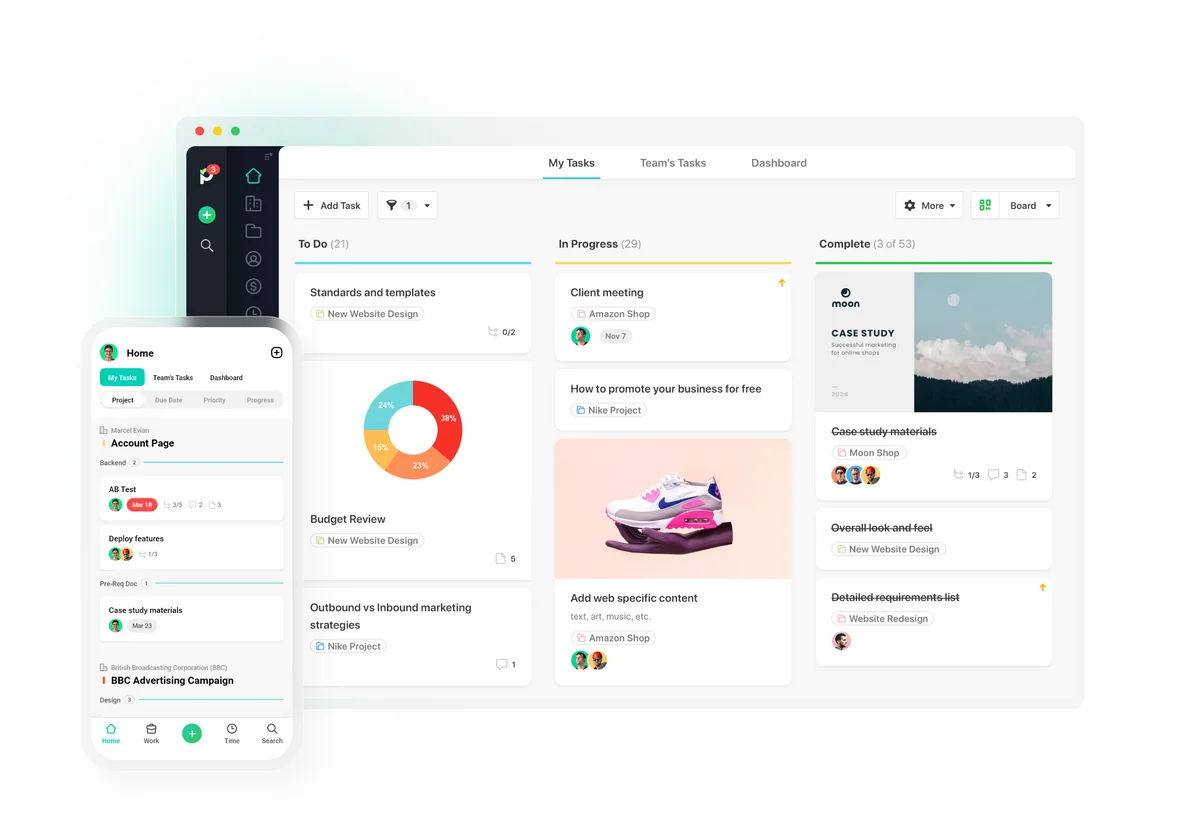
Paymo features fully automatic time tracking that keeps precise productivity logs without the intrusion or bias of manual time entries. However, unlike some invasive employee monitoring solutions, it gives the reins of control back to your employees, allowing them to accept or edit the tracked time and decide what to include in their final timesheet.
Capterra rating: 4.7 (667 reviews)
Best for:
Accurate client billing, streamlined invoicing, and easy online payments.
Pricing:
- Free 15-day trial.
- Free version with time tracking and invoicing functionality.
- Paid plans start at $5.9 per user/month.
9. Trackabi
Key features:
- Desktop timers
- Activity monitoring
- Leave planning
- Productivity statistics
Why it’s a gem: Trackabi offers strong support for remote and mobile teams, including GPS based tracking options, which makes it a good fit for small businesses with work happening outside the office.
Trackabi allows employees to log their hours through manual input or fully automated features. It can capture periodic screenshots of employees’ work and includes leave planning tools to streamline the often-tedious task of absence management.
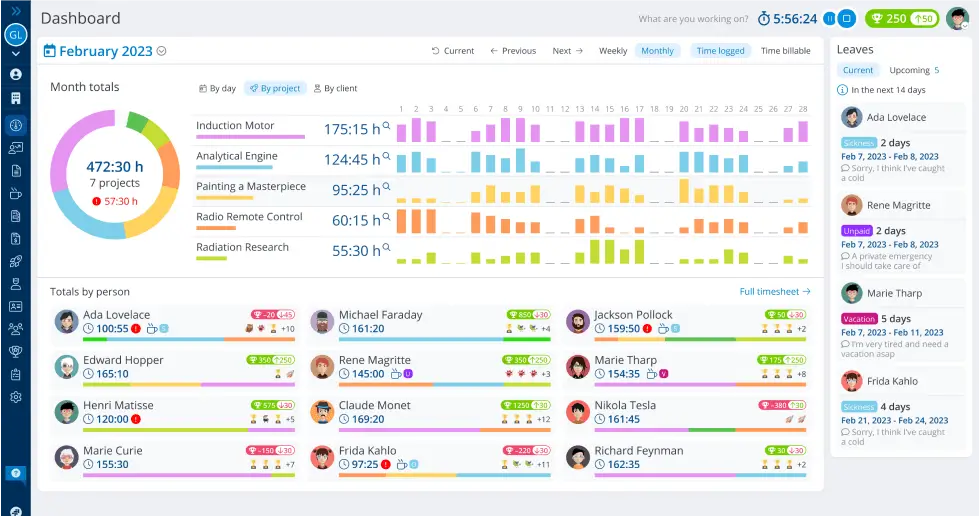
Trackabi’s GPS and activity tracking features help to account for mobile or remote employees. They make it much easier to bill clients accurately even if your team members are constantly moving around and don’t have a spare minute to fill out timesheets manually.
On the other hand, these features can easily foster an overbearing work culture that encroaches on the sanctity of employees’ downtime or promotes anxiety and unease.
All in all, it’s hard to argue that fear is an effective motivator for anyone’s best work.
Capterra rating: 4.8 (80 reviews)
Best for:
Managing mobile workforce or underperforming and disengaged remote employees.
Pricing:
- Free 30-day trial.
- Free version for up to 5 users.
- Paid plans start at $3.2 per user/month.
10. YoCoBoard
Key features:
- Real-time attendance monitoring
- Time audits
- Reports
- Billable time tracking
Why it’s a gem: YoCoBoard keeps time tracking extremely simple, making it a good choice for small businesses that want quick clock in and clock out without complex setup or training.
YoCoBoard is a no-frills, entry-level time tracking software for small businesses.
With its help, employees can clock in and out automatically by entering or leaving the system and view colleagues’ availability in real time via the Clock-in View. Managers can approve employees’ time entries, run productivity reports, and generate invoices in just a few clicks.
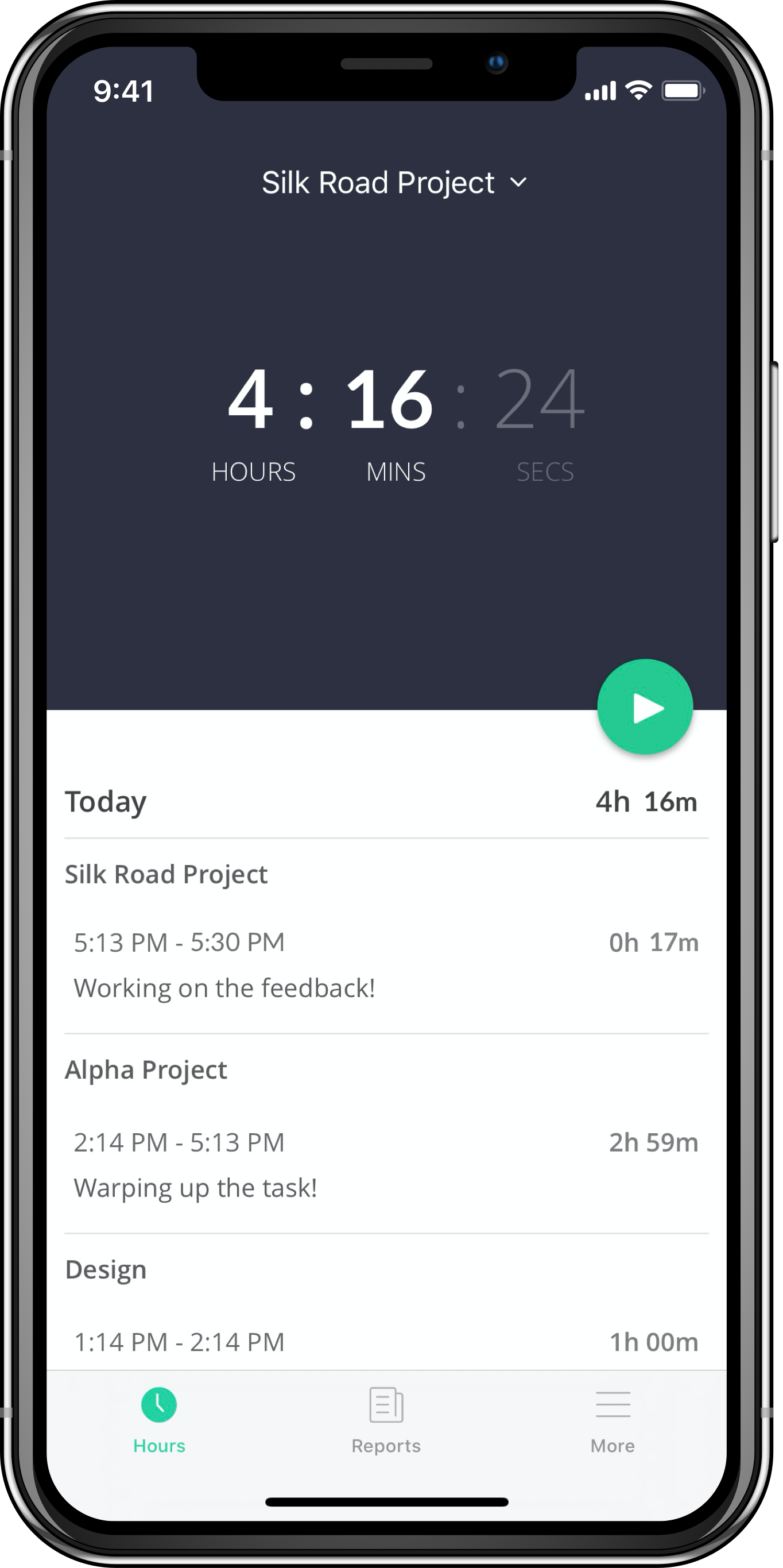
If simple timekeeping software is what you seek, YoCoBoard delivers. However, its no-nonsense approach doesn’t really anticipate the needs of a growing business.
Modern workplaces demand more than just one means to clock in and out. So, the perfect software should be robust, diverse, and flexible enough to accommodate the dynamic nature of work today. Yet, unfortunately, with competitors that offer a myriad of features and integrations, YoCoBoard might not keep pace.
Chrome Web Store rating: 4 (2 reviews)
Best for:
Small teams, looking for very simple timekeeping software.
Pricing:
- Free 30-day trial.
- Free version for up to 10 users.
- Paid plans start at $5 per user/month.
11. YouTrack
Key features:
- Project timesheets
- Estimates
- Time reports
- Burndown chart
Why it’s a gem: YouTrack integrates time tracking directly into issue and task workflows, which makes it especially valuable for small development teams that already work in an agile or ticket based environment.
YouTrack is a sleek project management solution with agile principles encoded in its very DNA. It features customizable workflows and provides a convenient collaborative environment that keeps every team member in sync.
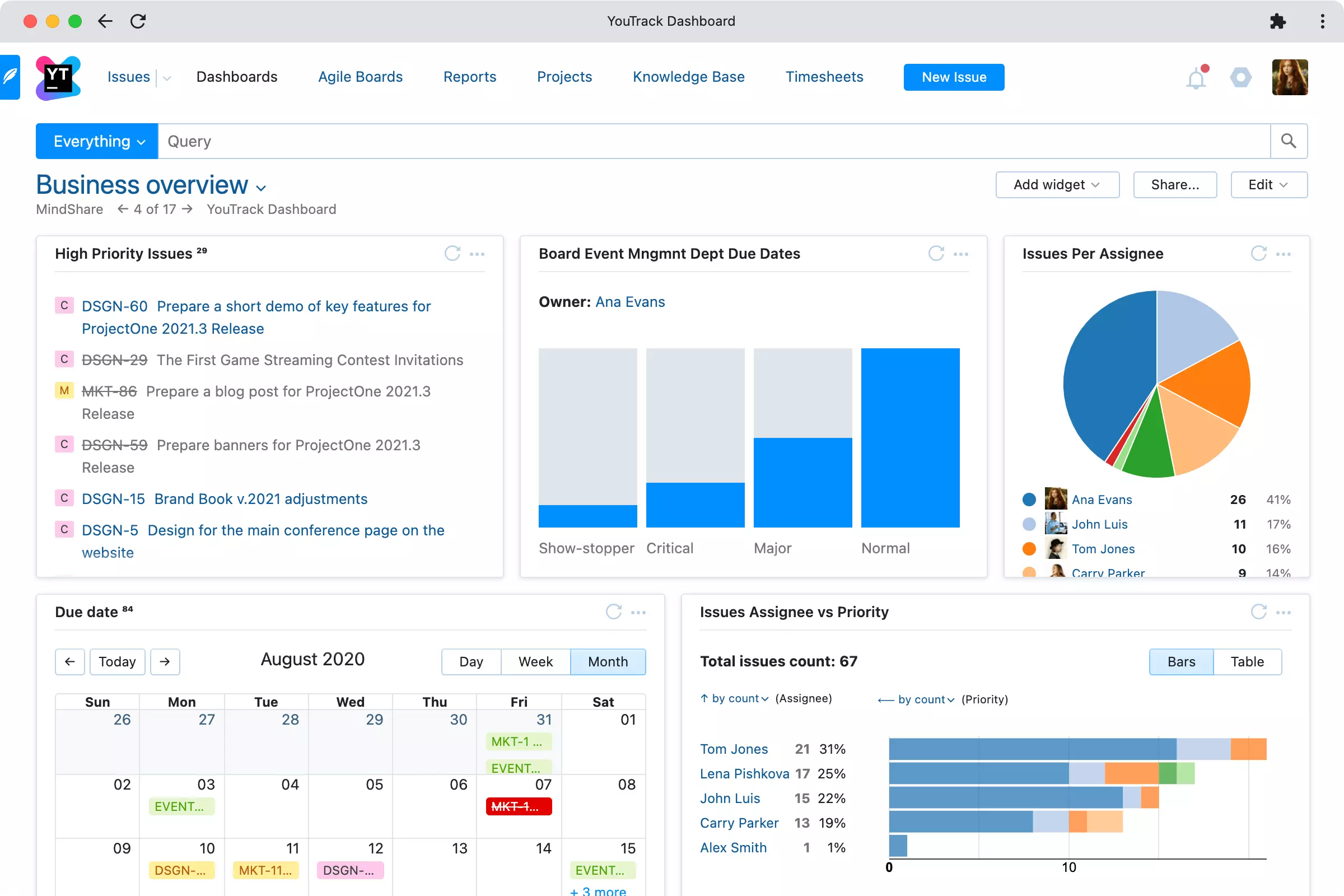
YouTrack offers a good set of timekeeping features:
- Manual time entries give employees full control over their progress tracking process and data.
- Integrations with popular hour tracking platforms allow you to automate timekeeping and make sure every moment of work is preserved across platforms.
- Project timesheets give a comprehensive overview of employees’ time entries and offer insights into how the time is allocated across tasks.
- Time reports and burndown charts reveal the ebb and flow of time within projects, illuminate performance trends, and help to compare your initial time estimates with actual results.
Capterra rating: 4.4 (68 reviews)
Best for:
Agile project management and progress tracking in software development teams.
Pricing:
- Free version with full functionality for 10 users.
- Paid plans start at $3.67 per user/month.
Paid Time Tracking Software for Small Businesses
1. QuickBooks Time
Key features:
- Mobile time clock
- GPS tracking
- Employee scheduling
- Time kiosk
- PTO management
- QuickBooks payroll and invoicing sync
Why it’s a gem: QuickBooks Time feeds tracked hours straight into QuickBooks payroll and invoicing, which is ideal for small businesses already in the QuickBooks ecosystem.
QuickBooks Time, formerly TSheets, is Intuit’s time tracking product. Employees clock in from a mobile app, a shared kiosk, or the web, and managers get scheduling, PTO management, and approvals. Its biggest advantage is the direct link to QuickBooks, so hours flow into payroll and client invoices without manual re-entry.
If you do not use QuickBooks for accounting or payroll, a standalone tracker will usually give you more flexibility for less money.
Best for:
Small businesses that run payroll or accounting in QuickBooks and want tracking built into that workflow.
Pricing:
- No free plan (30-day free trial).
- Time Premium: $20/month plus $10 per user/month.
- Time Elite: $40/month plus $12 per user/month.
2. Atto
Key features:
- Time clock
- GPS tracking
- Break notifications
- Time off management
Why it’s a gem: Atto is built mobile first and includes GPS based tracking, making it a strong fit for small businesses with field teams, job sites, or employees working on the move.
Atto is simple time tracking software for small businesses. At its core is the mobile time clock feature that streamlines the process of hour tracking for a mobile workforce. It also offers GPS and mileage tracking that helps to see if your employees are at the right place at the right time and understand how efficient their routes are.
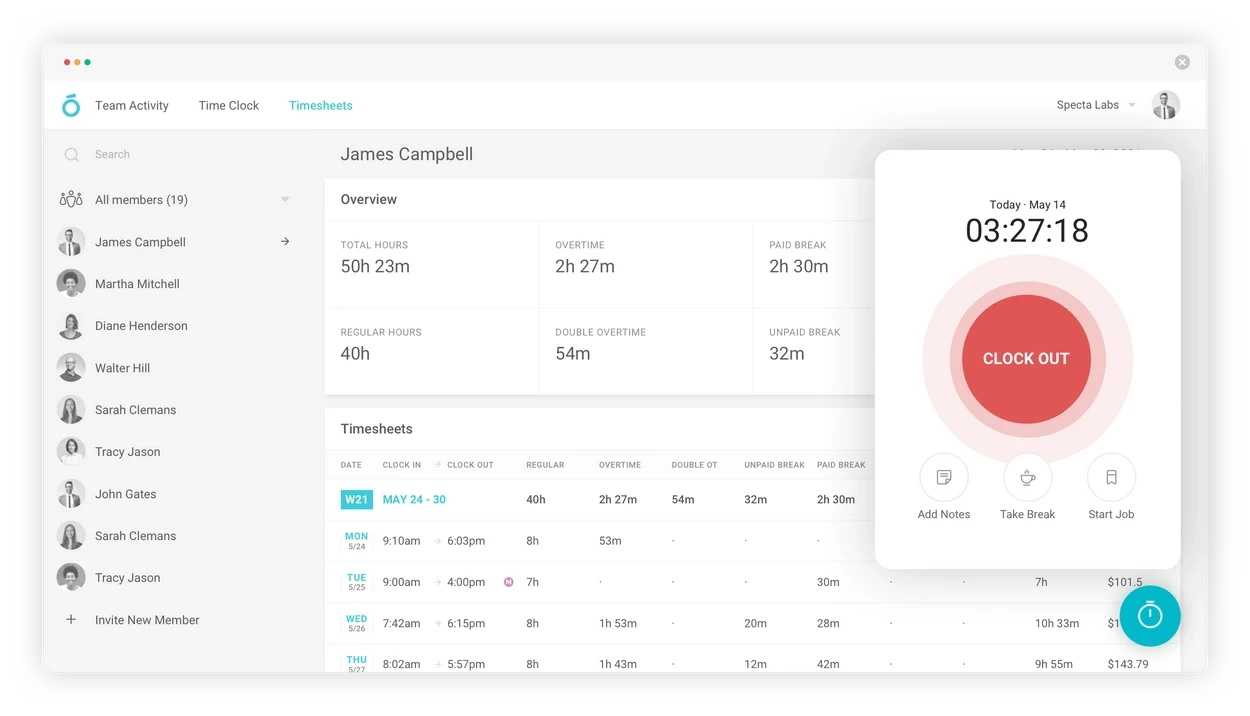
Like in the case of other automated activity tracking solutions on our list, Atto’s GPS and mileage tracking functionality can invoke a sense of invasion of privacy among employees (despite the tool’s intended purpose).
Additionally, overreliance on mobile technology might deter non-tech-savvy or older employees. However, as the world continues to evolve, such tools are rapidly becoming an integral part of businesses’ expected standard operating procedures, and Atto might be a good option for including in yours.
Capterra rating: 3.2 (5 reviews)
Best for:
Managing mobile workforce and construction crews.
Pricing:
- Free 14-day trial.
- Plans start at $6.95 per user/month.
3. Dovico
Key features:
- One-click timers
- Timesheet approval
- Reports
- Expense tracking
Why it’s a gem: Dovico focuses on low friction time entry with simple timers and timesheets, which makes it well suited for small businesses that want reliable tracking without a steep learning curve.
Dovico is the antithesis of complexity. There are no elaborate setups, no convoluted forms to fill out, and no cryptic jargon. The software simplifies time tracking so that it takes you no more cognitive bandwidth than checking an email.
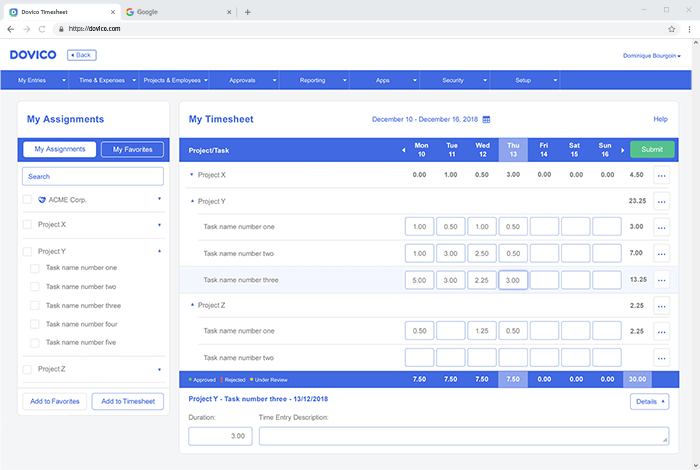
Dovico offers traditional timesheets for those who prefer to log their hours manually. And for those who crave automation-powered precision, one-click timers will do the thing.
Once timesheets are filled, managers can review and approve them to reduce the risk of errors in payroll and billing data. To analyze the use of time and money in greater depth, you can run various Dovico reports.
Capterra rating: 4.4 (68 reviews)
Best for:
Teams looking for a simple timekeeping software solution.
Pricing:
Starting from $9 per user/month.
4. Hour Timesheet
Key features:
- Mobile time tracking
- Overtime tracking
- Leave management
- Location tracking
Why it’s a gem: Hour Timesheet stands out for handling overtime, breaks, and compliance related tracking, making it a solid choice for small businesses that need cleaner payroll data and labor rule awareness.
Hour Timesheet is a guardian of compliance. Along with regular work hours, it helps to track employees’ overtime, lunch breaks, and time off. It also syncs diligently with popular accounting and payroll platforms, like QuickBooks and Paychex, thus saving much time and averting errors from your payroll processes and tax reports.
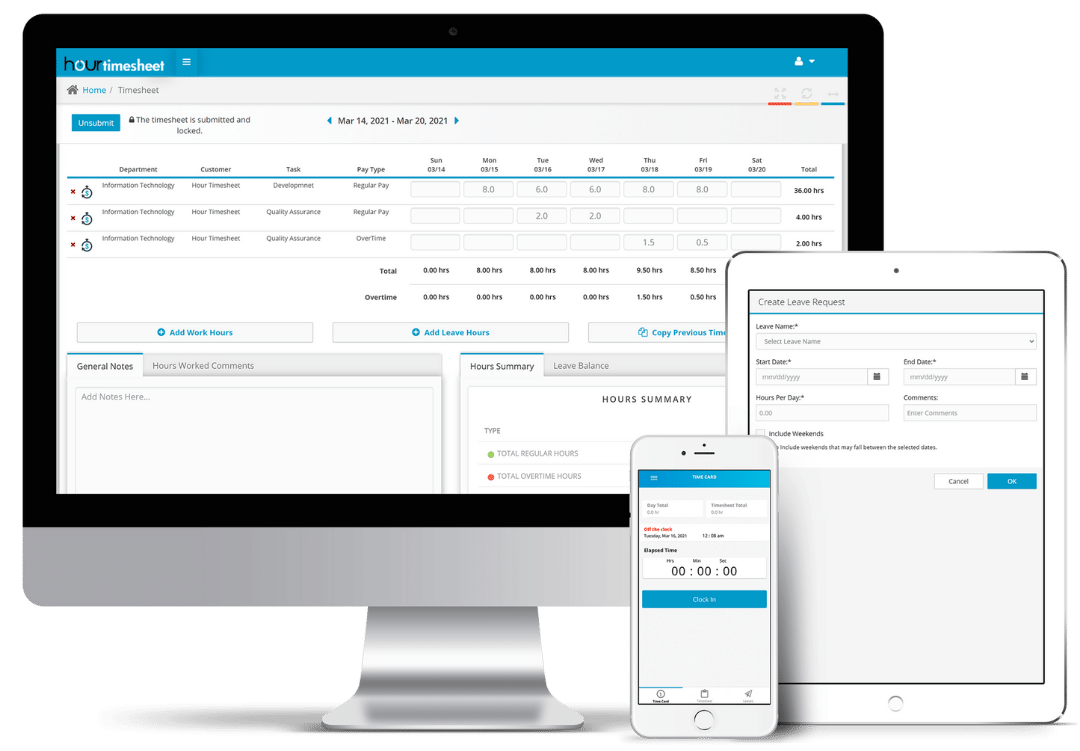
With location tracking, you can automatically tally who’s working where, leaving no room for dishonesty or time theft. And the mobile timers are pure gold for on-the-go productivity – just start and stop the clock with a tap on your smartphone to make every second count and ensure accurate billing.
Capterra rating: 4.1 (26 reviews)
Best for:
Managing attendance in remote teams and hourly mobile workforce.
Pricing:
- Free 30-day trial.
- $8 per user/month.
5. Justworks
Key features:
- HR management
- Payroll
- Time tracking
- Reports
Why it’s a gem: JustWorks connects time tracking directly with payroll and HR workflows, which makes it especially useful for small businesses that want an all in one system with minimal manual handoffs.
Justworks streamlines a diversity of HR tasks into a digestible, cloud-based platform. It’s a go-to solution for payroll, benefit management, and compliance – all neatly packaged into a straightforward interface.
Whether you’re on the go, switching between tasks in Slack, or sitting down to focus on your web browser, timekeeping is a breeze with Justworks. Once work hours are recorded, the software turns this data into detailed time reports that show how your resources are utilized and facilitate payroll.
Besides, Justworks integrates time tracking with its advanced HR suite, so that your transition to different aspects of work becomes smoother than silk. No more jumping between systems or wrestling with incompatible software – Justworks brings it all together to make life simpler for HR folks everywhere.
Capterra rating: 4.6 (720 reviews)
Best for:
Comprehensive HR and payroll management.
Pricing:
- $8 per user/month for the Payroll module (+$50 monthly base fee).
- Starting from $49 per user/month for PEO Basic.
- Starting from $89 per user/month for PEO Plus.
6. TimeTrak
Key features:
- Web timesheets
- Mobile time clock
- Break tracking
- Leave management
Why it’s a gem: TimeTrak automates break tracking and attendance records, which helps small businesses keep timesheets clean and payroll ready with minimal manual adjustments.
TimeTrak is a simple time tracking software with a straightforward dashboard that depicts employee work hours, break times, and days off.
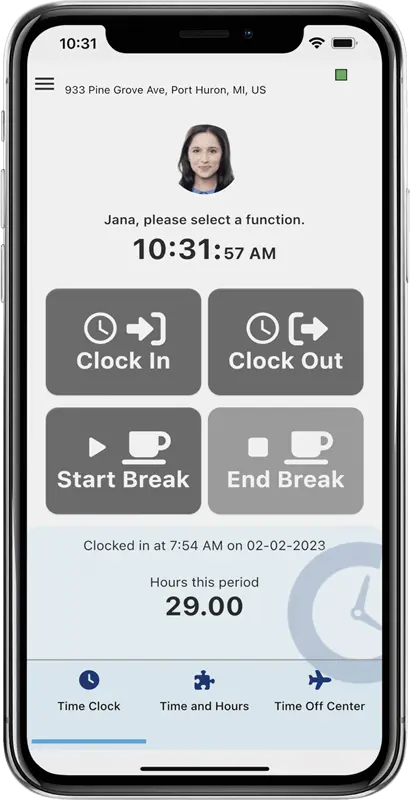
Your team can clock in and request time off with ease using the mobile app, no matter their location. Moreover, TimeTrak makes it easier to comply with labor laws thanks to automated break timers, while its GPS tracking functionality guarantees transparency regarding your team members’ whereabouts.
The seamless integration with leading payroll systems simplifies data export a great deal. It not only saves time but also ensures accuracy in payment processing.
Capterra rating: 4 (1 review)
Best for:
Attendance and time management in mobile workforce.
Pricing:
- Free 14-day trial.
- Plans start at $2.40 per user/month.
7. WeWorked
Key features:
- Weekly timesheets
- Time clock
- Billable time tracking
- Leave management
Why it’s a gem: WeWorked brings weekly timesheets, approvals, invoicing, and QuickBooks integration together in one simple workflow, which suits small businesses that bill clients and want fewer tools to manage.
WeWorked’s core features are designed with a single purpose in mind: to help employers and HR departments keep accurate records of employee work hours and billable amounts.
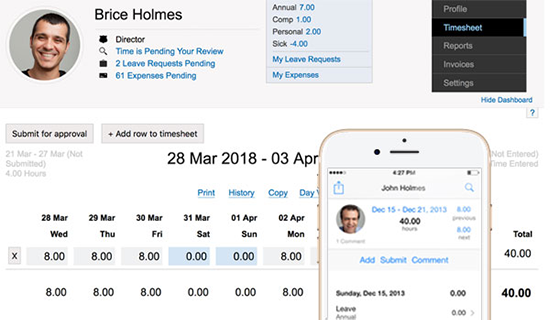
WeWorked offers a standard set of timekeeping features:
- Weekly timesheets,
- Intuitive web time clocks,
- And easy seamless timesheet approval processes.
On top of that, it includes leave management features, invoicing, and QuickBooks integration, thus coveting the primary aspects of work for HR and accounting teams.
Capterra rating: 4.2 (32 reviews)
Best for:
Basic timekeeping and attendance management in remote teams.
Pricing:
- Free 30-day trial.
- Starting from $15 per month for 3 users.
How to Choose the Right Time Tracking Software
With so many options, the choice comes down to how your team works and what you do with the data afterward. A few questions narrow it down quickly:
- How do people track time? Desk teams do well with timesheets or automatic trackers, while field and shift teams need a mobile time clock with GPS.
- Do you bill clients? If so, prioritize billable rates, invoicing, and reporting, which point to actiTIME, Harvest, or Paymo.
- Do you need free time tracking software for a small business? Clockify covers unlimited users at no cost, and actiTIME is free for up to three users with room to grow.
- Where does the data go? If you run payroll in QuickBooks, QuickBooks Time or WeWorked keep everything connected.
- Do you need approvals and cost control? Look for timesheet locking, approvals, and cost reporting, which is where actiTIME fits small businesses that are ready to scale.
Match those answers to the table above, then trial two or three tools before committing. Most offer a free plan or trial, so the real test is how easily your team adopts it.
Frequently Asked Questions About Time Tracking Software for Small Business
What is the best time tracking app for small business?
There is no single best app, since the right fit depends on how you work. For small teams that run projects, bill clients, or need approvals and reporting, actiTIME balances accurate tracking with financial insight while staying easy to adopt. For teams that only need employees to clock in and out, a lighter tool like Homebase or Atto is enough. Match the tool to your workflow rather than to its popularity.
Does Microsoft Office have a time tracking tool?
Microsoft 365 does not include a dedicated time tracking app. Small businesses often build timesheets in Excel or use Microsoft Lists or Planner to log hours manually. Those work for very small teams, but they lack automatic tracking, approvals, and reporting, so a purpose built tool is a better fit once you need accurate payroll or billing data.
Does QuickBooks have time tracking?
Yes. QuickBooks Time, formerly TSheets, is Intuit’s time tracking product, and it connects directly to QuickBooks Online for payroll and invoicing. It suits businesses already committed to the QuickBooks ecosystem. If you want tracking that is not tied to one accounting platform, a standalone tool like actiTIME gives you more flexibility.
Is Clockify actually free?
Yes. Clockify’s core time tracking is free for an unlimited number of users, which is why it is popular with small teams on a tight budget. Its paid plans add approvals, admin controls, and more advanced reporting. If you want a free option that also grows into cost and profit reporting, actiTIME is free for up to three users and keeps the same interface as its paid version.
Conclusion
The world of time tracking software for small businesses is vast and varied, offering countless solutions tailored to the unique needs of different teams.
From popular all-rounders to activity monitoring and accurate client billing, the 18 software tools reviewed in this post provide plenty of opportunities to improve the way you and your team works. Yet, amidst these options, actiTIME stands out as the crème de la crème.
Its diverse timekeeping functionality, built-in automation, detailed reports, and handy integrations set it apart as a must-have tool for any business striving to optimize and enhance its resource and project management.
So, sign up for a free actiTIME trial today and experience its benefits firsthand.